Can beats solo2 be connected to iPhone 13 wirelessly? I only have sound in left ear…
I only have sound in left ear wirelessly, but when connected via cable, both ears work.
can anyone recommend any help? I have rebooted….
iPhone 13
I only have sound in left ear wirelessly, but when connected via cable, both ears work.
can anyone recommend any help? I have rebooted….
iPhone 13
Hey there JAG3211AU,
Thanks for reaching out!
Resetting your Beats can help if you're running into issues with sound. Follow the steps below then test to see if that helps:
Reset Solo2 Wireless
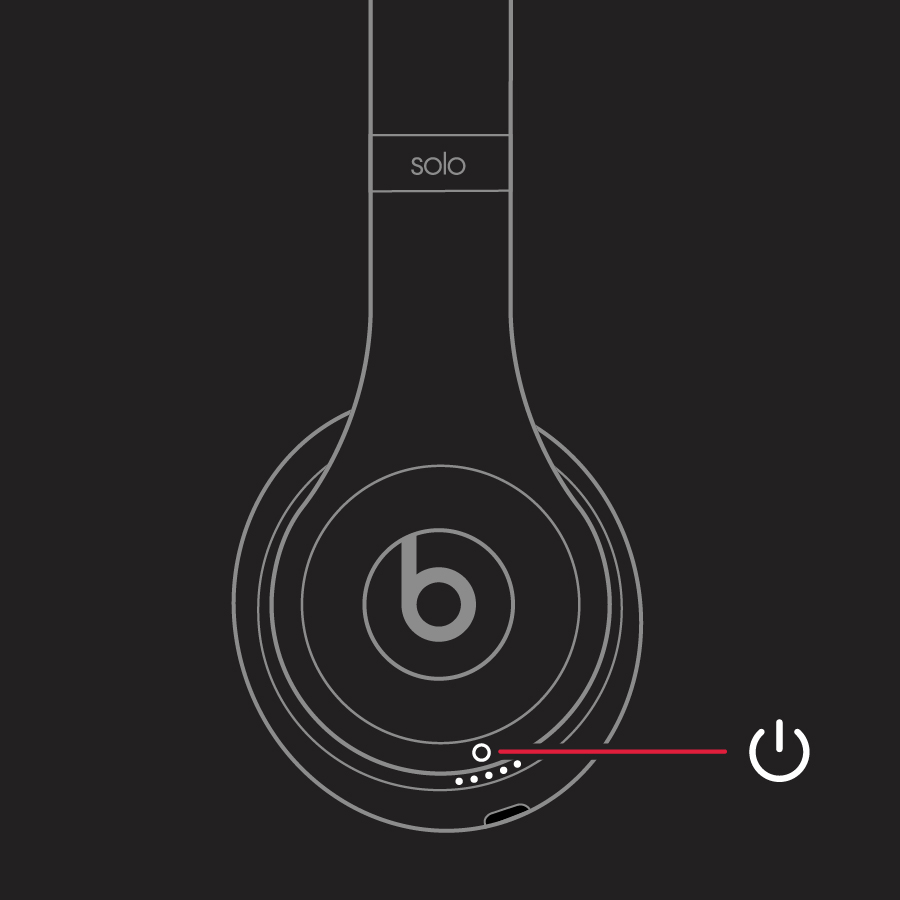
1. Make sure your headphones are not plugged in to your USB charging cable.
2. Press and hold the power button for 10 seconds.
3. Release the power button.
4. All of the Fuel Gauge LEDs blink white, then one LED blinks red. This sequence happens three times. When the lights stop flashing, your headphones are reset.
Reset your Beats on-ear or over-ear headphones - Apple Support
Should the issues continue, you can use the guidance under "Other things you can try":
Still having issues with your headphones? Try these things next:
* Try using another power source or a different cable.
* Learn about sound troubleshooting for headphones or Bluetooth troubleshooting.
* Use the Beats Updater to get the latest firmware. If you have Solo3 headphones that you set up with an iPhone using iOS 10, you automatically receive the latest firmware.
Take care!
Hey there JAG3211AU,
Thanks for reaching out!
Resetting your Beats can help if you're running into issues with sound. Follow the steps below then test to see if that helps:
Reset Solo2 Wireless
1. Make sure your headphones are not plugged in to your USB charging cable.
2. Press and hold the power button for 10 seconds.
3. Release the power button.
4. All of the Fuel Gauge LEDs blink white, then one LED blinks red. This sequence happens three times. When the lights stop flashing, your headphones are reset.
Reset your Beats on-ear or over-ear headphones - Apple Support
Should the issues continue, you can use the guidance under "Other things you can try":
Still having issues with your headphones? Try these things next:
* Try using another power source or a different cable.
* Learn about sound troubleshooting for headphones or Bluetooth troubleshooting.
* Use the Beats Updater to get the latest firmware. If you have Solo3 headphones that you set up with an iPhone using iOS 10, you automatically receive the latest firmware.
Take care!
Hey there JAG3211AU,
It sounds like you've done a lot of solid troubleshooting. Since the issue is continuing to occur, you may want to reach out to Apple directly. If support is available in your region, this will let you connect directly with an AppleCare representative, who can go over any additional troubleshooting available and continue working on the best way to resolve this with you.
You can start by heading here: Get Support
We hope this information helps!
Best wishes.
Thanks SnickZ. I have done all of these but to no avail. Both ears work with cable but only 1 ear when wireless.
Can beats solo2 be connected to iPhone 13 wirelessly? I only have sound in left ear…