No cellular after ios 16.6 update

Updated to 16.6 last night on a iPhone Xs Max. It says there is an error and no cellular connection. I do not have an apple computer to connect to Itunes with, but I do have an Ipad Pro.

I took my phone and Ipad Pro to the Apple genius bar they went through a few settings and then stated “We can do a complete reset but I have not seen this work; or you can buy a new phone (same XsMax) at $549.00.

This is not the answer I expected from Apple.

I went to my carrier and checked with them; we even put in a new sim card. No change - No cellular.

I have tried the various”fixes” listed online for this, but all of the cellular settings are gone and the phone says “ Error “ an update is required to use cellular data on this iPhone” under Settings>Cellular.

It seems as if there was an issue with the ios update 16.6, as I can see there are others online having this issue too. I do not see a patch or update to fix this? Any help would be greatly appreciated!

iPhone XS Max, iOS 16

Posted on Aug 6, 2023 3:46 PM

Reply
Question marked as Top-ranking reply

Posted on Aug 7, 2023 2:08 AM

Check your iPhone settings

Go to Settings and turn on Airplane Mode, wait five seconds, then turn it off. Check Do Not Disturb. Go to Settings > Focus > Do Not Disturb and make sure it's turned off. Check for any blocked phone numbers.


If you can't make or receive calls on your iPhone - Apple Support



Can't send or receive message then try these steps first

  1. Restart your device: ... 
  2. Check your network connection. ... 
  3. Check with your carrier to see if the type of message you're trying to send, like MMS or SMS, is supported.
  4. If you're trying to send group MMS messages on an iPhone, go to Settings > Messages and turn on MMS Messaging.

More items...


If you can't send or receive messages on your iPhone, iPad, or ...


If you are unable make a call or receive; If you can't make or receive calls on your iPhone - Apple Support


Cellular Update Failed —> If you see an Update Failed or Apple Pay Not Available alert after iOS update or restart


Settings > Mobile Data > APN [under Mobile Data APN] enter the APN pin


View and edit your APN settings

If your carrier allows it, you can view your APN settings in one of the following locations: Settings > Cellular > Cellular Data Options > Cellular Network. Settings> Mobile Data > Mobile Data Options > Mobile Data Network.


View and edit your Access Point Name (APN) on your iPhone ...


Carrier Update (Required): Released by your Cellular Service provider (Carrier Update), affects your Outgoing / Incoming calls, SMS, Data etc..
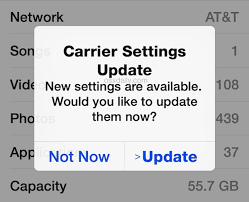


How to Update Carrier Settings

You can manually check for and install a carrier settings, update with these steps: Make sure your device is connected to a Wi-Fi or cellular network. Tap Settings > General > About. If an update is available, you'll see an option to update your carrier settings.

Update your carrier settings on your iPhone or iPad - Apple Support


If nothing helps then --> If you see a Cellular, Ultra Wideband, or Apple Pay Issue message after an iOS update or restart


Reset Network Settings: Only network settings are removed.

  • When you reset network settings, previously used networks and VPN settings that weren’t installed by a configuration profile or mobile device management (MDM) are removed. Wi-Fi is turned off and then back on, disconnecting you from any network you’re on. The Wi-Fi and Ask to Join Networks settings remain turned on.
  • To remove VPN settings installed by a configuration profile, go to Settings > General > Profiles & Device Management, select the configuration profile, then tap Remove Profile. This also removes other settings and accounts provided by the profile. See Install or remove configuration profiles on iPhone in this guide.
  • To remove network settings installed by MDM, go to Settings > General > Profiles & Device Management, select the management, then tap Remove Management. This also removes other settings and certificates provided by MDM. See “Mobile device management (MDM)” in the iOS Deployment Reference.
  • Reset your Network Settings. Tap Settings > General > Reset > Reset Network Settings. This also resets Wi-Fi networks and passwords, cellular settings, and VPN and APN settings that you've used before.


If the above fails...


Reset All Settings: All settings—including network settings, the keyboard dictionary, the Home screen layout, location settings, privacy settings, and Apple Pay cards—are removed or reset to their defaults. No data or media are deleted.

  1. Reset All Settings: Return iPhone settings to their defaults - Apple Support:- Return iPhone settings to their defaults
  2. You can return settings to their defaults without erasing your content.
  3. If you want to save your settings, back up your iPhone before returning them to their defaults. For example, if you’re trying to solve a problem but returning settings to their defaults doesn’t help, you might want to restore your previous settings from a backup.


If nothing above works probably it could be your iPhone may have a radio or antenna problem. In that case, take your device to an Apple Retail Store or Apple Authorized Service Provider, or contact Apple Support and get the hardware tested and if needed repaired/replaced.


Find Locations - Location Selector - Apple

Contact Apple for support and service - Apple Support 

Get a Genius Bar Reservation and Apple Support Options - Apple

Contact Genius Bar. Manage Reservations - My Reservations - Apple


Similar questions

20 replies
Question marked as Top-ranking reply

Aug 7, 2023 2:08 AM in response to dubs115

Check your iPhone settings

Go to Settings and turn on Airplane Mode, wait five seconds, then turn it off. Check Do Not Disturb. Go to Settings > Focus > Do Not Disturb and make sure it's turned off. Check for any blocked phone numbers.


If you can't make or receive calls on your iPhone - Apple Support


Can't send or receive message then try these steps first

  1. Restart your device: ... 
  2. Check your network connection. ... 
  3. Check with your carrier to see if the type of message you're trying to send, like MMS or SMS, is supported.
  4. If you're trying to send group MMS messages on an iPhone, go to Settings > Messages and turn on MMS Messaging.

More items...


If you can't send or receive messages on your iPhone, iPad, or ...


If you are unable make a call or receive; If you can't make or receive calls on your iPhone - Apple Support


Cellular Update Failed —> If you see an Update Failed or Apple Pay Not Available alert after iOS update or restart


Settings > Mobile Data > APN [under Mobile Data APN] enter the APN pin


View and edit your APN settings

If your carrier allows it, you can view your APN settings in one of the following locations: Settings > Cellular > Cellular Data Options > Cellular Network. Settings> Mobile Data > Mobile Data Options > Mobile Data Network.


View and edit your Access Point Name (APN) on your iPhone ...


Carrier Update (Required): Released by your Cellular Service provider (Carrier Update), affects your Outgoing / Incoming calls, SMS, Data etc..


How to Update Carrier Settings

You can manually check for and install a carrier settings, update with these steps: Make sure your device is connected to a Wi-Fi or cellular network. Tap Settings > General > About. If an update is available, you'll see an option to update your carrier settings.

Update your carrier settings on your iPhone or iPad - Apple Support


If nothing helps then --> If you see a Cellular, Ultra Wideband, or Apple Pay Issue message after an iOS update or restart


Reset Network Settings: Only network settings are removed.

  • When you reset network settings, previously used networks and VPN settings that weren’t installed by a configuration profile or mobile device management (MDM) are removed. Wi-Fi is turned off and then back on, disconnecting you from any network you’re on. The Wi-Fi and Ask to Join Networks settings remain turned on.
  • To remove VPN settings installed by a configuration profile, go to Settings > General > Profiles & Device Management, select the configuration profile, then tap Remove Profile. This also removes other settings and accounts provided by the profile. See Install or remove configuration profiles on iPhone in this guide.
  • To remove network settings installed by MDM, go to Settings > General > Profiles & Device Management, select the management, then tap Remove Management. This also removes other settings and certificates provided by MDM. See “Mobile device management (MDM)” in the iOS Deployment Reference.
  • Reset your Network Settings. Tap Settings > General > Reset > Reset Network Settings. This also resets Wi-Fi networks and passwords, cellular settings, and VPN and APN settings that you've used before.


If the above fails...


Reset All Settings: All settings—including network settings, the keyboard dictionary, the Home screen layout, location settings, privacy settings, and Apple Pay cards—are removed or reset to their defaults. No data or media are deleted.

  1. Reset All Settings: Return iPhone settings to their defaults - Apple Support:- Return iPhone settings to their defaults
  2. You can return settings to their defaults without erasing your content.
  3. If you want to save your settings, back up your iPhone before returning them to their defaults. For example, if you’re trying to solve a problem but returning settings to their defaults doesn’t help, you might want to restore your previous settings from a backup.


If nothing above works probably it could be your iPhone may have a radio or antenna problem. In that case, take your device to an Apple Retail Store or Apple Authorized Service Provider, or contact Apple Support and get the hardware tested and if needed repaired/replaced.


Find Locations - Location Selector - Apple

Contact Apple for support and service - Apple Support 

Get a Genius Bar Reservation and Apple Support Options - Apple

Contact Genius Bar. Manage Reservations - My Reservations - Apple



Aug 20, 2023 1:06 AM in response to SravanKrA

I'm having the same issue. I have a 2nd gen SE. My phone was scheduled for the 16.6 update. When I woke up the next morning, my phone read SOS only where my carrier info is usually located and flashing in the middle of my screen is No SIM Available. I took my phone to my carrier 3 times. They adjusted the SIM and ended up replacing the SIM. Nothing changed. I spoke with my local Apple store. They reset my phone and ran diagnostics. They told me the RF signal from the phone to the towers wasn't communicating properly. They told me they only fix is to replace my phone which was almost $400. My phone worked just fine before the update...no water damage, no drop damage, no damage of any kind. I was very disappointed with Apple. I never liked Apple products until I started selling them at a cell phone carrier. In order to properly do my job, I had to be able to work with and set up Apple phones. The easiest way to learn was to own one. Since then I've come to love iPhones at least. This is my second one and I'm ready to upgrade but my finances aren't ready yet. Due to Apple's 16.6 update and the lack of quality customer service I had anticipated, I'm forced to buy a new phone when I can't afford one because Apple's update destroyed my phone and many other people's too. Apple needs to repair or replace these devices because Androids are cheaper and now have a lot of the same features. This isn't Apple quality and I just don't get why they aren't acknowledging their mistake and fixing it yet. My phone has been down for 3 weeks now. That's money wasted on this months service, a new phone I can't afford and the gas and time I wasted thinking someone was gonna get my phone fixed.

Aug 20, 2023 12:05 PM in response to dubs115

Follow up- The reply posts and answers to my original post were either not helpful or non related, but thank you for trying.

I have owned Apple products for many years and had already tried the obvious things like “airplane mode” and restarting to try to resolve the no cellular issue.

In the end I was able to fix this issue by reloading the IOS 16.6 update and will post the directions I followed from Apple. The issue was in the original IOS 16.6 download and install, and this had to be done again in order to get results. I did not want to restore or erase my phone due to personal reasons. Hopefully this post will help others having a similar issue.

The trick to doing this is in step 5.

Aug 7, 2023 2:07 AM in response to dubs115

Updating iOS on your iPhone should typically not alter the fundamental functionality of the device. In general, iOS updates are designed to enhance the user experience, improve security, and fix bugs, rather than introducing major disruptions to core features. The reported issue of the screen flickering and displaying a white screen after an update is likely caused by factors that are not explicitly mentioned in your post.


iOS updates primarily focus on improving system performance, introducing new features, fixing bugs, and enhancing security. They are designed to preserve your personal data, settings, and information intact.


During an iOS update, your device's operating system is upgraded, but your personal data, such as contacts, photos, messages, and other information, should remain unchanged. However, it's always a good practice to perform a backup of your device before any major update to ensure that your data is safely stored.


It's important to note that while an iOS update itself should not alter personal details, it's possible that certain features or settings may be adjusted or improved with the update. In such cases, you may need to review and adjust specific settings to match your preferences after the update.


Always make sure to read and understand the update details provided by Apple before proceeding with an iOS update, and follow best practices such as backing up your device to minimize any potential risks or complications.


If the issues you mentioned are indeed caused by iOS, it's likely that numerous users who have upgraded to iOS 16.6 are experiencing similar problems. However, in order for the community on this forum to provide helpful responses, it would be beneficial for you to specify the nature of the issue you are encountering. Without this information, it may be difficult for others to address your concern effectively.


With the limited information that you have provided, It is hard to even guess the problems faced by you. 


You may get faster and better responses to your query by --> Writing an effective Apple Support Commun… - Apple ...


Please re-post with detail so that someone else can help.


Sep 17, 2023 5:10 PM in response to xwedewff16

Hi, after updating 16.6.1, no wifi, and strangely, no data cellular, voice working!!! I tried everything, and I had to make a hard reset, and it work, and a few minutes later, crash again. Wifi didn't work, and data didn't, worked. But then, after som tears, I tried to take a Genius Bar appointment, and it worked, wifi and data cellular. It is 8pm, still working! I hope for the iOS 17, to clear everything, and start fresh again. It is appalling to see apple do update and didn't check for does MAJOR bug for certain of us. I have a iPhone 12 Pro Max, and I hope, tomorrow morning it is working. I had to configure everything (3 hours)! Crossing fingers! My phone is the only phone for the house, so I hope I don't have to send it for repair, for 10 days!

Sep 20, 2023 3:17 AM in response to Crystal_1855

Exact same thing here! I have an 11 Pro. It happened the other night after the 16.6 update. I tried everything with my carrier and with Apple support including multiple SIMS, physical and electronic, and ultimately a factory reset. Nothing. Conveniently the 15 is being released this week. Coincidence? I think not. This is the first problem I’ve ever had with an iPhone in the 15 years of having one. Inconvenient timing as I’m in nursing school and not working a lot so I really can’t afford a new one, but I have no choice. I haven’t decided if I’ll continue with another iPhone or not. It’s too big of a screw-up for me to not consider other options where in the past I never would have considered anything else.

This thread has been closed by the system or the community team. You may vote for any posts you find helpful, or search the Community for additional answers.

No cellular after ios 16.6 update

Welcome to Apple Support Community
A forum where Apple customers help each other with their products. Get started with your Apple Account.
