Hi there Hippielove,
Do you have another trusted device you can use to get a verification code? This would be another device (iPhone, iPad, iPod touch, or Mac) that is already signed into your Apple ID. If yes, the steps below show how to get a verification code:
Get a code from Settings on your trusted device
If you can’t receive a verification code on your trusted devices automatically, you can get one from Settings, even if your device is offline.
From your iPhone, iPad, or iPod touch
If your device is online:
1. Go to Settings > [your name].
2. Tap Password & Security > Get Verification Code.
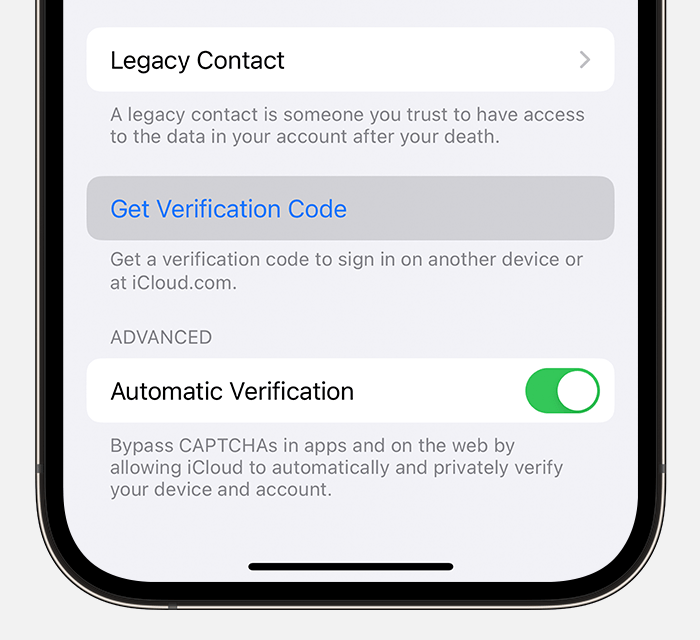
If your device is offline:
1. Go to Settings > [your name].
2. Tap Password & Security.
3. A message says "Account Details Unavailable." Tap Get Verification Code.
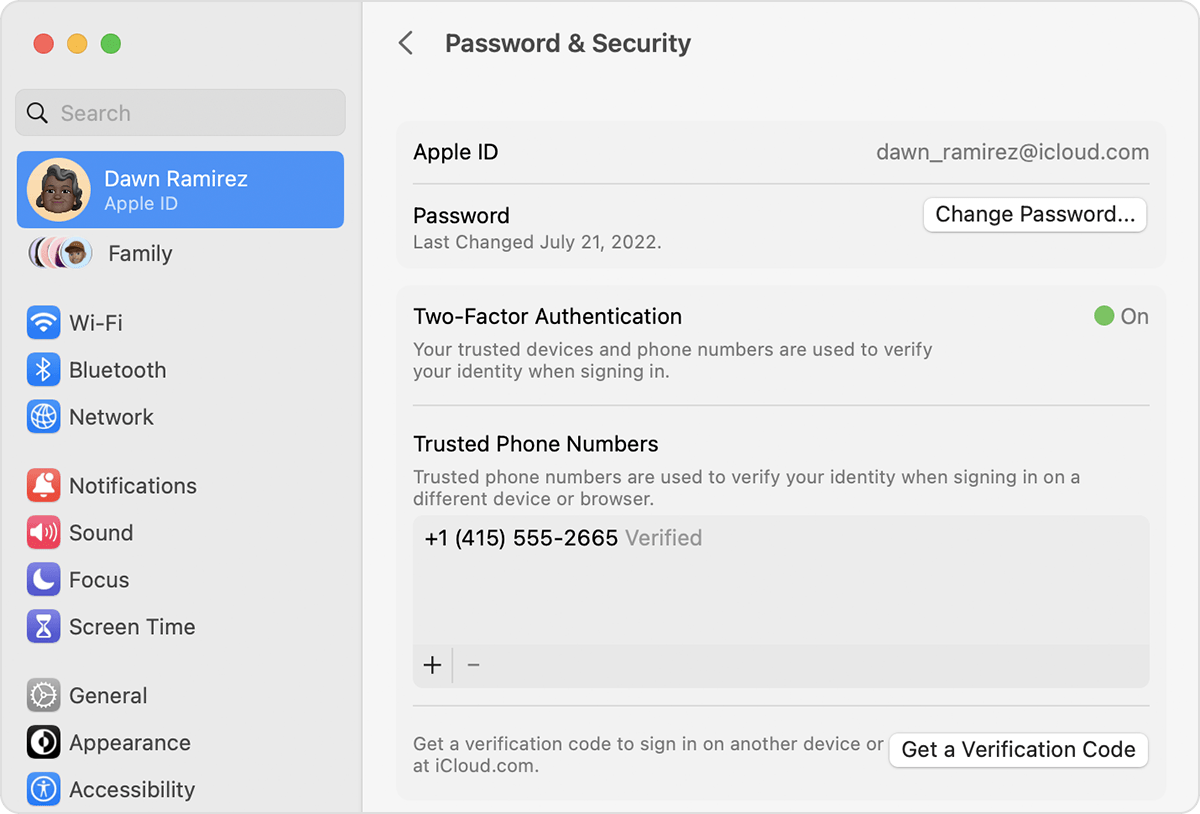
From your Mac
1. Go to Apple menu > System Settings (or System Preferences), then click your name (or Apple ID).
2. Click Password & Security > Get a Verification Code.
Those steps are from this article: Get a verification code and sign in with two-factor authentication - Apple Support
If you are unable to get a verification code or reset your password, you may have to request account recovery. This article has more details on account recovery: How to use account recovery when you can’t reset your Apple ID password - Apple Support
Take care.


