
Stop Apple Watch from ringing
How to stop my Apple Watch from ringing so my Apple phone will ring.
Apple Watch Series 5
How to stop my Apple Watch from ringing so my Apple phone will ring.
Apple Watch Series 5
Are you trying to have your iPhone ring when you receive a call? That shouldn't be affected by the audio settings on your Apple Watch. See Select ringtones and vibrations on iPhone - Apple Support.
Either way, here's how to mute your Apple Watch:
 . This turns on Silent Mode. You can still receive haptic notifications.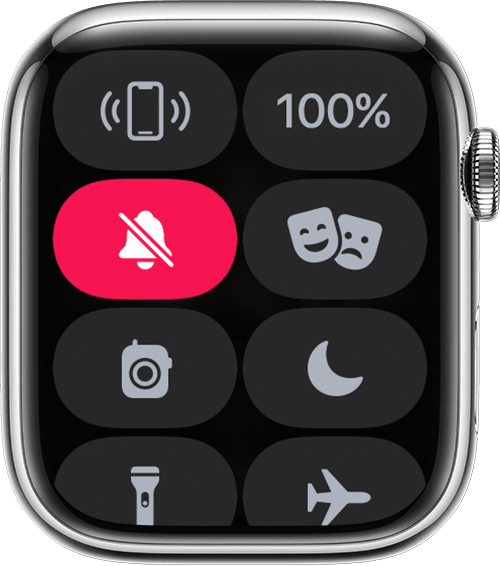
To silence an alert or notification as it sounds, rest your palm on the display for at least three seconds or until you feel a tap. If it doesn't work, make sure that the Cover to Mute setting is on: On your iPhone, open the Apple Watch app, go to the My Watch tab, then tap Sounds & Haptics.
With watchOS 9.4, wake-up alarms are not silenced with the cover to mute gesture to avoid accidental cancellations during sleep.
Stop Apple Watch from ringing
