Red Dot on dynamic island IPhone 14 pro max
why ?
why ?
Tap the red dot to find out. It indicates an active app, and tapping on it should open the app.
Tap the red dot to find out. It indicates an active app, and tapping on it should open the app.
Hello sevdie225,
You came from the best resource for your question about a red dot appearing in the Dynamic Island on the iPhone 14 Pro Max: Status icons and symbols on your iPhone
If you see blue, green, red, or purple in the status bar
On iPhone X and later, the color shows as a bubble behind the time. On iPhone 8 or earlier, the color goes all the way across the status bar. Here's what each color means:
Your iPhone is using Screen Mirroring, or an app is actively using your location.
You're on a call or your iPhone is providing a Personal Hotspot,*
Your iPhone is either recording sound or your screen.
Your iPhone is using SharePlay to share content.
* For Personal Hotspot on iPhone 8 or earlier, you can also see how many devices joined your hotspot.appears in the status bar of iOS devices using Personal Hotspot.
If you see orange or green indicators in the status bar
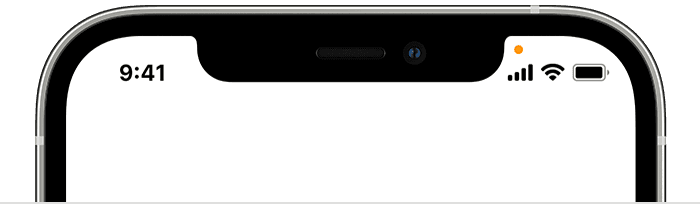
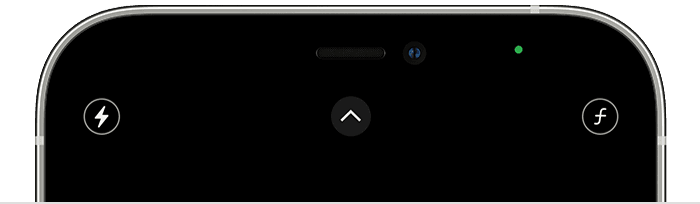
With iOS 14 and later, you might see an orange or green indicator in the status bar on your iPhone. These indicators appear when the microphone and/or camera are being used by an app.
An orange indicatormeans the microphone is being used by an app on your iPhone.
A green indicatormeans either the camera or the camera and the microphone are being used by an app on your iPhone.
If you see an orange dot in the Dynamic Island, then that means your microphone is being used by an app on your iPhone.
If you see a red outline around the time, that means you are recording the sound or your screen.
We hope this helps out.
Take care.
Red Dot on dynamic island IPhone 14 pro max