iMessage (blue) not working in Group (and only there)

Currently my niece is on a stay in the US for on year. She has an iPhone and a new US cellphone number. iMessage shows me her (old German) number green (no iMessage) and her new US number blue (also her iCloud.com Email). When I send her an iMessage (only her) it works just fine and I can send an iMessage.


On the other hand there is my husband here in Germany. He has an iPhone with a German cellphone number. When I send him an iMessage (only him) it works.


Now there is the thing: If I want to send them both an iMessage, to my niece on her US cellphone number and to my husband on his German number, it should work fine, since both individually are working.


Yet, this does not work and the names turn green meaning they receive only an SMS...


Does someone have a solution???

iPhone 13 Pro

Posted on Sep 3, 2023 11:43 PM

Reply

Similar questions

1 reply

Sep 5, 2023 7:10 AM in response to Steven2759

Hi Steven2759,


Since you're having a hard time sending a group text, we recommend that you try the steps in the link below.


Send a group text message on your iPhone or iPad - Apple Support


To perform the recommended troubleshooting steps via the link above, complete the steps in the section titled "Send a group text message."


1. Open Messages and tap the Compose button .
2. Enter the names or tap the Add button add contact to add people from your contacts.
3. Type your message, then tap the Send button send icon.

To send a group MMS message on an iPhone, make sure MMS Messaging is turned on. Go to Settings > Messages and turn on MMS Messaging. If you don’t see an option to turn on MMS Messaging or Group Messaging, contact your carrier to see if your plan supports Group MMS Messaging.

With iOS 15 and iPadOS 15, photos, links, and other content that are sent within the group message will appear in the Shared with You section of the corresponding content apps. If you don't want to see the photos and other content in Shared with You, go to the group message, tap the top of the thread, then turn off Show in Shared with You.


We recommend the steps above because they will show you how to send a group text message.


If you’re still experiencing the same issue, check out the section below.


There are three types of group messages that you might see: group iMessage, group MMS, and group SMS. The Messages app automatically chooses the type of group message to send based on settings, network connection, and carrier plan. For example:
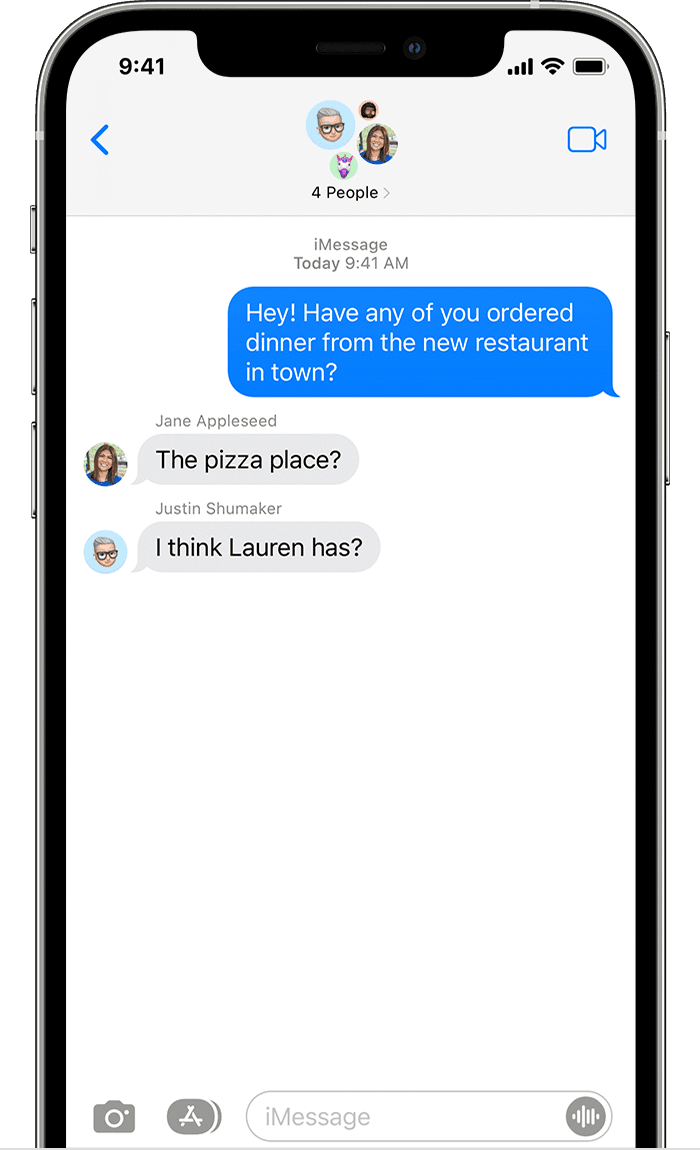
* If you and your recipients are using Apple devices and iMessage is turned on, then the group message is sent as an iMessage.
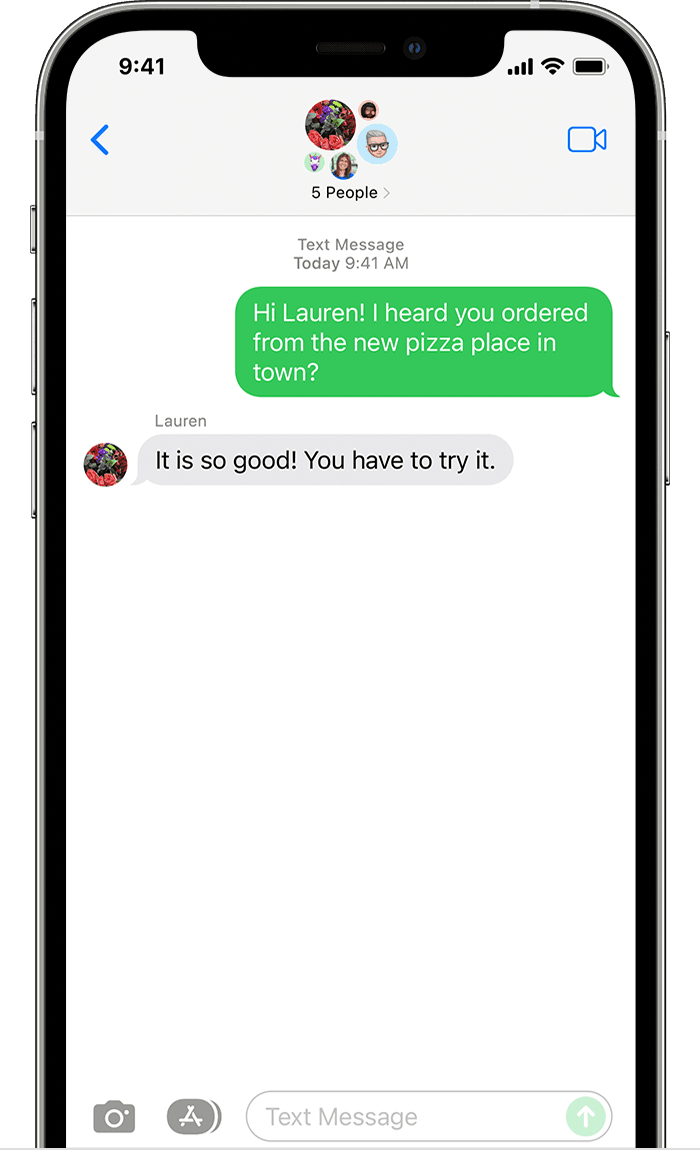
* If you send a group message to people who aren't using iMessage, then the message is sent as an MMS or SMS message.
iPhone showing a group text iMessage with five people. 

Group iMessage
These messages appear in blue text bubbles. They go through Apple instead of your carrier, and are protected by end-to-end encryption. In a group iMessage, everyone can:
* Send and receive photos, videos, and audio messages
* See all responses from the group
* Send and receive message effects, like sketches, animations, bubble effects, and more
* Share their location with the group
* Collaborate on shared projects
* Give the group a name, add or remove people from the group, mute notifications, or leave the group

iPhone showing a group text MMS message with six people. 

Group MMS
These messages appear in green text bubbles and go through your carrier instead of Apple. In a group MMS, everyone can:
* Send and receive photos and videos
* See all responses from the group
* Mute notifications
Group SMS
These messages also appear in green text bubbles and go through your carrier. Group SMS messages don’t support multimedia attachments, like photos or videos. All responses in a group SMS are sent as individual text messages and the recipients can’t see the other responses from the group.
Learn how to forward SMS/MMS text messages across your devices, like from an iPad to a Mac.


Please let us know the outcome after giving the above steps a try.


Thanks for using the Apple Support Communities.


Cheers!

This thread has been closed by the system or the community team. You may vote for any posts you find helpful, or search the Community for additional answers.

iMessage (blue) not working in Group (and only there)

Welcome to Apple Support Community
A forum where Apple customers help each other with their products. Get started with your Apple Account.