Well, that stinks.
You may have to do this the hard way. Open Font Book's preferences, and under the Advanced tab, click the red Reset Fonts button. Then close Font Book and relaunch it.
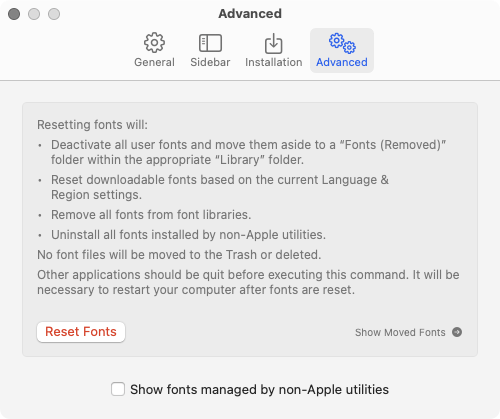
Clicking this will move all of your third party fonts out of your user account Fonts folder into a new folder right next to it named, Fonts (Removed). It will do the same to the Fonts subfolder in the root Library folder.
Your third party fonts will still be on the drive, but none of them will be active, and they will all be cleared from Font Book's list.
If you want to try a less nuclear option first, click anywhere on the desktop so Finder is the name of the foreground app next to the Apple logo at the top left of the screen. Press Command+Shift+H to open your user account folder. Without touching anything else, then press Command+Shift+J to open the settings palette. Turn on Show Library Folder at the bottom, then close the palette by clicking its single button at the top left.
With the Library folder now visible in your user account, open that, and then the Fonts folder. Locate the Radioactive font and put it in the trash. Restart the Mac, and then empty the trash.

