My apple ID is associated with a comcast.net address which I haven't had access to for many years. Now suddenly it won't let me sign in to iCloud, error is "unexpected error occurred?.

My apple id has always been associated with my old, 11 years inactive, comcast.net email address. Suddenly it will not let me sign in unless I can provide a code sent to that address. This started because my iCloud storage was filling up with photos which I never wanted on there in the first place. I tried changing my apple id email address but it requires that I access that old email. When I try to do that I get "unexpected error occurred".


Help, I'm stuck.

iMac 27″, macOS 13.5

Posted on Sep 9, 2023 3:55 PM

Reply
Question marked as Top-ranking reply

Posted on Sep 11, 2023 10:57 AM


Hello moox23,


Thanks for checking. In that case, we can't help here in the public setting.


For your privacy and account security, please contact account support: Get Support


They will verify you are the owner of the account, and check all options to fix this.


Thanks.

Similar questions

4 replies

Sep 10, 2023 2:55 PM in response to moox23

Hi there moox23,


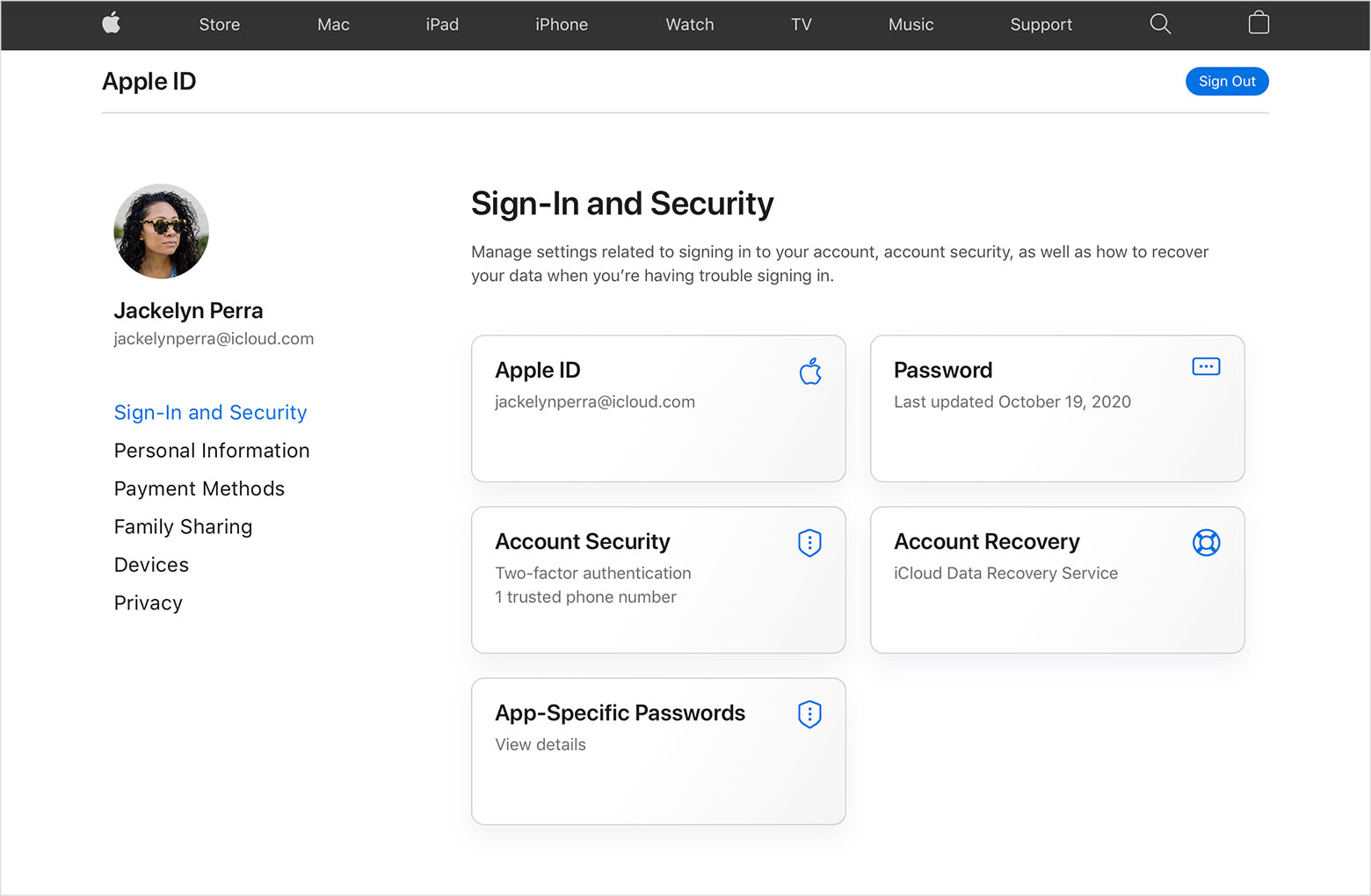
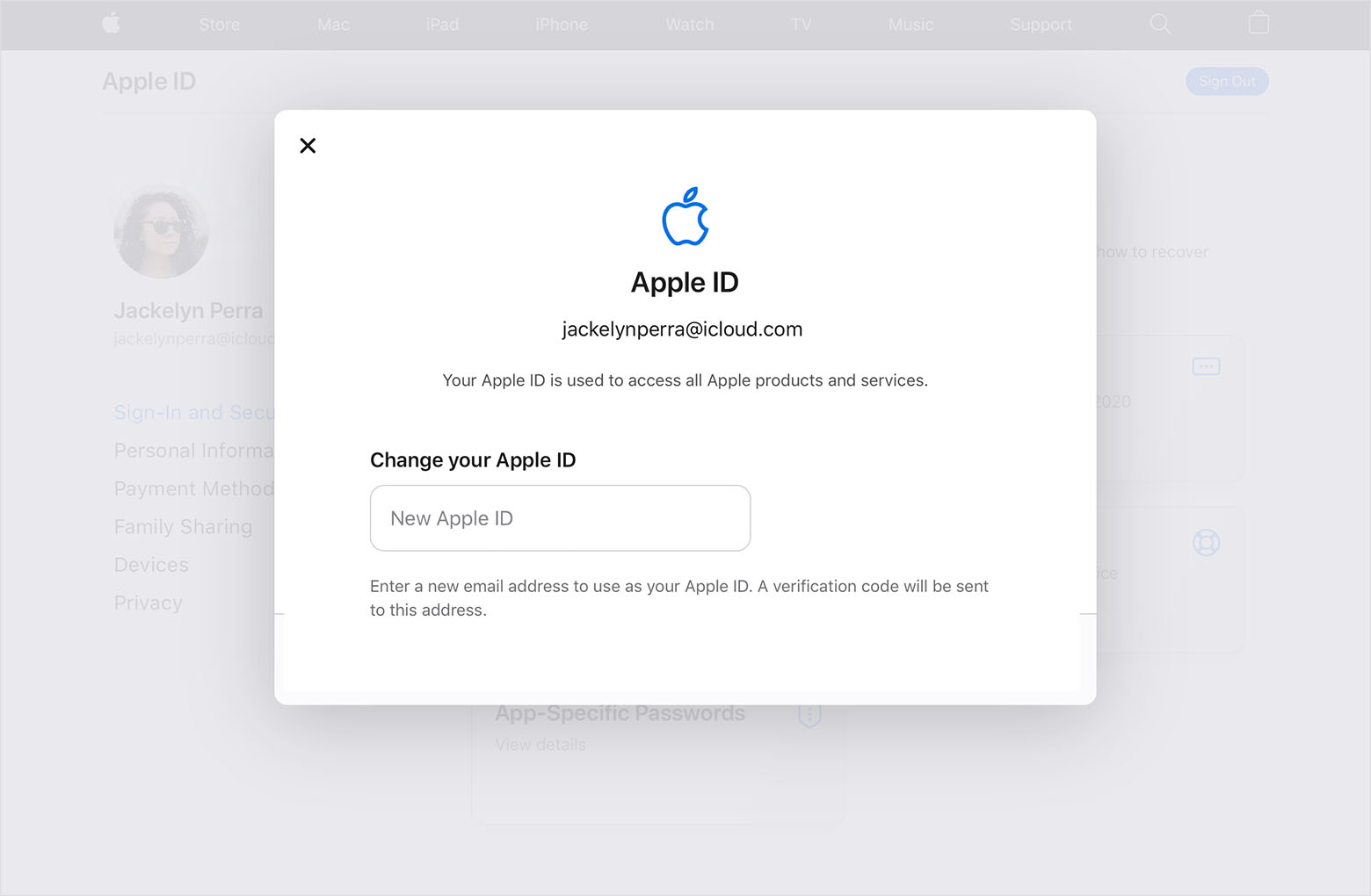
To confirm, are you able to sign into the Apple ID website? If yes, then you should be prompted for a verification code after typing in the new email address you want to change your Apple ID too. The steps below go through how to do that. Please let us know if you are getting stuck on a certain step in the steps below.


How to change your Apple ID to a different email address
1. Go to appleid.apple.com and sign in.
2. In the Sign-In and Security section, choose Apple ID.
3. Enter the email address that you want to use as your Apple ID.
4. Choose Change Apple ID.
5. If you changed your Apple ID to a third-party email address, check your email for a verification code, then enter the code. Learn what to do if you didn't get the email.
6. If you use services like iCloud or Messages to share with friends and colleagues, sign in to those services with your updated Apple ID.

Those steps are from this article: Change your Apple ID - Apple Support


Take care.

Sep 11, 2023 11:42 AM in response to 1ssmith

That is for resetting my password. I know my password. I think the actual problem is that the email address associated with my apple id is one I have not had access to for many years. This has never been a problem before, in fact apple told me it was ok, but now it wants me to get the code that was emailed to that address.

This thread has been closed by the system or the community team. You may vote for any posts you find helpful, or search the Community for additional answers.

My apple ID is associated with a comcast.net address which I haven't had access to for many years. Now suddenly it won't let me sign in to iCloud, error is "unexpected error occurred?.

Welcome to Apple Support Community
A forum where Apple customers help each other with their products. Get started with your Apple Account.