videos will blackout when playing

whenever i play a video on my ipad, one that is saved from my files, it will black out randomly going on and off. i can still hear the sound, but the pic will just come and go. i transfer the same file to my iphone and didn't have a problem watching it. any idea what could it be? i have an ipad 6 mini

Posted on Sep 12, 2023 3:47 PM

Reply
Question marked as Top-ranking reply

Posted on Oct 1, 2023 3:13 PM

so... quick update... after going to an apple store and have a technician check my ipad... we discovered that there is an option in settings that will dim videos if they have flashing effects. i said WE discovered because the apple genius was as surprised as me when she tried (LOL) . apparently is something new and will be on by defaults. so if you have this issue, the answer is quite simple... go to settings, accessibility, motion, dim flashing lights... and problem solved :) hope this helps!!

7 replies
Question marked as Top-ranking reply

Oct 1, 2023 3:13 PM in response to ceciliabal

so... quick update... after going to an apple store and have a technician check my ipad... we discovered that there is an option in settings that will dim videos if they have flashing effects. i said WE discovered because the apple genius was as surprised as me when she tried (LOL) . apparently is something new and will be on by defaults. so if you have this issue, the answer is quite simple... go to settings, accessibility, motion, dim flashing lights... and problem solved :) hope this helps!!

Sep 13, 2023 12:15 PM in response to ceciliabal

Hi there ceciliabal,


Do you notice the same issues when watching videos in other apps? We want to see if this is specifically happening in one app or multiple apps.


Also, if you haven't already, you can see if restarting your iPad may help. Restarting can refresh the software on a device, which can sometimes resolve unexpected issues. If needed, below shows how:


How to restart an iPad without a Home button
1. Press and hold either volume button and the top button until the power off slider appears.
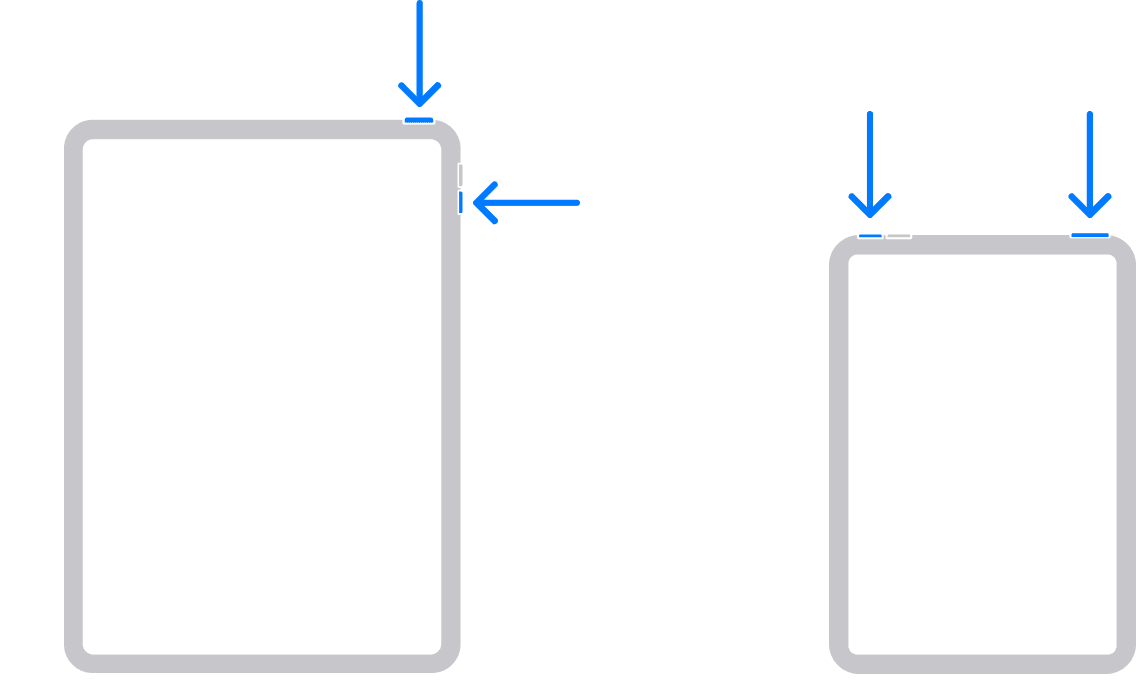
2. Drag the slider, then wait 30 seconds for your device to turn off. If your device is frozen or unresponsive, force restart your device.
3. To turn your device back on, press and hold the top button until you see the Apple logo.

Those steps are from this article: Restart your iPad Please let us know how that goes or if you've already tried restarting.


Take care.

Sep 14, 2023 7:23 AM in response to claire504

hi :) i noticed the issue only in the Photo app so far. live videos o streaming works fine. is just when i am trying to play a video that was recorded with my iphone and share it/air drop to my ipad for example. at first i thought it could a thing with the format of the video, but since it was recorder with my iphone... the format shouldn't be compatible? i did the restart thing a few times, i did the update of the software as well but there is no change. the ipad is new, got it a few weeks ago. i can still use it, but is kind of anoying when trying to edit them, since the black outs are completely random, it will happened in different part of the video and it's not always in the same spot.

Sep 17, 2023 7:07 PM in response to 1ssmith

hi again... it could be with any video that I received by airdrop, by email, or even saved from my drive straight to my ipad. if i play the video in my phone or my mac, it will be fine... but if i try to watch the same video on my ipad it will do the random blackouts. i tried transferring/sending the same video back and forth, and it's only on the ipad (photo app) that does that. other video apps like youtube for example won't give me a problem (if i watch it on the ipad), but if it is a video that is saved someway on the photo app will do that when playing

This thread has been closed by the system or the community team. You may vote for any posts you find helpful, or search the Community for additional answers.

videos will blackout when playing

Welcome to Apple Support Community
A forum where Apple customers help each other with their products. Get started with your Apple Account.
