Songs missing when syncing a playlist to my iPod

I have an iPod that i've sync'd a playlist to. The play list has 778 songs on it. Only 766 songs transferred to the iPod. All the songs show up on the play list on my iphone and my iPad . What can I do?


[Re-Titled by Moderator]

Posted on Sep 12, 2023 7:23 PM

Reply
7 replies

Sep 16, 2023 7:26 AM in response to RockyVado

Hey RockyVado,


Were the songs that have gone missing ripped to the computer by you?


If these are songs that came from an Apple Music subscription, they won't be able to transfer to your iPod nano.


If these are songs you've purchased or ripped from CD you should be able to transfer them.


To continue working on this issue, contact Apple Support if that hasn't answered your question:

Get Support


Thanks for using the Apple Support Communities.

Sep 13, 2023 4:21 PM in response to RockyVado

Hi RockyVado


Just to confirm, you are not using Apple Music to sync with Sync Library?


If so, this resource may help: If songs are missing from your music library after you turn on Sync Library – Apple Support


If not, when you remove one of the songs on the PC and import it again from the CD, can you sync it to the iPod?


Use iTunes to sync your iPhone, iPad, or iPod with your computer - Apple Support


Cheers!


Sep 16, 2023 12:43 PM in response to RockyVado

Hi RockyVado,


Thanks for posting in Apple Support Communities.


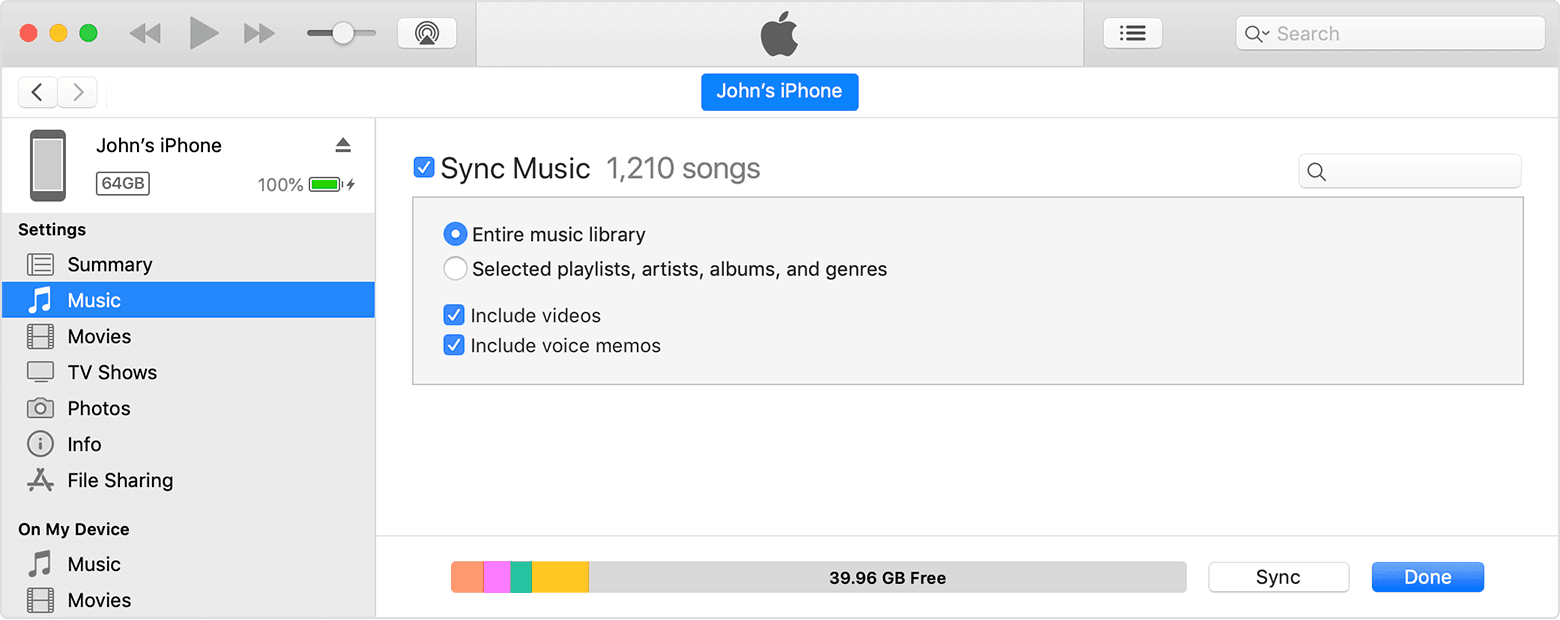
To address this behavior, connect iPod to your computer again, unsync the music, and sync the playlists to iPod again.


Sync or remove content using iTunes
1. Open iTunes and connect your device to your computer with a USB cable.
2. Click the device icon in the upper-left corner of the iTunes window. Learn what to do if you don't see the icon
3. The device icon in the upper left corner of the iTunes window.
4. From the list under Settings on the left side of the iTunes window, click the type of content that you want to sync or remove.* To turn syncing on for a content type, select the checkbox next to Sync.
5. The checkbox next to Sync Music in iTunes.
6. Select the checkbox next to each item that you want to sync.
7. Click the Apply button in the lower-right corner of the window. If syncing doesn't start automatically, click the Sync button.


Use iTunes to sync your iPhone, iPad, or iPod with your computer - Apple Support


Regards.

This thread has been closed by the system or the community team. You may vote for any posts you find helpful, or search the Community for additional answers.

Songs missing when syncing a playlist to my iPod

Welcome to Apple Support Community
A forum where Apple customers help each other with their products. Get started with your Apple Account.