How to fix randomly stuck Magic Mouse after Sonoma M1 Pro update

I've encountered problems with my Magic Mouse since updating to Sonoma. The mouse cursor behaves erratically; it doesn't freeze but doesn't move as intended. I've attempted several solutions, including:

  • Restarting the computer
  • Clearing the NVRAM cache
  • Resetting Bluetooth
  • Disconnecting and removing the mouse

Despite these efforts, the issue persists. Presently, my CPU usage is below 20%, and I have 3 GB of RAM available. My device is an Apple M1 Pro, and I'm running Sonoma 14.0. There is no issue with the keyboard and touch bar. I am using an external monitor (keeping my laptop closed) and the touchpad is working fine when the issue occurs.

I would greatly appreciate any assistance.


[Re-Titled by Moderator]

MacBook Pro 13″, macOS 12.1

Posted on Sep 29, 2023 4:40 AM

Reply
Question marked as Top-ranking reply

Posted on Oct 1, 2023 2:37 PM

Hi sudeeshn,


It seems you're having some trouble with your Magic Mouse tracking and we want to help.


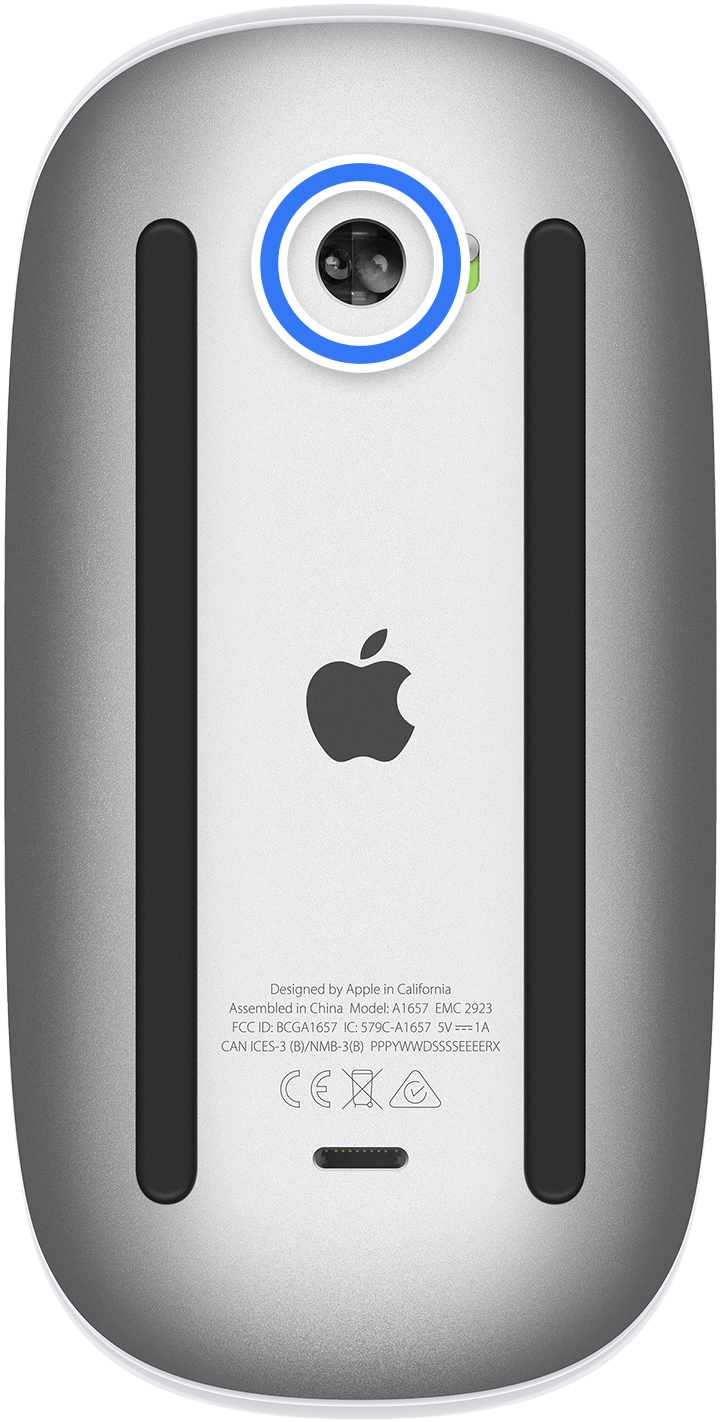
The symptoms you're describing seem align with an issue with dust or debris on the sensor.


Try cleaning out the sensor with compressed air as detailed on the Apple cleaning page:

If your Magic Mouse or Magic Mouse 2 isn’t tracking properly, there might be a hair or other debris on the sensor lens. Turn the mouse over and inspect the sensor window using a bright light. If you see debris, use compressed air to gently clean the sensor window.

How to clean your Apple products


Let us know if that helps.


Thanks for using the Apple Support Communities.

Similar questions

116 replies

Mar 21, 2024 7:25 AM in response to sudeeshn

If different mice from different manufacturers (whether with cable or BT), Apple's own mouse and its own trackpad all show the same problem, it can hardly be due to the hardware, but must be a problem in the operating system. And the way I see it, it has to do with external monitors.

I have now tested several mice, several drivers and Apple's Magic Mouse and trackpad. The problem always occurs when more than one monitor is connected to the Mac Studio and these monitors are mirrored. The problem first occurred with Sonoma.


Even my old iMac from 2009, which can actually only control one external monitor, but on which I used two external monitors via Display Link, was able to display a smooth mouse pointer.


Apple always has a big mouth when it comes to advertising the "most advanced operating system ever", but is apparently unable to fix even a simple problem like a lagging mouse pointer.


Jun 3, 2024 1:17 AM in response to AnnaM-T

I have tested Apple's magic mouse, Apple's magic trackpad and two wired mice from Logitech. The problem occurs with all of these devices. It doesn't matter whether they are connected via Bluetooth or cable. So it's not the devices' fault, it must be a software problem for which Apple is responsible.

Oct 11, 2023 1:05 AM in response to Rigo_O86

Hi,

Thank you for your response. I don't think the issue is with cleaning the mouse. It appears that the problem is more severe when I use live-moving wallpaper with Sonoma OS. My mouse used to work perfectly before the update. When I use normal wallpaper, the issue occurs less frequently. I tried using a Logitech mouse (with a Bluetooth USB dongle) and it worked fine. I also tried safe mode the issue was there when i enabled the live wallpaper. My touchpad and external mouse worked fine when the magic mouse was stuck.


Apr 5, 2024 9:54 PM in response to sudeeshn

Macbook Pro M1 14inch. I just updated to Sonoma 14.4.1 (23E224) and the issue is still persistent. In fact, it seems to be worse now. Before it was somewhat intermittent but now its almost too difficult to use the mouse to do normal functions, much less any video / photo work, illustrating, or anything requiring precise mouse movements.


I move my mouse as a test, lets say from one side of my screen to the other. About 1/4 to 1/3 of the way across the screen and all of the sudden it lags or stops mid movement. The cursor then reappears on the other side of the screen.


The issue is not only happening on my Magic Mouse, but also on my Logitech M720 Triathlon mouse. This would automatically rule out any possibly of the problem being a dirty mouse sensor. Any mouse device connected via bluetooth exhibits this issue.


All suggested fixes have been attempted. This is a software issue as all have stated previously. Not a hardware or user issue.


I am also noticing a slight lag in the connectivity of my bluetooth keyboard. If I let it rest for a few minutes, the first few keystrokes do not register or they lag.


At this point the computer is unusable as a desktop device and I am forced to use it as a laptop, causing productivity loss and potential lost wages. We expect a resolution immediately.

Oct 16, 2023 8:59 AM in response to Rigo_O86

Terrible Apple Support Again!!!!!!!!!!!


Being a long time user of Mac hardware this issues comes up after every new release of MacOs. Every time there is the standard reply stating this is to do with dust on the sensor..... At which point is someone going to own up to the fact that these issues repeatedly exist???? it normally takes a few updates to be released to get a resolution to the issue...!


Please Please stop trying to push the issue to user error!! Apple you need to own it and solve it!!!


The one thing that always seems to be a common factor is that it occurs when using Safari with high memory using pages... It is specific to Mouse and not bluetooth as when using an external touch pad connected at the same time to the same bluetooth connection as the mouse the touch pad works fine!!! but the mouse has Issues... This is the very reason why I own a bluetooth touch pad as well as a mouse.

Oct 24, 2023 8:46 PM in response to sudeeshn

Seems more like a bug fix is needed. This problem didn't occur until upgrading to Sonoma. I have two Logitech M585s that had no problems until the upgrade. Regardless of what other software was running, whether Photoshop or Safari etc. It's not just a 'time to clean the mouse' issue. I have times where the mouse won't unclick selected items and I have to restart. I didn't cause the problem, Apple needs to fix it.


Oct 26, 2023 9:38 AM in response to chdsl

Fact - The issue never existed in the Beta Program... It only appeared in Live!!!

Fact -The very same thing happened with previous OS releases!!

Fact -This is not a USER issue!!!

Fact - There is nothing wrong with Peoples Mouse Or Touch pad


Fact - There is an Issue with the Production version of the OS with regards to Bluetooth connectivity under certain circumstances.


Fact IF you buy a new Mac right now you get a version of the new OS with has this Issue!! BUT if you don't upgrade your current OS on a stable system you will not have the issue.


Fact - you are entitled to your own opinion, but thankfully that will not change the FACTS.

Nov 2, 2023 11:58 AM in response to chdsl

Well, I never had any issue like that until my update to Sonoma. Got the same behavior since the first release 14.0. I'm currently on 14.1 and getting the issue mostly when using some heavy tasks (XCode+Preview and/or Simulator or anything that requires GPU to render graphics in 3D.


Btw I have multiple devices at home (3xMacBook, 1xiMac + 1xMacMini) and experiencing it only on my MacMini-M1 (the only one running Sonoma).

Jun 24, 2024 9:58 AM in response to sudeeshn

I have not had any issue for quite awhile now on M1 pro running Sonomo 14.4-5 - until I try to play any movie in quicktime while laptop is connected to external monitor. Almost immediate lockup. Sometimes if I immediately disconnect the external monitor, I can get mouse control back (Logitech M585 - don't judge me, I like 'em). Otherwise usually have to do a restart. So I thought at the time I had discovered that it has something to do with external monitors, until my mouse locked up while monitor was disconnected, playing a QT movie. Thought I saw a post somewhere suggesting quicktime acceleration w/mouse was possible source of conflict.


EDIT: by the way, can play movies using VLC all day without lockup.


Never had a problem though until Sonoma upgrade.

This thread has been closed by the system or the community team. You may vote for any posts you find helpful, or search the Community for additional answers.

How to fix randomly stuck Magic Mouse after Sonoma M1 Pro update

Welcome to Apple Support Community
A forum where Apple customers help each other with their products. Get started with your Apple Account.