How to fix randomly stuck Magic Mouse after Sonoma M1 Pro update

I've encountered problems with my Magic Mouse since updating to Sonoma. The mouse cursor behaves erratically; it doesn't freeze but doesn't move as intended. I've attempted several solutions, including:

  • Restarting the computer
  • Clearing the NVRAM cache
  • Resetting Bluetooth
  • Disconnecting and removing the mouse

Despite these efforts, the issue persists. Presently, my CPU usage is below 20%, and I have 3 GB of RAM available. My device is an Apple M1 Pro, and I'm running Sonoma 14.0. There is no issue with the keyboard and touch bar. I am using an external monitor (keeping my laptop closed) and the touchpad is working fine when the issue occurs.

I would greatly appreciate any assistance.


[Re-Titled by Moderator]

MacBook Pro 13″, macOS 12.1

Posted on Sep 29, 2023 4:40 AM

Reply
Question marked as Top-ranking reply

Posted on Oct 1, 2023 2:37 PM

Hi sudeeshn,


It seems you're having some trouble with your Magic Mouse tracking and we want to help.


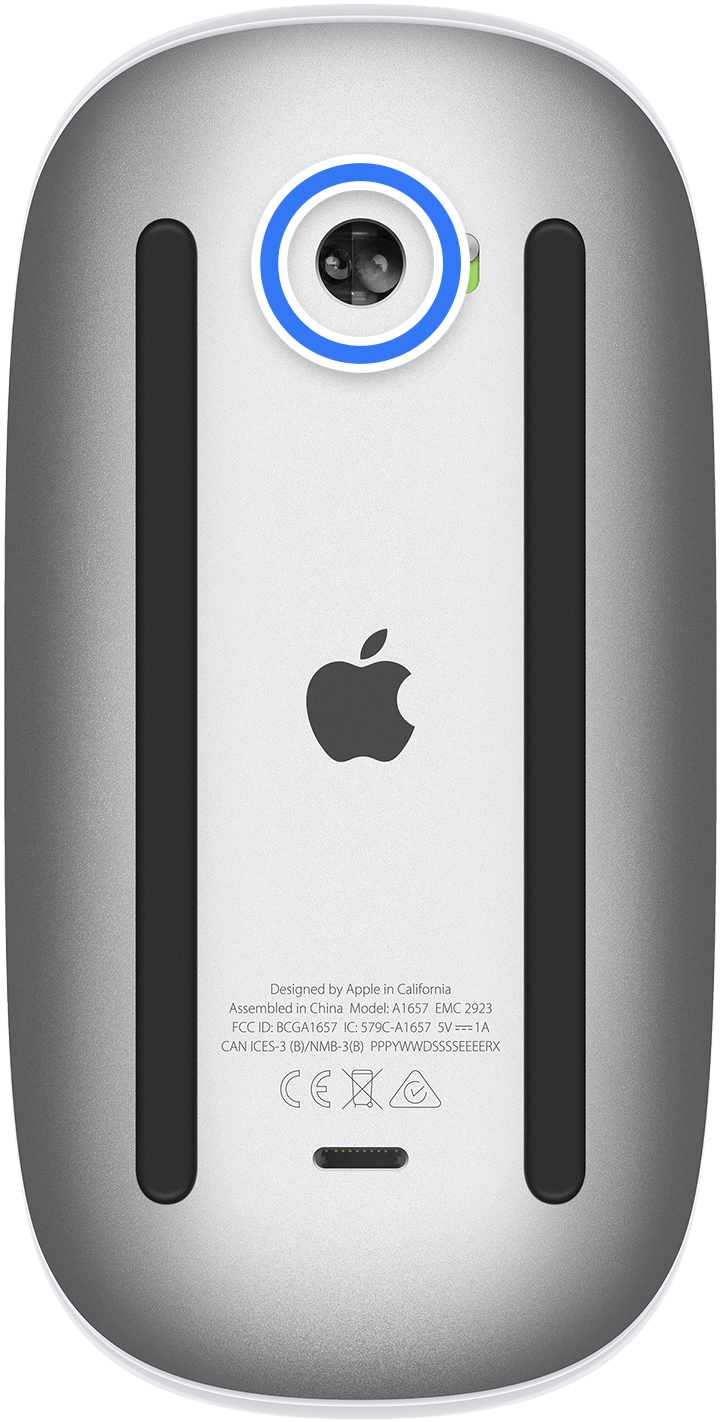
The symptoms you're describing seem align with an issue with dust or debris on the sensor.


Try cleaning out the sensor with compressed air as detailed on the Apple cleaning page:

If your Magic Mouse or Magic Mouse 2 isn’t tracking properly, there might be a hair or other debris on the sensor lens. Turn the mouse over and inspect the sensor window using a bright light. If you see debris, use compressed air to gently clean the sensor window.

How to clean your Apple products


Let us know if that helps.


Thanks for using the Apple Support Communities.

Similar questions

116 replies

This thread has been closed by the system or the community team. You may vote for any posts you find helpful, or search the Community for additional answers.

How to fix randomly stuck Magic Mouse after Sonoma M1 Pro update

Welcome to Apple Support Community
A forum where Apple customers help each other with their products. Get started with your Apple Account.