Smart mail move not working in iOS 17?

in iOS17 mail no longer suggests to move email to a particular learned location. This was a great feature for many iOS releases. Why did it disappear? or is is a feature hidden? Could I retrain my client to the 'normal' storage folders I usually move email into, from email lists, from certain senders etc?

Posted on Sep 30, 2023 3:52 AM

Reply
6 replies

Oct 2, 2023 11:22 AM in response to dkmj

Hello dkmj,


You can move emails to other mailboxes with iOS 17 using these steps: Use mailboxes to organize email on your iPhone or iPad


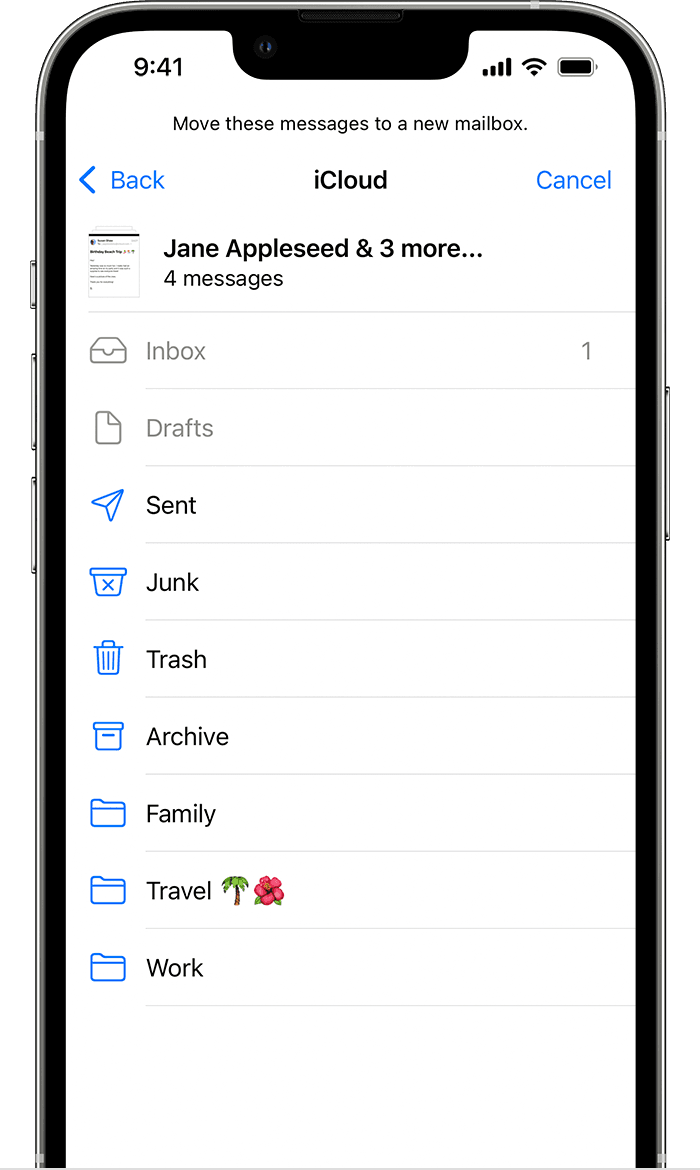
Move your email messages to a mailbox

1. Go to your Inbox in Mail.

2. Tap Edit in the upper-right corner.

3. Select the email messages, then tap Move.

4. Choose a mailbox to move the email messages to.
Moving emails to a new inbox in iOS 15


There doesn't appear to be any Mail app settings that you can change for moving emails.

If you have feedback you'd like to provide, we'd recommend providing that here: Product Feedback - Apple


Apple reviews all feedback, but you may not hear back on any given. Apple does not request unsolicited ideas.


Take care.


This thread has been closed by the system or the community team. You may vote for any posts you find helpful, or search the Community for additional answers.

Smart mail move not working in iOS 17?

Welcome to Apple Support Community
A forum where Apple customers help each other with their products. Get started with your Apple Account.