
Apple Watch alarm goes silent indefinitely when covered with palm.
I'm surprised that this issue dates back over 5 years, as far as i can see.
Here goes:
I love the alarm on my Apple Watch.
(Apparently it's not healthy to sleep with your iPhone under your pillow...)
BUT!
More often than not, my morning not-ready-to-wake-just-yet-muscle-reflex is resting its palm on the Watch screen.
This causes the alarm to mute (i only have it on haptic/vibrate), and it NEVER does anything else.
No snooze, no nothing.
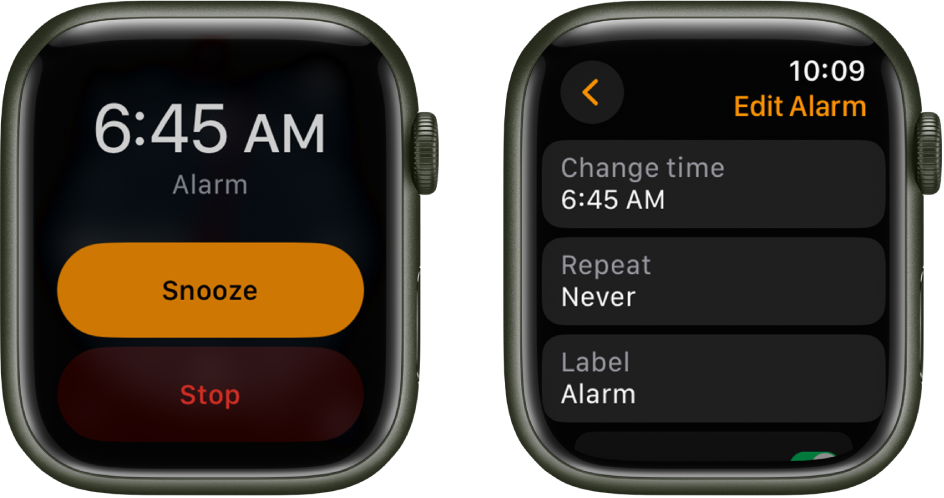
The screen says "Snooze" or "Turn Off" - but that is usually when it's too late anyway.
It's nice to sleep in, but not the 5 days a week, when i would love to trust my device to wake me up, and get to work.
The "Cover to mute" function, apparently has no influence on this palm-rest-indefinite-snooze issue.
Which would also be a pain for muting incoming calls, so the alarm issue would have to be separate from this.
And just to be clear:
This unfortunate "feature" is causing issues for your customers, who rely on your tech to wake them in the morning, or from naps.
Your iPhone NEEDS a button to be pressed for snooze or stop. Not a slap dash on the entire screen to do nothing afterwards.
(Continuity for functionality across devices, and all that).
Easy fix Apple:
IF an alarm is due.
THEN vibrate/sound/whistle - to wake your happy tech-customer.
IF palm is placed on screen (intentionally or UN-intentionally) .
THEN Snooze for the notorious Steve Jobs 9 min.
This is especially for us who actually use your Sleep Schedule feature.
It would be truly joyous to have this fixed by WatchOS 10.0.2.
(i'm on 10.0.1 on a Series 7)
Thank you. 🫶 ⏰

 on your Apple Watch.
 "
"