My iPod classic is showing a red x in a circle when I try to turn it on. What do I do?
It’s a red x in a circle and says
the website for apple and nothing else. There’s really old songs on here and I’m feeling nostalgic. What can I do to fix it
It’s a red x in a circle and says
the website for apple and nothing else. There’s really old songs on here and I’m feeling nostalgic. What can I do to fix it
Hello abigale145,
Thank you for using Apple Support Communities and for sharing these details with us. Based on the information you shared, this resource has steps you can try: If your iPod won't turn on or seems frozen - Apple Support
If your iPod still won't respond, gets stuck during startup, or persistently displays an Apple logo or red X, here's what to do:
1. If you're using a Mac with macOS Mojave or earlier or a PC, make sure that your computer has the latest version of iTunes.
2. If you have an iPod nano or iPod classic, put your iPod in Disk Mode.
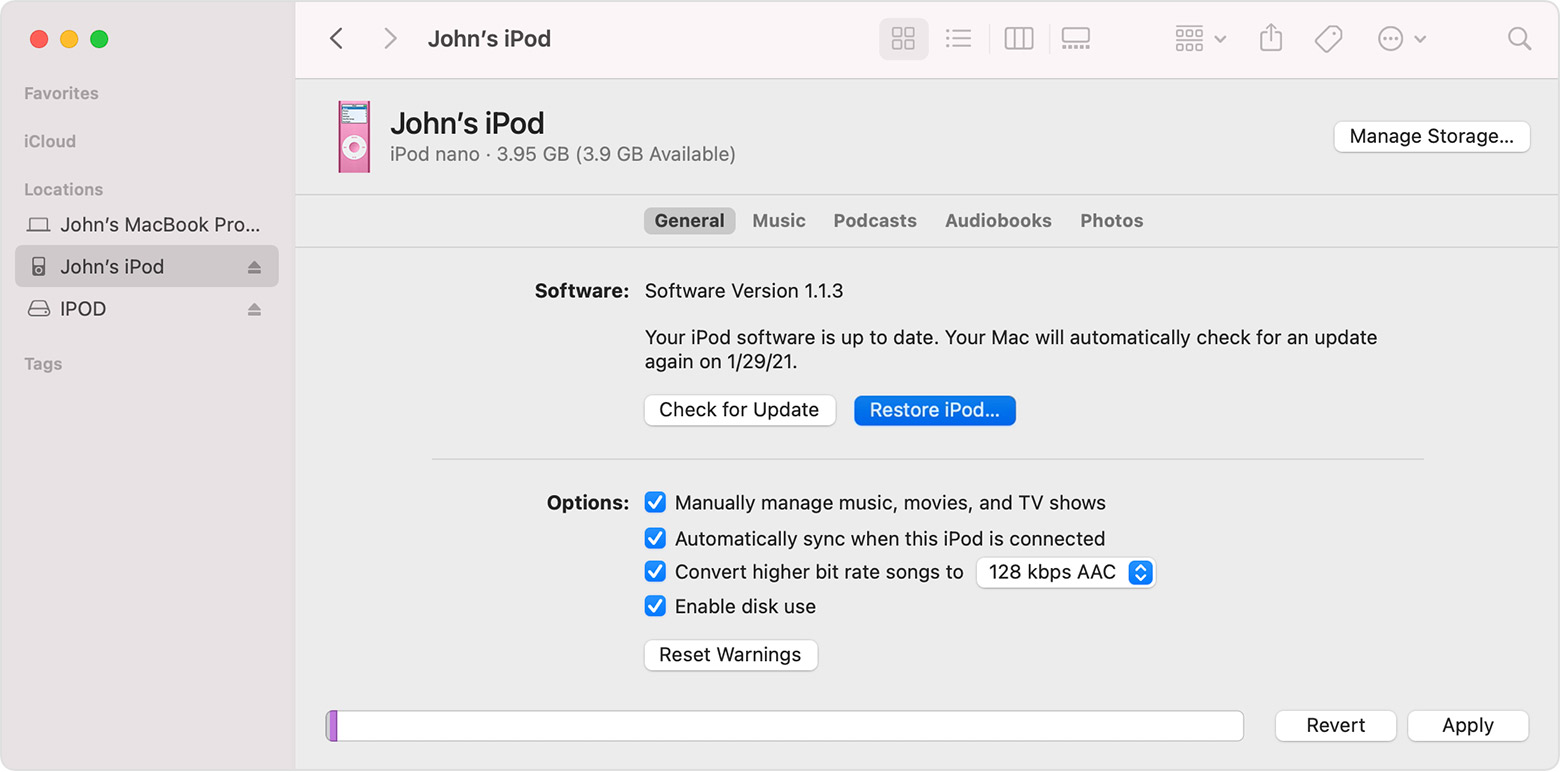
3. On a Mac with macOS Catalina or later, open a Finder window. On a Mac with macOS Mojave or earlier or a PC, open iTunes. Then connect your iPod directly to your computer.
4. Find your iPod in the Finder or iTunes, then select Restore iPod.
If that doesn't work, you might require possible service. However, it appears that your iPod classic is considered vintage or obsolete. This resource explains which options you might hav: Obtaining service for your Apple product after an expired warranty - Apple Support
Thank you for using Apple Support Communities. Take care.
My iPod classic is showing a red x in a circle when I try to turn it on. What do I do?