Stopping "Cellular Data is Turned Off Turn on cellular data or use Wi-Fi to access data."

after updating to ios17 i have started getting this message "Cellular Data is Turned Off Turn on cellular data or use Wi-Fi to access data." I disable my wifi and data network for certain apps. This prompt is now constantly showing up every 5-10 minutes intervals the app is trying to connect online. I do not want to go airplane mode, i want phone calls to work.

Posted on Oct 11, 2023 3:23 PM

Reply
Question marked as Top-ranking reply

Posted on Oct 12, 2023 12:35 PM


Hello drewex,


Thanks for visiting the Apple Support Communities. Sounds like something is attempting to access data when you are not on Wi-Fi or allowing cellular.


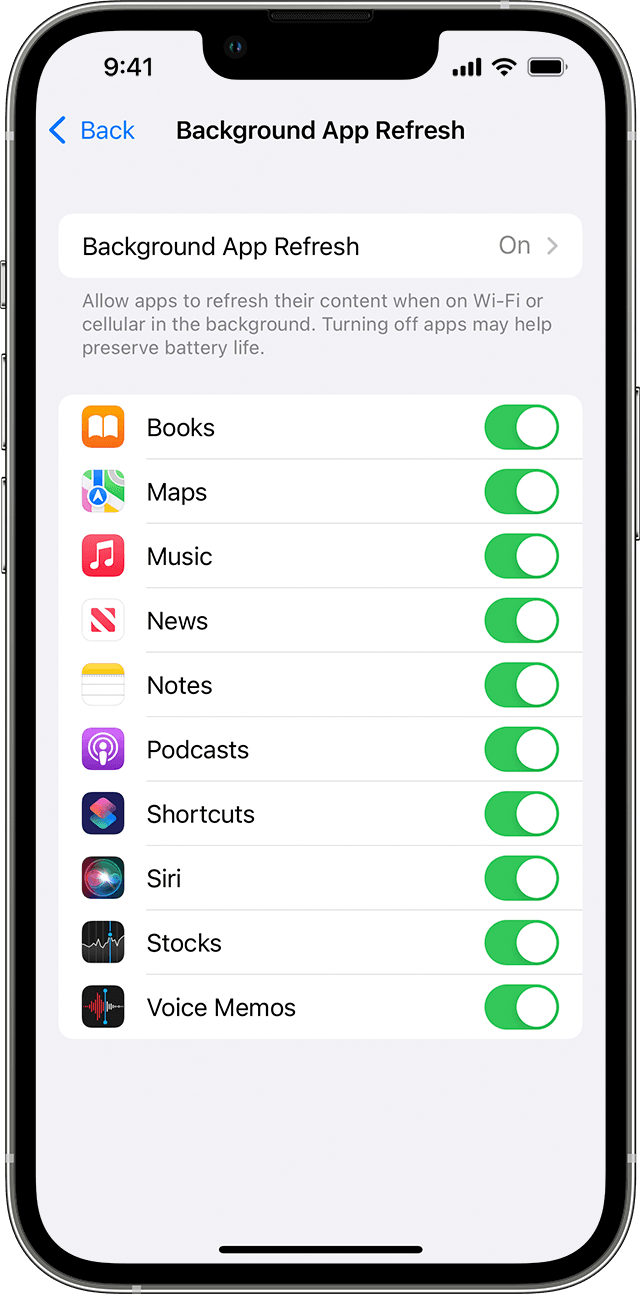
Try this, close the apps when not in use, or turn off background app refresh. Switch apps on your iPhone, iPad, or iPod touch - Apple Support


"Use Background App Refresh

After you switch to a different app, some apps run for a short period of time before they're set to a suspended state. Apps that are in a suspended state aren’t actively in use, open, or taking up system resources. With Background App Refresh, suspended apps can check for updates and new content. 

If you want suspended apps to check for new content, go to Settings > General > Background App Refresh and turn on Background App Refresh. If you quit an app from the app switcher, it might not be able to run or check for new content before you open it again."


Thanks.

17 replies

This thread has been closed by the system or the community team. You may vote for any posts you find helpful, or search the Community for additional answers.

Stopping "Cellular Data is Turned Off Turn on cellular data or use Wi-Fi to access data."

Welcome to Apple Support Community
A forum where Apple customers help each other with their products. Get started with your Apple Account.