mac mini airpod menu

when I go into airpod. menu in my imac mini of the four choices it allows me to select 2 and the. off button will not change to unchecked.


Mac mini (M2, 2023)

Posted on Oct 17, 2023 9:07 PM

Reply
Question marked as Top-ranking reply

Posted on Oct 18, 2023 4:20 PM

Hello deefromutah,


Are you referring to the settings shown here?


"Switch between noise-control modes on your Mac
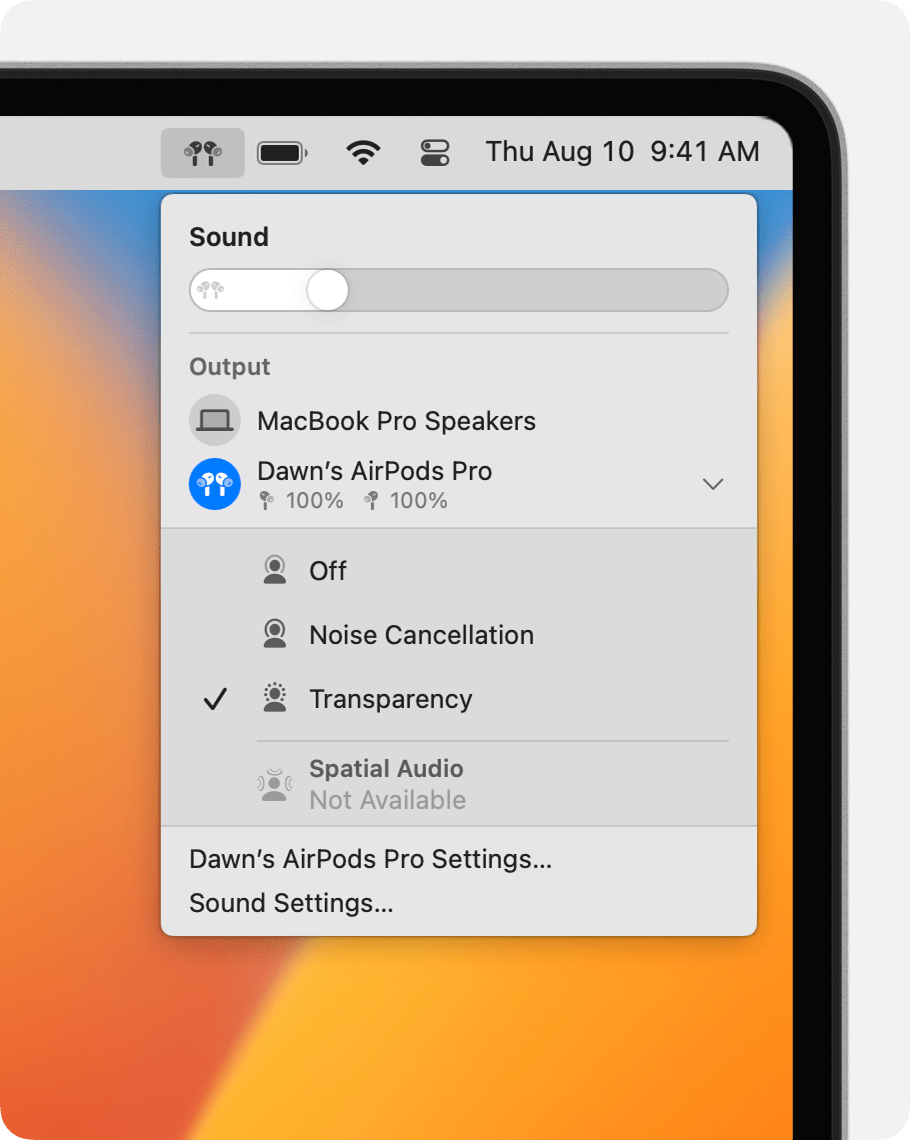
  1. With your AirPods Pro or AirPods Max connected to your Mac, click Control Center in the menu bar.
  2. Click Bluetooth.
  3. Choose your AirPods Pro or AirPods Max, then choose Noise Cancellation, Transparency, or Off."

noise control in Control Center on Mac


If so, try to make changes in to the AirPods in System Settings as shown here:
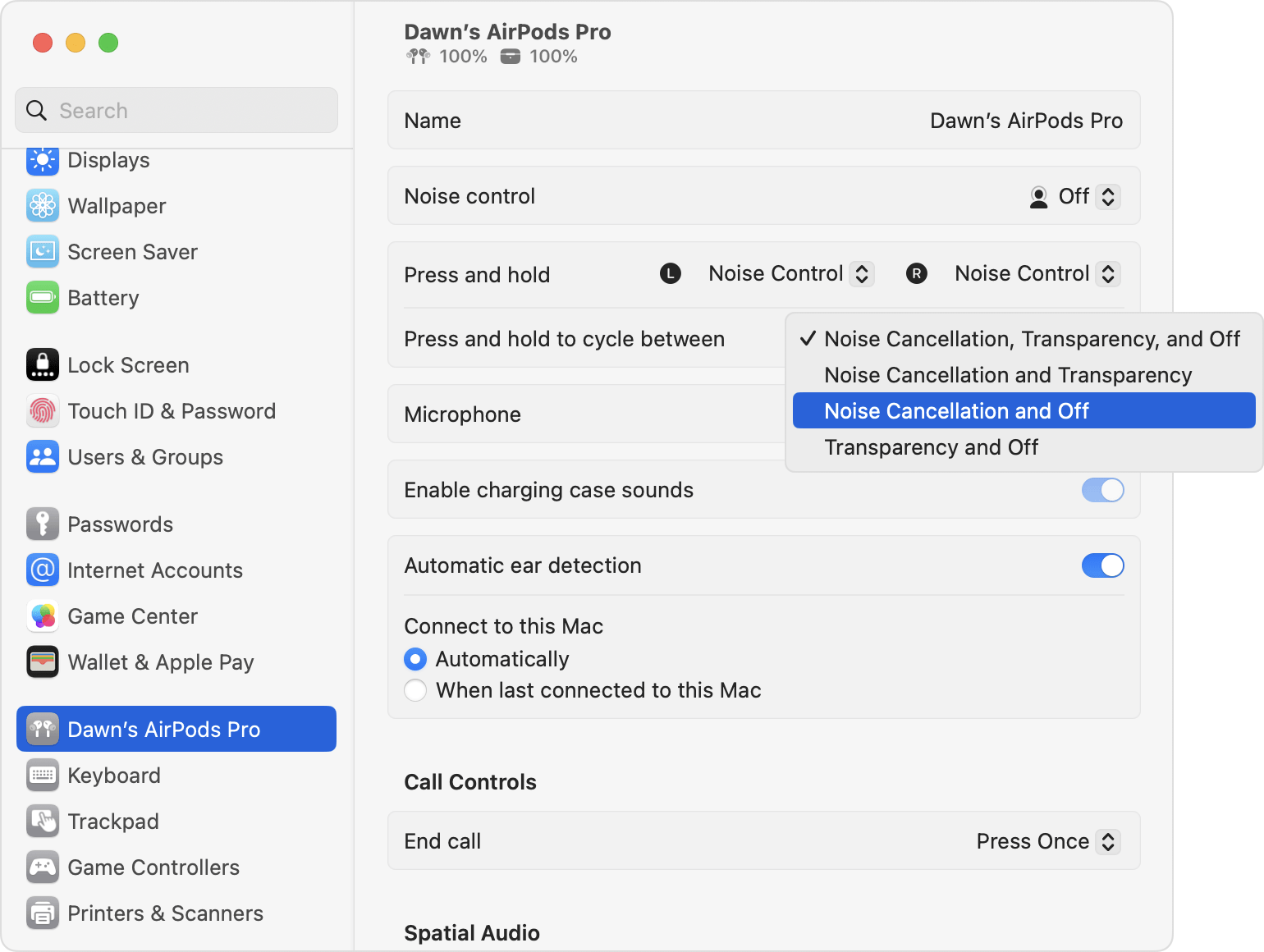


  1. "With your AirPods Pro or AirPods Max connected to your Mac, choose Apple menu  > System Settings.
  2. Click "Press and hold to cycle between" to select the two or three noise-control modes that you want to cycle between."

noise control in System Settings on Mac


If you can't, make sure to restart your Mac and try the steps in if Active Noise Cancellation isn’t working as expected on your AirPods Pro


These steps and more helpful information are contained in: AirPods Pro and AirPods Max Active Noise Cancellation and Transparency mode - Apple Support


Cheers!

1 reply
Question marked as Top-ranking reply

Oct 18, 2023 4:20 PM in response to deefromutah

Hello deefromutah,


Are you referring to the settings shown here?


"Switch between noise-control modes on your Mac

  1. With your AirPods Pro or AirPods Max connected to your Mac, click Control Center in the menu bar.
  2. Click Bluetooth.
  3. Choose your AirPods Pro or AirPods Max, then choose Noise Cancellation, Transparency, or Off."

noise control in Control Center on Mac


If so, try to make changes in to the AirPods in System Settings as shown here:


  1. "With your AirPods Pro or AirPods Max connected to your Mac, choose Apple menu  > System Settings.
  2. Click "Press and hold to cycle between" to select the two or three noise-control modes that you want to cycle between."

noise control in System Settings on Mac


If you can't, make sure to restart your Mac and try the steps in if Active Noise Cancellation isn’t working as expected on your AirPods Pro


These steps and more helpful information are contained in: AirPods Pro and AirPods Max Active Noise Cancellation and Transparency mode - Apple Support


Cheers!

This thread has been closed by the system or the community team. You may vote for any posts you find helpful, or search the Community for additional answers.

mac mini airpod menu

Welcome to Apple Support Community
A forum where Apple customers help each other with their products. Get started with your Apple Account.
