
Can’t find expired nfc pass in my iphone6 wallet
Expired passes not showing when I scroll up in wallet.
iPhone 4s, iOS 9
Expired passes not showing when I scroll up in wallet.
iPhone 4s, iOS 9
Hello PeteTomo,
We would like to see how we can help you with your expired pass. Some expired passes might be automatically hidden. Check out the steps in this link to see if it has been hidden: Remove passes from Apple Wallet - Apple Support
"How to view, unhide, or delete expired passes on your iPhone
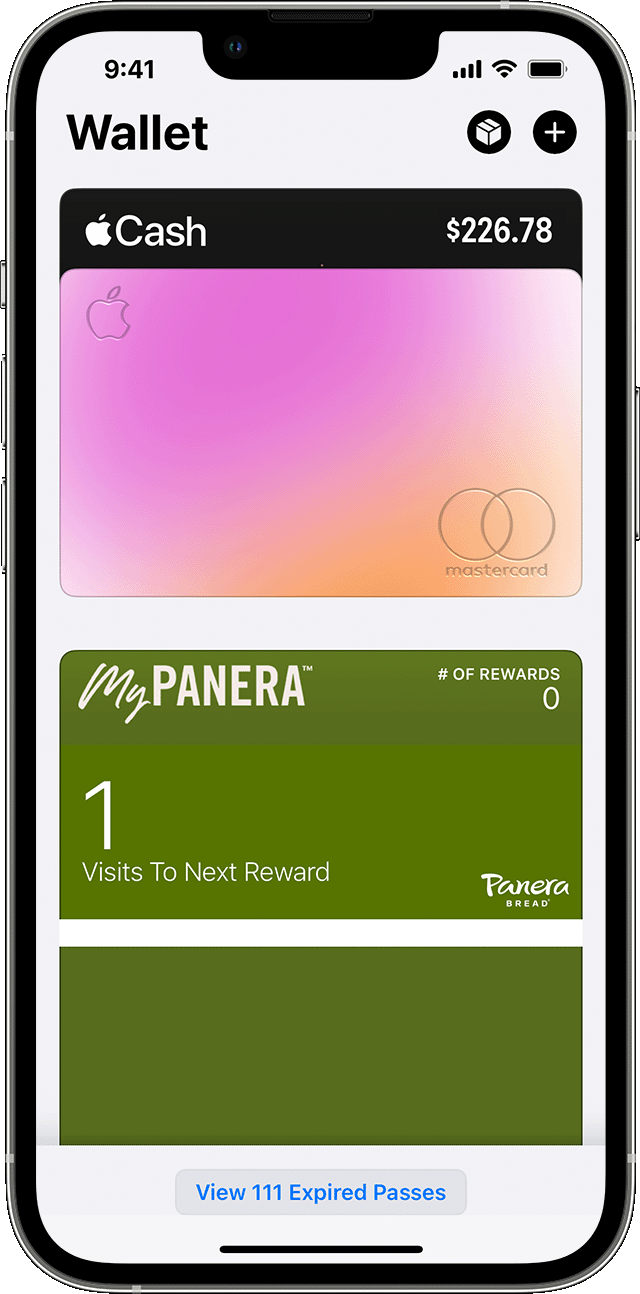
2.Tap a pass to view its details.
3.Tap Unhide to return the pass to the main view of the Wallet app or tap Delete to remove it.
You can also tap Edit to unhide or delete multiple passes at once."
Cheers!
Hello PeteTomo,
We would like to see how we can help you with your expired pass. Some expired passes might be automatically hidden. Check out the steps in this link to see if it has been hidden: Remove passes from Apple Wallet - Apple Support
"How to view, unhide, or delete expired passes on your iPhone
2.Tap a pass to view its details.
3.Tap Unhide to return the pass to the main view of the Wallet app or tap Delete to remove it.
You can also tap Edit to unhide or delete multiple passes at once."
Cheers!
Can’t find expired nfc pass in my iphone6 wallet

