
My iPhone 15 pro's wallpapers change on their own
iPhone 15 pro iOS 17. Anyone managed to resolve it?
[Re-Titled by Moderator]
iPhone XS, iOS 17
iPhone 15 pro iOS 17. Anyone managed to resolve it?
[Re-Titled by Moderator]
iPhone XS, iOS 17
Hello Mofo74,
Thanks for choosing the Apple Support Communities. We see your Wallpaper is changing on its own using your iPhone 15 on iOS 17. This may be set to do so as a photo shuffle, and can be changed by following the steps below.
Change the wallpaper on iPhone - Apple Support
"Change the wallpaper on iPhone
On iPhone, you can change the wallpaper on the Lock Screen and the Home Screen. You can set your wallpaper in Settings or through the wallpaper gallery from your Lock Screen. See Create a custom iPhone Lock Screen.
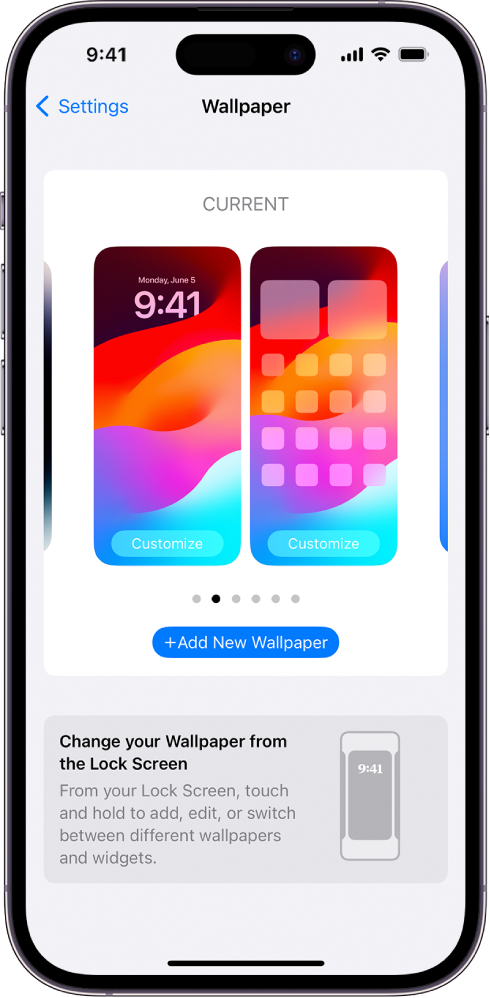
Change the wallpaper
 > Wallpaper, then tap Add New Wallpaper.
 to use a custom photo, or select Blur to blur the wallpaper so the apps stand out."
We hope this helps.
Cheers!
Hello Mofo74,
Thanks for choosing the Apple Support Communities. We see your Wallpaper is changing on its own using your iPhone 15 on iOS 17. This may be set to do so as a photo shuffle, and can be changed by following the steps below.
Change the wallpaper on iPhone - Apple Support
"Change the wallpaper on iPhone
On iPhone, you can change the wallpaper on the Lock Screen and the Home Screen. You can set your wallpaper in Settings or through the wallpaper gallery from your Lock Screen. See Create a custom iPhone Lock Screen.
Change the wallpaper
> Wallpaper, then tap Add New Wallpaper. to use a custom photo, or select Blur to blur the wallpaper so the apps stand out."We hope this helps.
Cheers!
I think i figured it out, if you go to your do not disturb (under focus in the settings app) it’ll have a section dedicated for wallpapers. press the minus in the top left and it should be fixed!!
I checked all of my Focus settings and found that some had been linked to a specific photo, though I had not done it. Once I changed this setting everything went back to normal. It definitely began with the last update.
I think it has to do with do not disturb and any kind of “focus” setting. Everyone check to see if when you go to the focus section and click on any of them, if theres a wallpaper selected. if there is, remove it. Im not 100% sure if this solves the issue but I think it has something to do with it.
Ok. I think that I’ve figured out what is causing my iPhone 14 Pro Max to change on it’s own. It appears whenever I have the Apple Music app open, the wallpaper from the most recent song will randomly show up on my lock screen. If I close the Music app, my original wallpaper comes back. While this is a temporary fix, I hope that Apple will fix this issue soon.
The 17.3 update seems to have fixed it for me. Mine was switching every morning after I had it on the charger all night, and it hasn't done it since I updated.
I’m having this exact issue. I hope there’s a solution or update to fix it. I found if I activate and deactivate the work focus mode I set up it’ll reset the wallpaper on my main screen! It’s kind of tedious to have to do every morning to just have my wallpaper stay. I think it may have something to do with that night mode clock thing they put out but I have no proof of this.
I did the last iOS update, 17.3, and it seems to have fixed it. I’m hoping it does. I’ll report back if it doesn’t 😅
Hello Mofo74,
Thank you for keeping us updated. If your wallpaper is changing on its own, we can recommend a couple of steps to see if we can get this issue sorted out. Follow the steps below:
1.) If you've already confirmed that your wallpaper has been changed and updated correctly, try refreshing things by restarting your iPhone: Restart your iPhone - Apple Support
2.) You can also make sure that your iPhone is fully updated. Updates do include various fixes and can help resolve unexpected behaviors: Update your iPhone or iPad - Apple Support
Once you've competed these steps, continue to monitor your device for this behavior.
Thank you for using Apple Support Communities. Take care.
Same thing happened to me for the first time today. My wallpaper switched to the Bobby Caldwell album cover (What You Won't Do for Love) which I do not have. I shut off my phone, restarted it and my original wallpaper was back. So far, the issue hasn't returned. Weird! iPhone 14 Pro Max IOS 17.3
Your iPhone wallpaper might be on shuffle mode. Best thing I could think of.
Well, I just updated to 17.3. Prior to the update, my Home Screen and my Lock Screen wallpapers were different. After the update, my Home Screen had changed to my Lock Screen wallpaper. I set them back; let's see what happens when I charge it overnight.
Hi, I have this same issue but mine is doing it when I leave it on the charger (MagSafe charger) overnight. And it’s not changing my Lock Screen rather my Home Screen to the Lock Screen image, making both screens match, when I usually have two different images. It’s pretty interesting considering when I do random charges, in my car or office, while plugged in through the USB C it doesn’t seem to do this random change. Is anyone else having that issue?
Same thing. It changes when I start chatting with a MagSafe charger. Randomly every hour or so. I do not have focus on or DND.. checked all that too. It's the charging that is doing this.. did you fix yours? I just got a charger last week Anker Brand
Hi,
I’m aware how to change the wallpaper in locked screen or through general, my concern is the phone was automatically changing the wallpaper itself !
Not sure if related but it was also switching on ‘Do Not Disturb’ every time the wallpaper changed to.
thanks
My iPhone 15 pro's wallpapers change on their own




