Why can't I determine battery health
Had battery replaced and phone says can't determine genuine battery
Had battery replaced and phone says can't determine genuine battery
Hi SFSmall,
It sounds like you have questions about your iPhone’s battery and if it is genuine. We know how important this is for you, and we will help you get to the right place to find a resolution. From the support page, you reach out from. It says:
Parts and service history
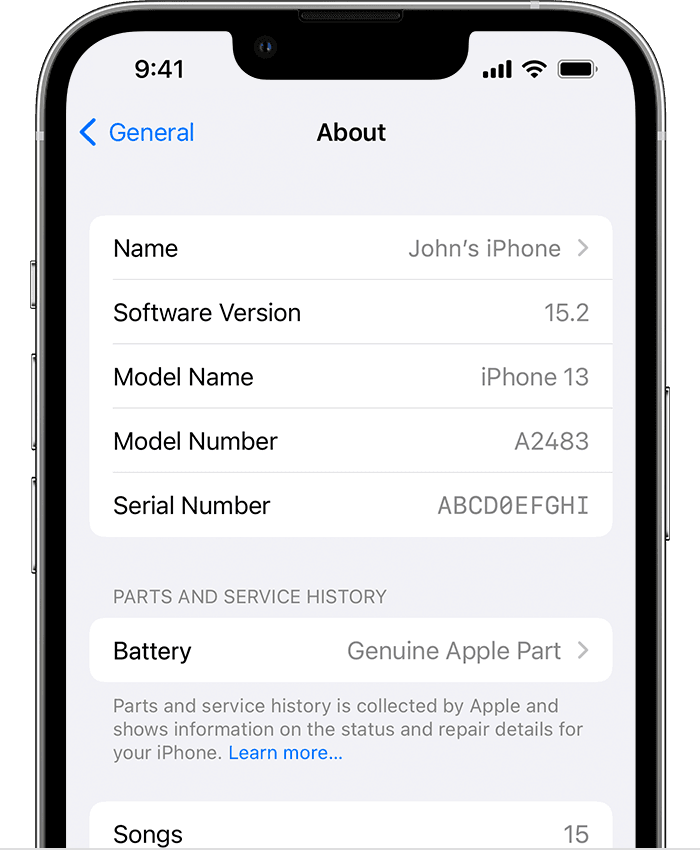
With iOS 15.2 and later and iPhone XR, iPhone XS models, and later — including iPhone SE (2nd and 3rd generation) — you can go to Settings > General > About for the parts and service history of your iPhone. You can also find out if the battery has been replaced. If the replacement was done using genuine Apple parts and processes, "Genuine Apple Part" will appear next to Battery. If your iPhone hasn't been repaired, this section doesn't appear.
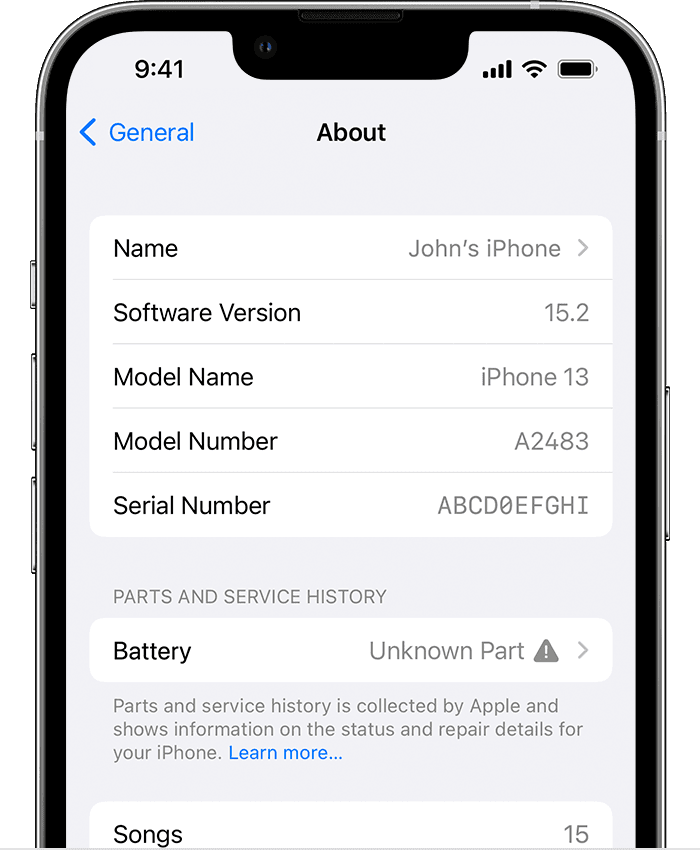
An Unknown Partmessage will appear if the battery installation is incomplete or if the battery:
• Was replaced with a nongenuine battery
• Was already used or installed in another iPhone
• Isn't functioning as expected
An additional message might appear that says "Apple has updated the device information for this iPhone." This means that Apple has updated the device information maintained for this iPhone for service needs, safety analysis, and to improve future products.
These messages don't affect your ability to use your iPhone or your battery.
Learn more about iPhone parts and service history.
Support is limited for this issue via the Apple Support Communities webpage. If you need continued assistance, then please contact the service provider for assistance.
All the best.
Hi SFSmall,
It sounds like you have questions about your iPhone’s battery and if it is genuine. We know how important this is for you, and we will help you get to the right place to find a resolution. From the support page, you reach out from. It says:
Parts and service history
With iOS 15.2 and later and iPhone XR, iPhone XS models, and later — including iPhone SE (2nd and 3rd generation) — you can go to Settings > General > About for the parts and service history of your iPhone. You can also find out if the battery has been replaced. If the replacement was done using genuine Apple parts and processes, "Genuine Apple Part" will appear next to Battery. If your iPhone hasn't been repaired, this section doesn't appear.
An Unknown Part
• Was replaced with a nongenuine battery
• Was already used or installed in another iPhone
• Isn't functioning as expected
An additional message might appear that says "Apple has updated the device information for this iPhone." This means that Apple has updated the device information maintained for this iPhone for service needs, safety analysis, and to improve future products.
These messages don't affect your ability to use your iPhone or your battery.
Learn more about iPhone parts and service history.
Support is limited for this issue via the Apple Support Communities webpage. If you need continued assistance, then please contact the service provider for assistance.
All the best.
It sounds like you had the battery replaced by an unauthorized shop that did not have access to genuine Apple replacement batteries and parts.
The "knock off" battery that was installed will not work with the Battery Health settings on your phone. In addition, because service was performed by an unauthorized shop, the Apple Store or an authorized Apple Service shop likely will not even look at your phone if you take it to them.
You can find a list of authorized Apple Services shops in your area by using the link just below:
Why can't I determine battery health