
How do I uninstall an app that wont me delete or put in trash?
Can't uninstall canon printer / scanner app and network tool.
Mac mini, macOS 14.0
Can't uninstall canon printer / scanner app and network tool.
Mac mini, macOS 14.0
Hello mireal,
You came from the best resource for your issue with deleting apps on your Mac: Uninstall apps on your Mac
One important thing to remember, is that you'd need to be an administrator on the Mac, in order to delete apps.
You can also try these related steps from the Canon website: Uninstall and Reinstall the Printer Driver for a Mac (Just don't continue with the steps to reinstall the driver.)
If those steps don't help out, then we'd need to know more about the issue. For example, what happens when you drag this app to the trash? Are you receiving any errors along the way? The more we can understand about what's happening, the better we can assist.
Cheers!
Hello mireal,
You came from the best resource for your issue with deleting apps on your Mac: Uninstall apps on your Mac
One important thing to remember, is that you'd need to be an administrator on the Mac, in order to delete apps.
You can also try these related steps from the Canon website: Uninstall and Reinstall the Printer Driver for a Mac (Just don't continue with the steps to reinstall the driver.)
If those steps don't help out, then we'd need to know more about the issue. For example, what happens when you drag this app to the trash? Are you receiving any errors along the way? The more we can understand about what's happening, the better we can assist.
Cheers!
Thanks for clarifying this for us, mireal.
Does the delete button appear for that app at all? You can find the steps to locate the delete button here: Uninstall apps on your Mac - Apple Support
 next to the app that you want to delete, then click Delete to confirm. The app is deleted immediately.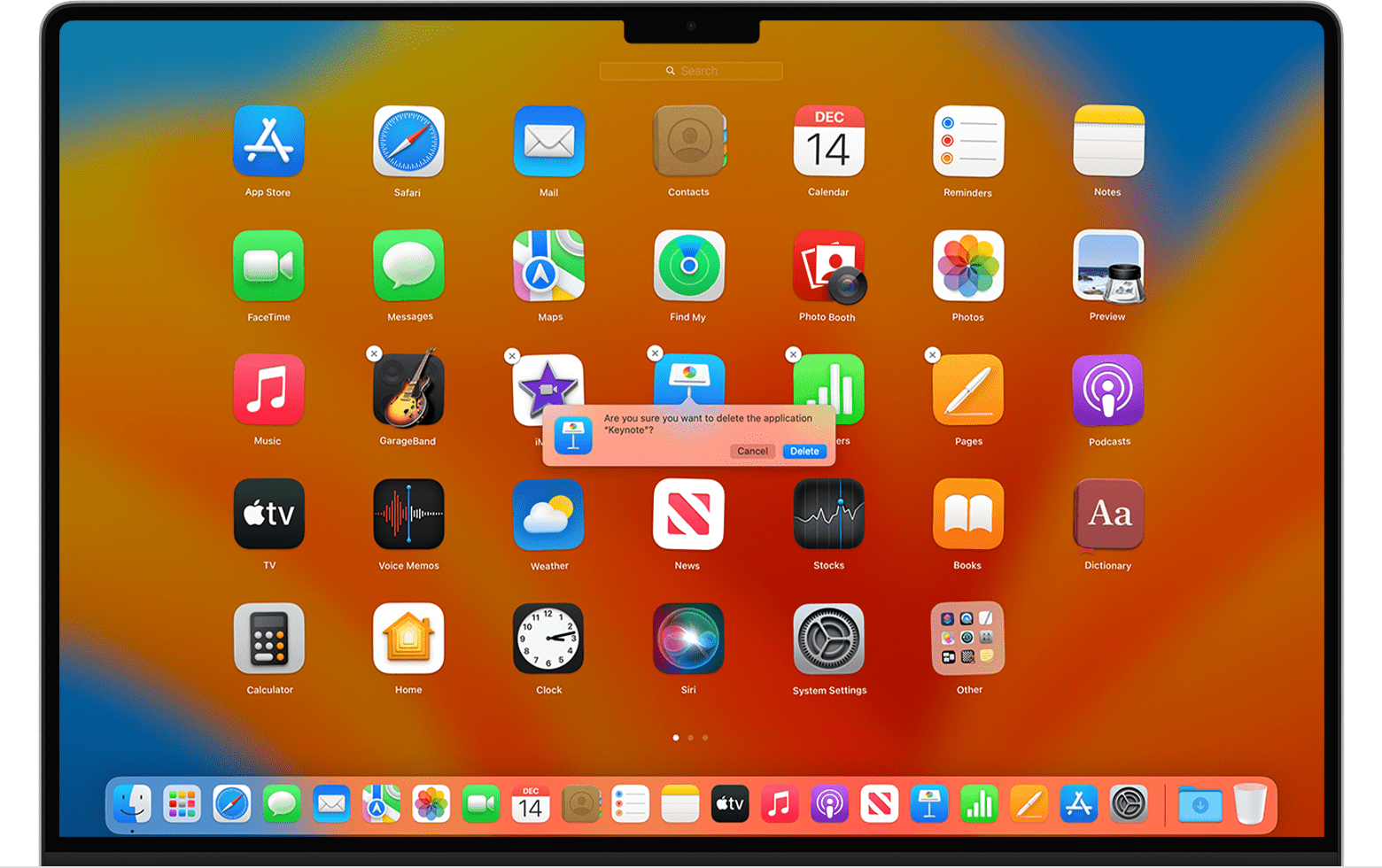
If you can't delete an app from Launchpad: The Delete button appears only for apps that you downloaded from the App Store. Delete other apps using the Finder instead."
Was the app installed from the App Store?
If you're still unable to delete the app, can you start your Mac in safe mode to delete the app? This resource will show you how to start in safe mode: Start up your Mac in safe mode - Apple Support
We look forward to your reply.
Kind regards.
App, not drivers. Moving to trash does nothing, no error codes.
How do I uninstall an app that wont me delete or put in trash?


