
How can I stop home app from sending notification to everyone when an action is taken?
I added a locker to my home app and every time I lock and unlock it a notification is sent to everyone in the home app.
iPhone 13 Pro Max, iOS 17
I added a locker to my home app and every time I lock and unlock it a notification is sent to everyone in the home app.
iPhone 13 Pro Max, iOS 17
You can turn off the notifications for this particular accessory:
 .
.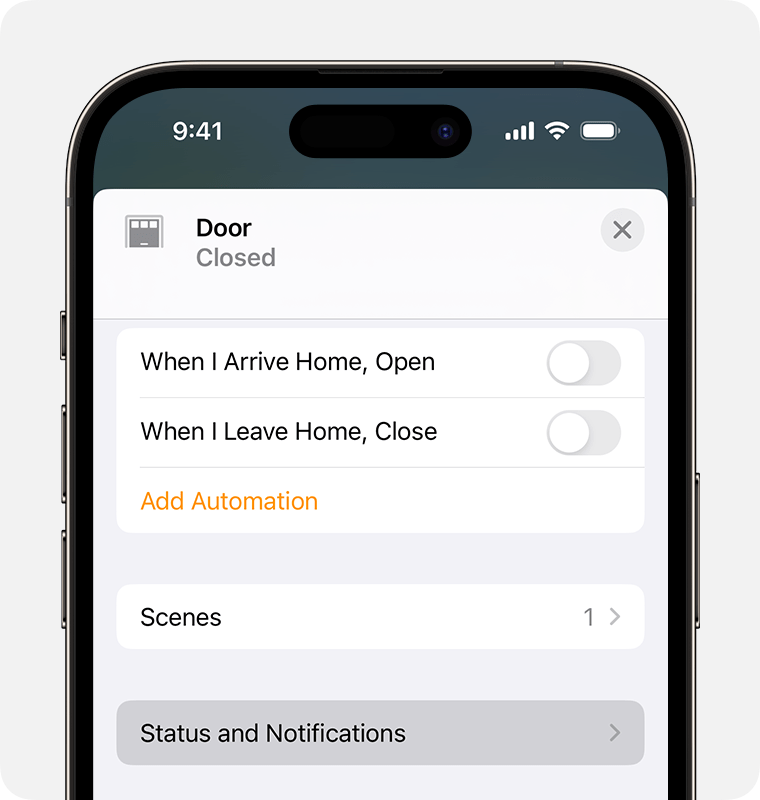
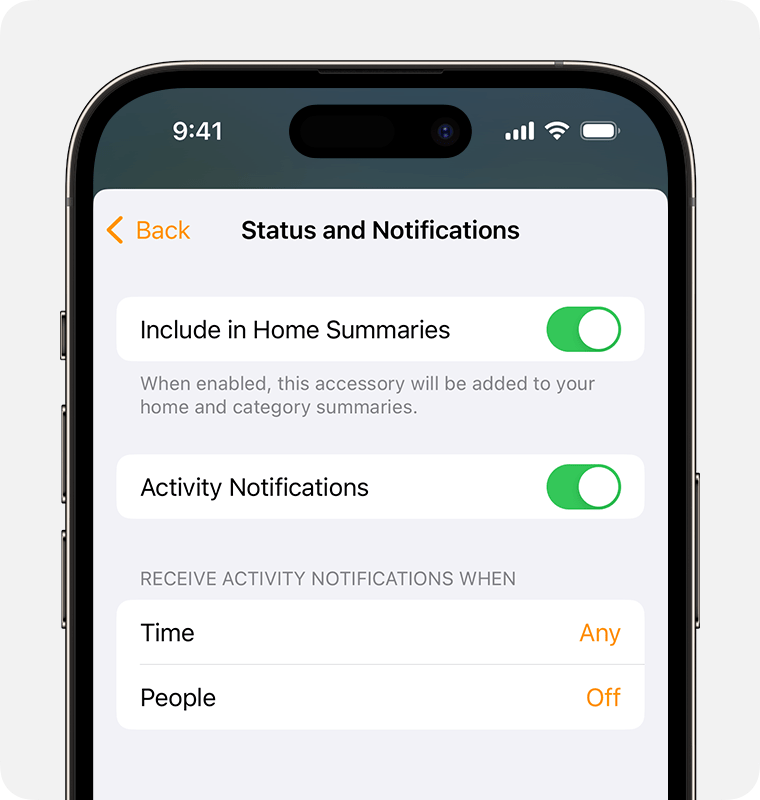
You can turn off the notifications for this particular accessory:
.
I can’t think of any other setting that would disable the notification to the other members of the household. I guess they would have to turn it off on each of their individual devices if they do not wish to receive it.
Hey thanks, but this turns off the notification only on my iPhone. The other members are still getting them.
How can I stop home app from sending notification to everyone when an action is taken?
