It's all about color and image definition accuracy. The Studio Displays incorporate the same type of calibration technique as the high end EIZO line.
Normally, when you calibrate and profile your display, the calibration (LUT data) is stored on the video card/hardware. This is either 8 or 10 bit data. This is not very accurate. It looks okay, but tends to create visual banding in what should be smooth vignettes.
With these displays, the calibration is saved to the monitor itself as a 16 bit, or 3D LUT. You get absolutely smooth gradients/vignettes this way, and more accurate color overall.
As an example, when I check the monitor profile in ColorSync Utility for my EIZO CG279X, the video LUT for the onboard graphics of my M2 mini is a completely flat response in all three channels.
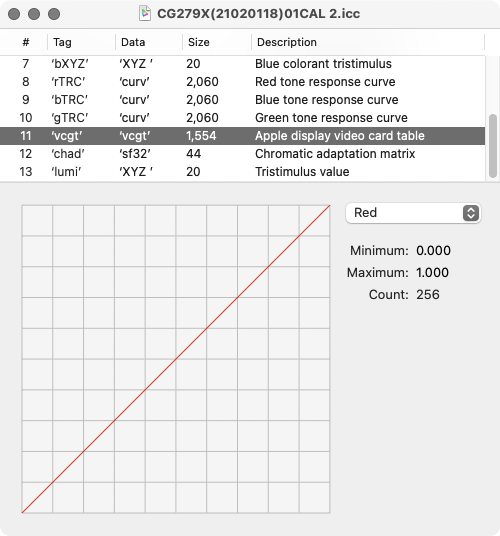
This because the LUT/calibration is held in the monitor's hardware. The only thing the profile is for is the color gamut and range response data of the display.
If I were using a more common monitor, these curves would not be flat, indicating the LUT is stored on the Mac's video hardware.


