
How to Reset leather MagSafe wallet
It says not your wallet when connected
iPhone 15 Pro Max, iOS 17
It says not your wallet when connected
iPhone 15 Pro Max, iOS 17
You will first need to remove the iPhone Wallet from Find My.
To do so:
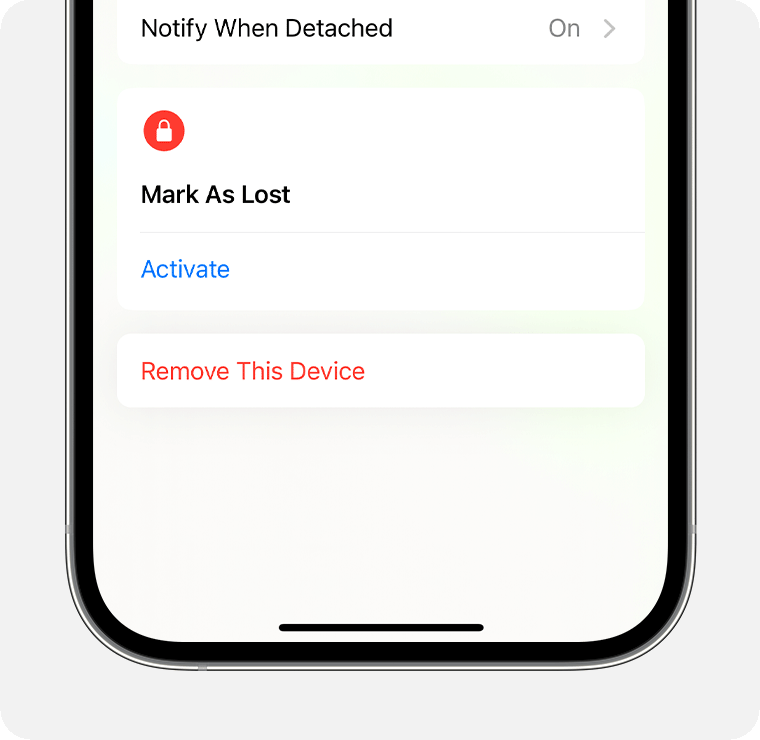
You will first need to remove the iPhone Wallet from Find My.
To do so:
It appears that Target sold you a returned & repackaged product that whomever had it before did not remove it from their Apple ID.
I suggest that you take it back and get a full refund. Whether or not, you want to get another one from Target, of course, is totally up to you. I would suggest that you get it directly from Apple instead.
I just bought it from Target this way and not able to add it in my list of items to be able to remove it.
Thank you. 👍
How to Reset leather MagSafe wallet
