Disabling Block Cookies doesn’t allow cookies on website

I followed the directions I found to enable cookies and I already had disabled “block all cookies” in settings - advanced, but this has not enabled cookies on particular websites. I cannot find a way to add the website to allowed cookies. The website blocks access to essential functions unless i enable cookies. So how do I do it? I’m very frustrated.

iPad Air 3, iPadOS 17

Posted on Mar 26, 2024 11:53 AM

Reply
Question marked as Top-ranking reply

Posted on Mar 26, 2024 12:00 PM

iPadOS 13 and later disables third-party cookies, by design, using ITP (Intelligent Tracking Protection) - this being a significant enhanced privacy feature of the OS.


You’ll usually find that older sites, that still force third party cookies, will be automatically blocked - but you’ll often find that you’ll have a click-through option that allows you to enable cookies for the webpage for the duration of the session.


First party cookies can be still be enabled in settings:
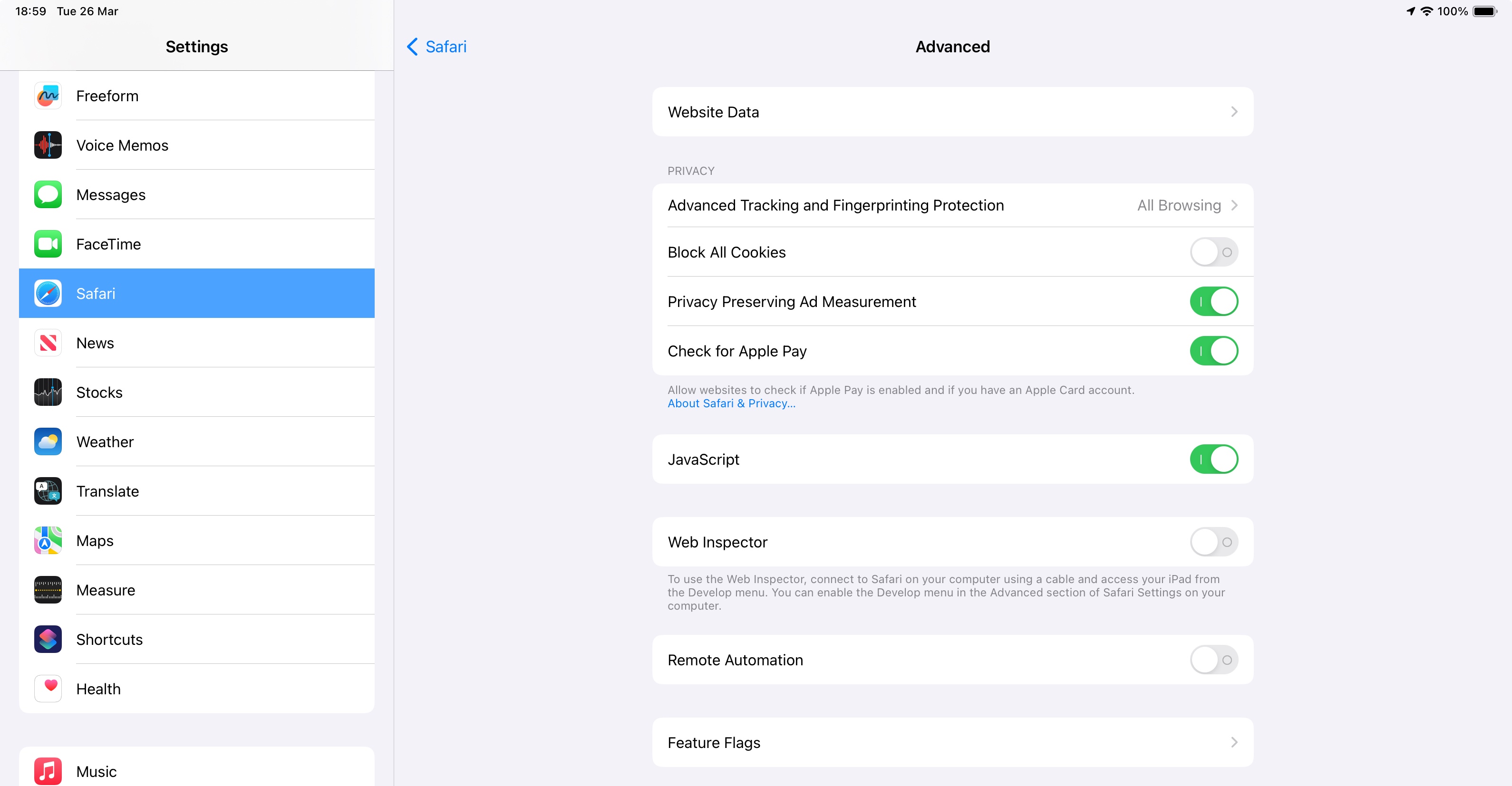


If you known what you’re doing - and still wish to disable the privacy protection offered by ITP and third-party cookie blocking - you can do so from Safari Advanced settings. Be aware that you change any of these settings at your own risk.


The setting that you need to change works in reverse logic:

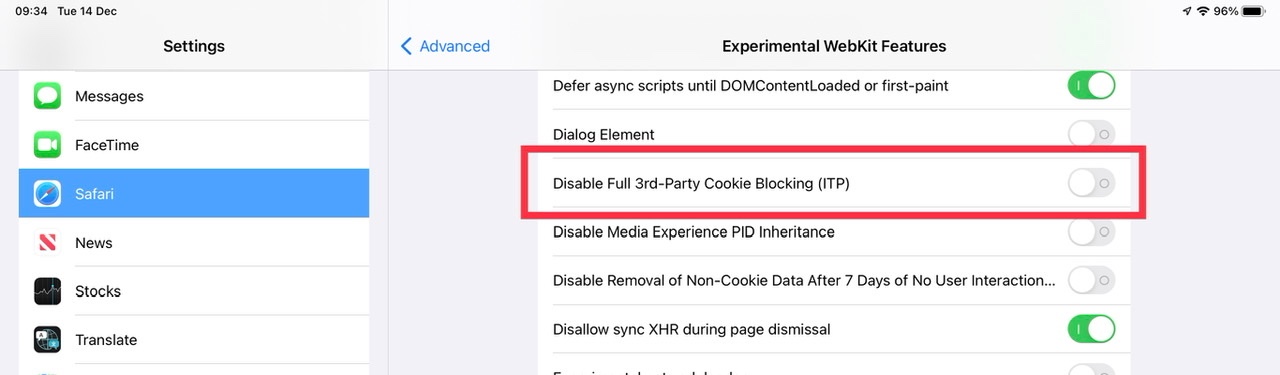
Settings > Safari > Advanced > Feature Flags > Disable Full 3rd-Party Cookie Blocking (ITP) - set to ON


The setting is shown here in its default (blocking) mode:

1 reply
Question marked as Top-ranking reply

Mar 26, 2024 12:00 PM in response to StillFrustratedNow

iPadOS 13 and later disables third-party cookies, by design, using ITP (Intelligent Tracking Protection) - this being a significant enhanced privacy feature of the OS.


You’ll usually find that older sites, that still force third party cookies, will be automatically blocked - but you’ll often find that you’ll have a click-through option that allows you to enable cookies for the webpage for the duration of the session.


First party cookies can be still be enabled in settings:


If you known what you’re doing - and still wish to disable the privacy protection offered by ITP and third-party cookie blocking - you can do so from Safari Advanced settings. Be aware that you change any of these settings at your own risk.


The setting that you need to change works in reverse logic:

Settings > Safari > Advanced > Feature Flags > Disable Full 3rd-Party Cookie Blocking (ITP) - set to ON


The setting is shown here in its default (blocking) mode:


This thread has been closed by the system or the community team. You may vote for any posts you find helpful, or search the Community for additional answers.

Disabling Block Cookies doesn’t allow cookies on website

Welcome to Apple Support Community
A forum where Apple customers help each other with their products. Get started with your Apple Account.
