
iPhone 13 camera blur for far objects
Iphone 13 camera blur for far objects in 1x to 5x but clear for object near.
If I change the zoom to 0.9x the camera becomes clear.
Adding attachments for reference.
[Re-Titled by Moderator]
iPhone 13
Iphone 13 camera blur for far objects in 1x to 5x but clear for object near.
If I change the zoom to 0.9x the camera becomes clear.
Adding attachments for reference.
[Re-Titled by Moderator]
iPhone 13
Adjust the camera’s focus and exposure
Before you take a photo, the iPhone camera automatically sets the focus and exposure, and face detection balances the exposure across many faces. If you want to manually adjust the focus and exposure, do the following:
 up or down to adjust the exposure.
If your Photos and Videos are stored in iCloud and you share it before downloading the original then it may appear blurry but it is not.
Your photos and videos are stored on your device in their original, high-resolution version. This means that they use a lot of space on your iPhone, iPad, and iPod touch. With iCloud Photos, you can make more space available on your device and have your entire collection, everywhere you go.
Get started with iCloud Photos:
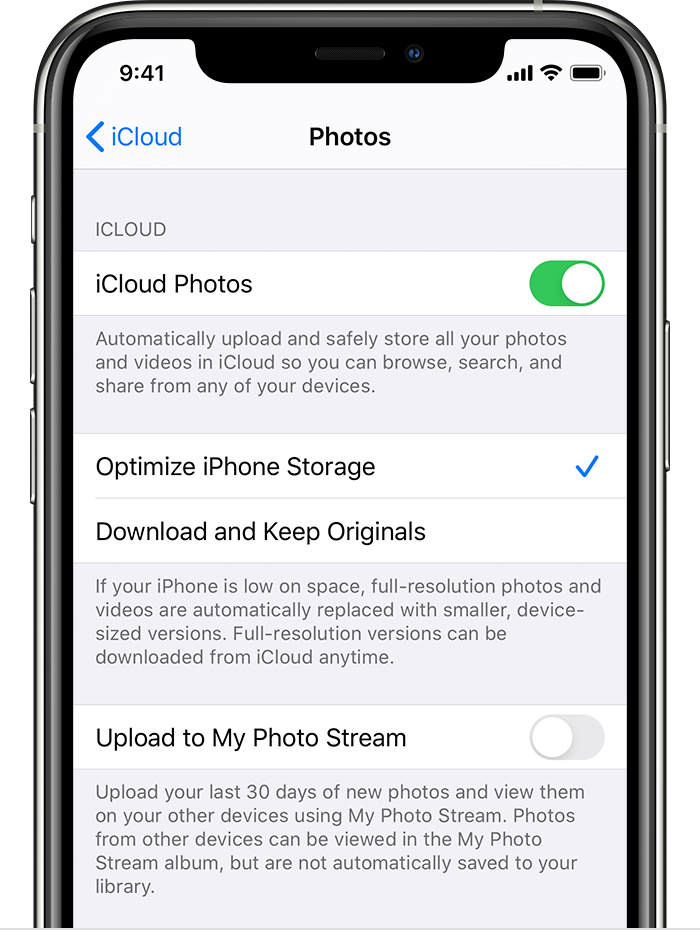
With Optimize Storage, smaller, space-saving photos and videos are kept on your device while all of your original, full-resolution versions are stored in iCloud. And as long as you have enough space in iCloud, you can store as many photos and videos as you want.
This may help --> Photography using iPhone - Apple Community
still the same issue.
After 18.1 ios update the camera worked fine for sometime, later the phone auto rebooted and the camera again behaving blurry.
iPhone 13 camera blur for far objects
