Sequoia: Keychain Access cannot create a new secure note

I use Secure Notes in Keychain quite a bit and have amassed a collection over the years. Under Sequoia, I no longer seem to be able to create a new secure note. Choosing the "Create a new keychain item" icon brings up the "New Password" dialogue regardless of whether passwords or notes are being displayed.


Is this a bug?

Mac mini, macOS 15.0

Posted on Sep 19, 2024 9:26 AM

Reply
Question marked as Top-ranking reply

Posted on Sep 19, 2024 9:30 AM

BruceH2013 wrote:

Is this a bug?

No. Keychain Access is deprecated. You can store secure notes in using the Notes app, as described here: Store confidential information securely using Notes on Mac - Apple Support


If you have any existing secure notes in Keychain Access, I recommend moving them.

53 replies

Sep 27, 2024 10:00 AM in response to Vladimiro Sassone1

Vladimiro Sassone1 wrote:

I do have FileVault on of course, but locked notes are shared on all devices, I am wondering whether the level of encryption is as good as keychain access...

Notes themselves have the same level of protection as other iCloud data. See iCloud data security overview - Apple Support


A locked note has an additional layer of protection.

Sep 29, 2024 10:10 AM in response to BruceH2013

This is and will be a very troublesome situation for me!!!!


hundreds and hundreds of secure notes and passwords on multiple mac since introduction of the keychain access on mac os x!!! with oldest mac now with high sierra and newest just upgraded to sequoia and realizing this hectic issue to come soon!!!


why why why!!!??? Apple…

Sep 29, 2024 11:38 AM in response to Doogy

Doogy wrote:

This is and will be a very troublesome situation for me!!!!

hundreds and hundreds of secure notes and passwords on multiple mac since introduction of the keychain access on mac os x!!! with oldest mac now with high sierra and newest just upgraded to sequoia and realizing this hectic issue to come soon!!!

why why why!!!??? Apple…

What exactly is the problem right now? Keychain Access is still on your Mac. Mine still has the secure notes I created long ago.

Nov 23, 2024 2:59 PM in response to BruceH2013

It may not be exactly what you are looking for but you can lock a note and if you are using iCloud+ and have Advanced Data Protection turned on they are encrypted:


Lock your notes on Mac

If you use iCloud notes or notes stored on your Mac, you can lock notes you want to keep private, so only people who know the password can view them. You can use the login password for your Mac to lock and unlock notes, or create a custom password. If your Mac or Magic Keyboard has Touch ID, you can also choose to use that option to unlock your notes.

WARNING: If you forget your custom password and can’t unlock your notes with Touch ID on your Mac or Magic Keyboard, you can’t view your locked notes. Apple can’t help you regain access to those locked notes, although you can create a new password that lets you password-protect any notes that you want to lock going forward. See Change your password for locked notes.


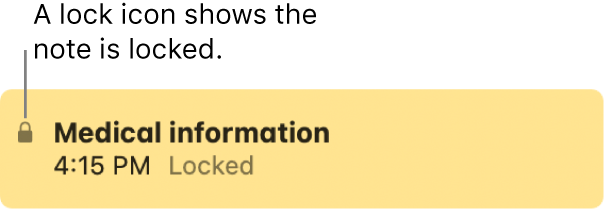
When you unlock locked notes, the lock icon next to the notes and in the toolbar appears unlocked . When you close all locked notes, the lock icon appears closed .

Advanced Data Protection

iCloud encrypts your data to keep it secure. Advanced Data Protection uses end-to-end encryption to ensure that the iCloud data types listed here can only be decrypted on your trusted devices, protecting your information even in the case of a data breach in the cloud. See how your data is managed...


Because Apple does not have the keys required to recover your data, only your account recovery methods can help you get your data back if you lose access.


Jan 13, 2025 3:09 PM in response to BruceH2013

I'm kind of late coming to this discussion, having just bought a new Airbook with Sequoia 15.2 installed. I haven't set up the new Password program yet. I'm scared, and have a few questions before I do that. 1) In that process, will it import ANY of my saved passwords that I have in Keychain Access? 2) And, I had a lot of Secure Notes (over 150). All this talk about KeyChain Access becoming extinct worries me. Sounds like I have to copy and paste them one at a time into the Notes program in order not to lose them eventually? 3) One final question, what should the settings be in iCloud? I turned a lot of program accesses off and stopped synching with my phone because I had was getting multiple duplicate phone numbers in Contacts on the iPhone. So, I really don't know how I should set up iCloud. Any tips? If this is too much, and I should split my questions up and repost as different topics, please let me know. Any help would be most appreciated.

Jan 29, 2025 11:33 AM in response to BruceH2013

I actually WANT to save Secure Notes with details of my secure password, not simply just a login and password that is the only functionality provided by the Passwords app. It is adequate at best!. I dramatically prefer Secure Notes to simply just a user and a password...

Secure notes should be brought back to Keychain... honestly, why are you making your product worse Apple?!!!!! Why??? Every iteration of software seems to take something away... then to bring it back... are you desperate to copy the lack of functionality in Windows 10 and 11???

Secure Notes also allow me to put former and current passwords with dates and allow for so much more versatility. It was a seriously massive advantage over my Windows computers... where I didn't have to purchase a 3rd Party password, note manager.


For the sake of your user base, bring this functionality back... Password is so darned basic it kills me.

Feb 21, 2025 2:04 AM in response to B2_Bob

Yes this is helpful… but these notes are not available when creating the Password, only after it is created and then ‘Edited’ The most helpful thing about a secure note in Keychain was the ability to cut and paste screen shots, images, materials with design, and also to style your notes and style related info. Those 3 security questions and answers as a screen grab was super handy for storing with a secure note in keychain. Another key aspect was font selection for the note.


Feb 25, 2025 6:04 AM in response to BruceH2013

I've just run into this and super unhappy.


I use keychain to make notes about lots of things I like to keep secure and add photos and documents to the note.


Example is passports, I keep a copy of family passports details with a scan of the passport. Same with credit cards.


it's a goto place to store that detail.


Just tried adding an entry in notes and securing it. Now I can't remember the password I originally used years ago for securing notes, ironically I can't find that password in keychain,


would be useful if you could lock a whole folder in notes instead of only locking individual notes


This thread has been closed by the system or the community team. You may vote for any posts you find helpful, or search the Community for additional answers.

Sequoia: Keychain Access cannot create a new secure note

Welcome to Apple Support Community
A forum where Apple customers help each other with their products. Get started with your Apple Account.