iPhone 16 Pro Battery Draining Quickly

Iphone 16 pro battery seems so poor. I unplugged my phone at 9:15 am and by 4pm it had only 32% with 3hrs of screen time. I did my 0.5gb update hoping it will extend baterry life and upgrade functionality of my iPhone.

How is it possible? Anyone experiencing bad battery life as well?


[Edited by Moderator]

iPhone 16 Pro, iOS 18

Posted on Sep 24, 2024 8:41 AM

Reply
Question marked as Top-ranking reply

Posted on Sep 24, 2024 8:56 AM

Here are a few insights from Apple Support’s official iPhone Battery Drain help page


Did you recently update your iPhone to a new version of iOS? 

  • If you've recently updated your iPhone, battery life might drain faster than usual for a few days. Background tasks like indexing and syncing can temporarily affect performance, so give it time to stabilize.


Battery Suggestions

  • Auto-brightness: Enable auto-brightness to reduce battery usage.
  • Auto-lock: Activate auto-lock to prevent the screen from staying on unnecessarily.
  • Reduce Brightness: Lower your screen brightness if it's set too high.
  • Background Location: Limit location access for apps to "While in Use" to conserve power.


Battery Usage Overview

  • Check Activity & Battery Usage by App: Go to Settings > Battery to see which apps are using the most battery. Adjust settings for apps consuming excess power.


Other Battery Saving Tips

  • Use Wi-Fi: When possible, connect to Wi-Fi, as it consumes less battery than cellular data.
  • 5G Auto (iPhone 12 & later): Enable Smart Data mode to automatically switch between 5G and LTE to save power.
  • Low Power Mode: Activate this mode to reduce power consumption when the battery is low.


Battery Health

  • Check Battery Health: Go to Settings > Battery > Battery Health to see your battery’s condition. If "Service" appears, consider replacing the battery.


376 replies

Dec 29, 2024 10:16 AM in response to eknoor68

eknoor68 wrote:

Sir, I have been using iPhone 16 pro from last 18 days and the battery backup is not that much . And sir everybody have bought phone for some purpose and work if my work is on Instagram then how can I delete it . I again tell that this is not problem with instgram sir if Instagram is responsible then all the iPhones have this problem but few of iPhone is facing this battery draining problem sir I am again requesting you to kindly provide us contact no so that we can contact with customer regarding this big issue cuz everyone have spend a lot of money on these iPhone and no one is expecting this kind of service from a company who is world wide no 1 kindly resolve our problem not blaming others sir problem is with iPhone not with Instagram I am telling this and if there is no other way then I can do it but atleast find another way sir
  • I did provide the contact number for you.
  • I also provided a link to show you that it is not specific to your iPhone 16 and also a problem on Android phones as well.
  • It is up to the developer of an app to provide updates for any bugs, Apple cannot do that.
  • Apple does its part by showing you exactly what apps are the problem and you can see that very clearly.
  • The test to delete and compare results is simple and you can always download the app again. It's almost like you do not want to know where the problem is coming from.
  • After you are able to confirm your battery improves when the apps are removed, then you have the choice of determining how you want to proceed. If the app is essential and the developer refuses to offer any changes to ease the battery drain, they you will have to live with it. Contacting the developer should be done immediately, and it may take a backlash by users before you will see a change. They are perfectly happy using your battery to gather the information about your activities so they can sell it to advertisers as long as you continue to use their service.

Dec 16, 2024 7:53 AM in response to Stevencrt

Jeff Donald is spot on. Those apps have been pointed out as consuming too much battery in this post as well as many others and users that have removed them found their battery returning to all day use. It will take an update from those developers to resolve that problem, but until that is done you can expect the same outcome. Apple gives you the option to view the apps that are using up your battery so you can make that decision on whether you want those apps using up your battery or not. Developers have the incentive to use the limited battery resources responsibly as they don't want users to remove them.

Dec 26, 2024 10:10 AM in response to eknoor68

eknoor68 wrote:

sir My brother also have iPhone 16 pro and his battery backup is very good even he is also using Instagram , Snapchat, YouTube, removing all these app is not aa solution, 4 to 5hours backup. Seriously it seems to joke iPhone 15 pro even batter than iPhone 16 pro in battery backup . Please resolve this problem

That is your choice if you are unwilling to remove them to isolate the problem to those apps. Only the developers of those apps can resolve the problem, Apple cannot. The Social Graph that the apps use for each individual is very different and the data points used will not be the same. What prompts the app to wake up in the background on your brother's phone to process new data will be very different than yours. Your issue will continue as long as the developer has not resolved the problem or you continue to use the app. It makes no difference what device you are using.


It is basic Troubleshooting 101 to identify the problem. You could even switch phones with your brother is realize it is not your device that is the problem. It is your data that those apps are interested in collecting and it takes battery power to do that. You have many more data points the apps are interested in than your brother, it is that simple.

Jan 3, 2025 6:22 AM in response to moonjae

moonjae wrote:

Does anyone know how to fix this problem? I am having a hard time especially when I’m outside and no access to charging. I have this phone for more than a week already. I thought it’s only calibration issue but I think the battery of 16Pro is just poor considering the amount you have to pay for this phone.

It is unclear if you have read the posts here and identified the same apps as others that have yet to be optimized by the developer. For the most part it has been a Meta issue. Feel free to post your battery usage as other have showing the last 24 hours.

May 17, 2025 8:29 AM in response to FlyBoyMcCall

Comparing between models is mostly irrelevant. Why? They utilize different hardware, different firmware and different software. You’re making assumptions that two different models need to deliver identical usage and it’s not the case.


WhatsApp is making greater usage of the high performance processors and depleting the battery much faster. Why would that be? They aren’t spending the time to optimize the code to run efficiently on low power processors. Why should they? Have you complained to Meta about the performance of their app? If not WhatsApp, what app is consuming your battery capacity on a daily basis?

Aug 24, 2025 10:56 AM in response to TAS22


Lucky you! With my 16 Pro what I did was to:


  1. I went through the initial setup on the day I purchased the phone
  2. Then I connected it to my Mac and performed factory reset (DFU > Restore iPhone)
  3. Used iCloud to login but did not restore the phone from the backup (only iCloud contacts, photos) - I installed apps manually.


Unfortunately, in my case the battery life remains pretty the same. I did the same with 16 Pro Max (returned to the seller), 16 Pro 128 (1st unit - returned to the seller) and with 16 Pro 256 (2nd unit which I don't plan to return). All units were not so effective when it comes to the battery. My average SoT in 16 Pro after 6 days since the first setup is 4-6h + some time when the screen is not active but the phone is working.


I can't believe that this is a unit fault (16 Pro Max and 16 Pro 128 were from September, both unit and battery. My current unit 16 Pro 256 was manufactured in October, both unit and battery). So it ether iOS fault or these phones simply can offer only this battery life in case of my usage pattern.
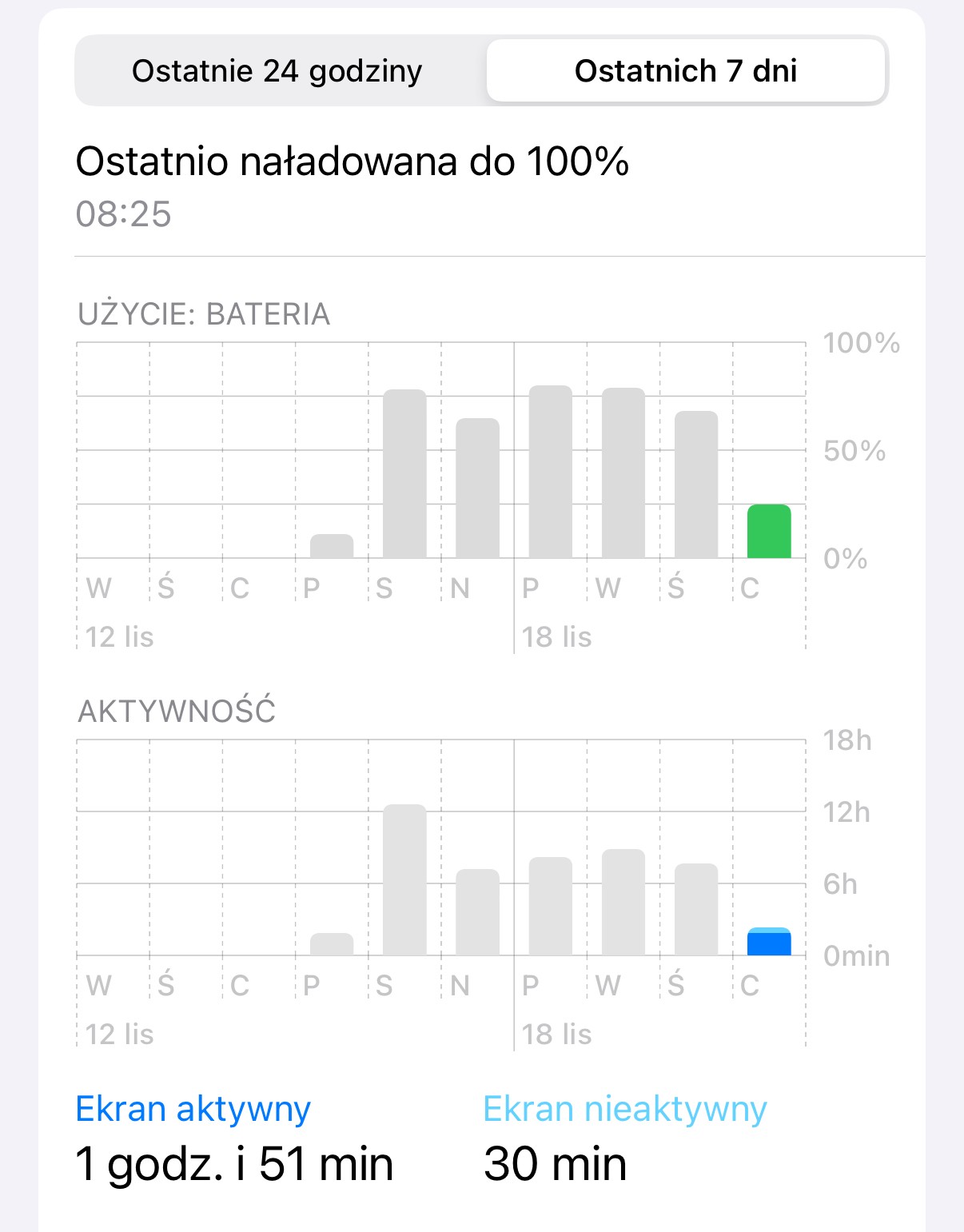


[Edited by Moderator]

Nov 29, 2024 5:48 PM in response to Frank890

Here are the steps provided by Apple to reset your iPhone using a computer. Should be fine restoring from a backup as you are really just interested in getting the OS installed again. Definitely make sure you have a backup, as the phone will be wiped clean. No doubt some apps are notorious for battery drain, such as Meta apps, but restoring the OS may help as it did with TAS22.

Restore your iPhone, iPad, or iPod to factory settings using a computer - Apple Support

This thread has been closed by the system or the community team. You may vote for any posts you find helpful, or search the Community for additional answers.

iPhone 16 Pro Battery Draining Quickly

Welcome to Apple Support Community
A forum where Apple customers help each other with their products. Get started with your Apple Account.



