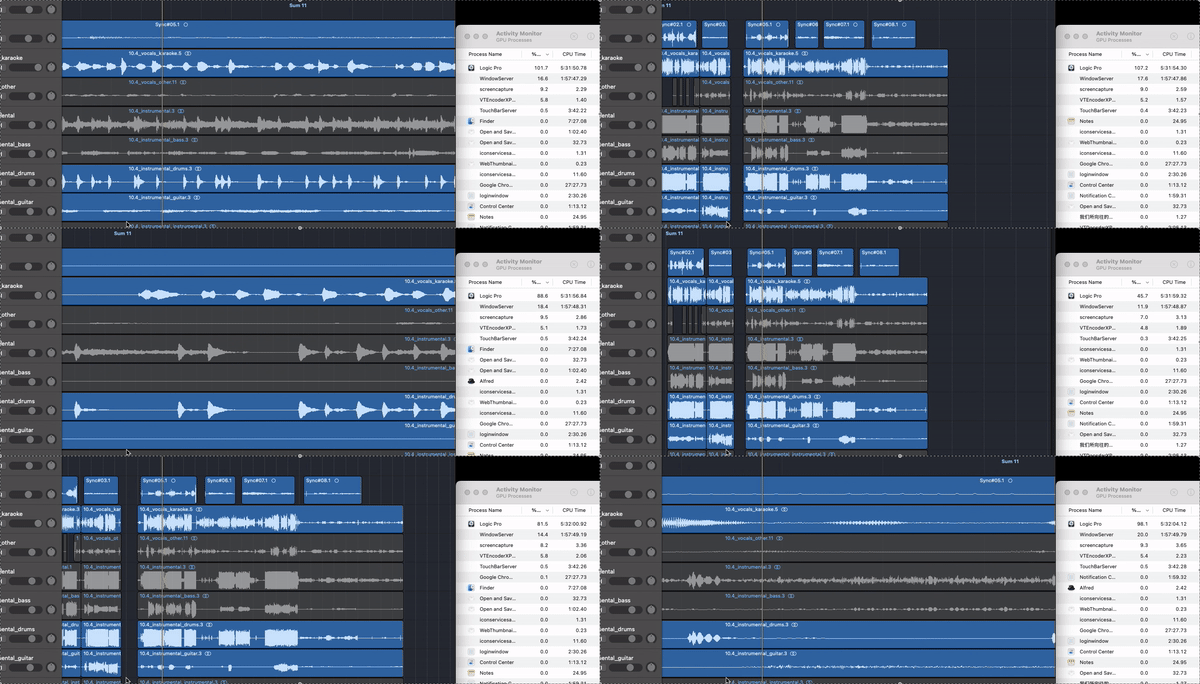
I don't know how to edit the original post, so I replied to my own post.
I have updated to the latest versions of Sequoia 15.0.1 and Logic 11.0.1, but the issue still persists.
This issue might have existed before.
Even actions like zooming in/out and dragging tracks can cause the CPU usage to spike, though it wasn’t noticeable to the naked eye. (see gif below, cpu up to 120% at zooming, below 40% when idle.)
I only recently started learning to use the flex feature, which led to severe lag, bringing this problem to light.
This reminds me of an issue I had when using Linux without having the graphics card drivers installed.
Back then, even simple actions like dragging icons on the desktop would cause the CPU usage to spike over 100%, which left a strong impression on me.
Now, I suspect that the problem might be related to not utilizing hardware acceleration for rendering.