What are the main reasons for high CPU usage on iPads?

I am using a streaming software and recently the CPU turns completely red causing me to be dropped from streaming. I have an iPad sixth generation have not had any issues until last month. Can someone tell me what would cause this issue?


[Re-Titled by Moderator]

Posted on Dec 4, 2024 9:52 AM

Reply
7 replies

Dec 16, 2024 9:00 AM in response to vapelican

I have just ended my subscription with Switcher Studio for the same reason, as well as it not linking remote cameras (iPhones) as well as it used to. I think their software updates recently have been tested on new iPads and they’re expecting us to update our hardware to compensate. I can’t afford - and I’m unwilling - to do this just because for Switcher Studio. We’ve been with them for 5 years. The issues have been fluctuating over that time and I’ve just been told to reset everything and virtually have my router next to the iPads/iphones. Not good enough. Hope you find a fix. As for me, we’ll just use Facebook live without the bells and whistles that had worked well in SS before their latest updates.

Dec 6, 2024 6:43 AM in response to vapelican

You appear to be using some kind of performance monitoring App with your iPad - clearly not of Apple origin.


The App seems to indicate that your CPU utilisation is fluctuating, this being entirely normal. 100% CPU utilisation is not unusual, or in any way any indication of anything untoward. The graphic being coloured red is purely a cosmetic artefact of the App. Don't forget, the performance monitoring App is contributing to the CPU utilisation of your iPad.


As for your streaming difficulties, you provide no details of the streaming service - or how you may be accessing it. Are you streaming using the Safari (or other) browser, or a dedicated App?


When illustrating an issue with an image (this always being helpful) simply creating a screenshot from the device is far easier (and significantly clearer) than using an iPhone to photograph the screen of your iPad:

Take a screenshot on your iPad - Apple Support

Dec 6, 2024 8:57 AM in response to vapelican

I am using Switcher Studio which is a Live video production software for any iOS device. I sign into their site and click on the type of video, Live, recorded or practice. Once signed in I set up my video channels to stream and share my i-phone camera for the tabletop view.


I use an Akron stand (photo attached) which holds my i-pad and the neck holds my i-phone so I can share the content on my tabletop. I'm not able to screen shot while this is in progress due to the stand and not sure if that will interrupt the recording.


Switcher's tech people have had me run a multitude of tests to see which may be the problem and they have determined they believe it is my i-Pad.


I'm trying to understand what would cause the CPU to go red, which takes about 10-15 seconds after I go Live and then Switcher shuts down.


I appreciate your assistance and hope this provides you with the information needed.
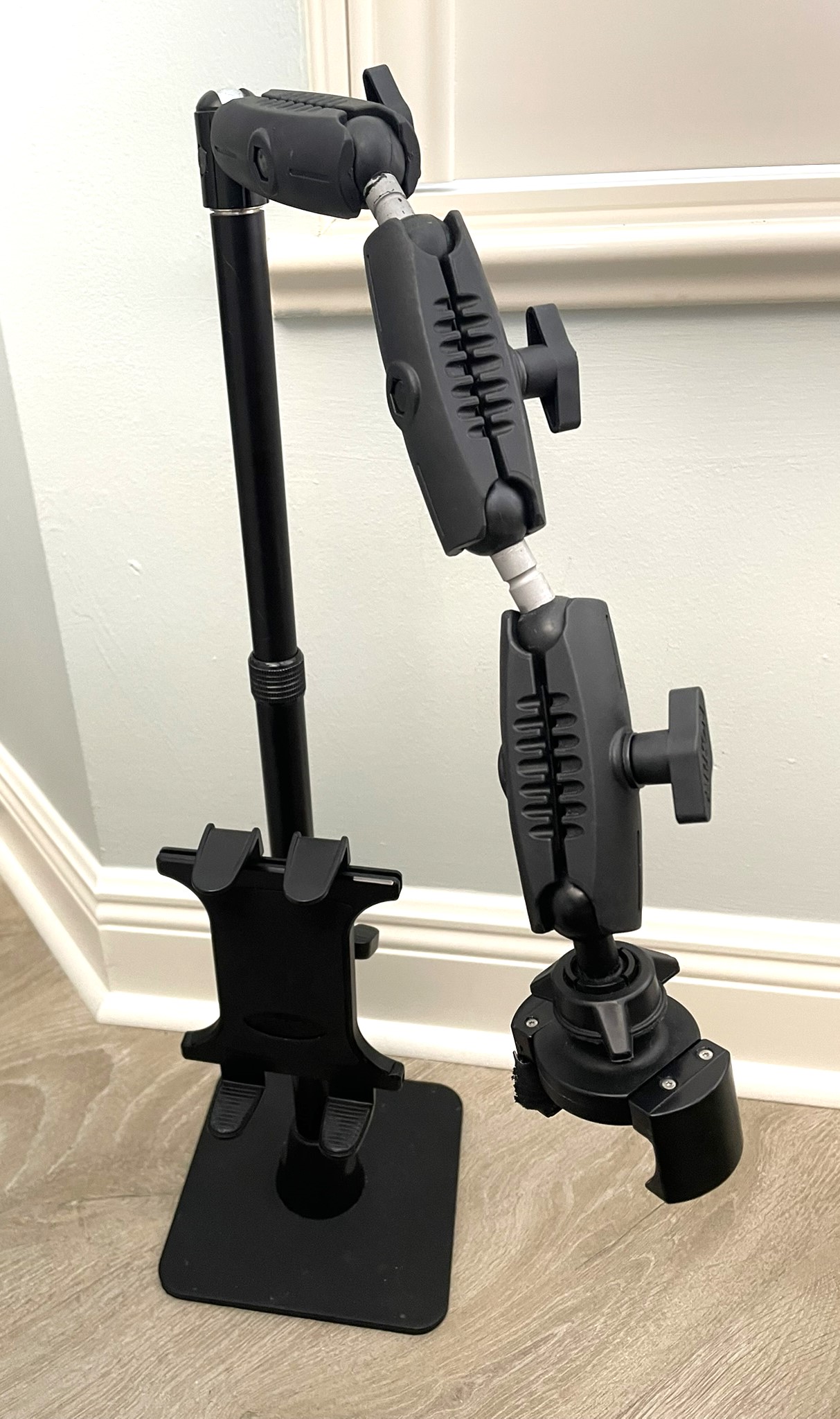
Dawn

This thread has been closed by the system or the community team. You may vote for any posts you find helpful, or search the Community for additional answers.

What are the main reasons for high CPU usage on iPads?

Welcome to Apple Support Community
A forum where Apple customers help each other with their products. Get started with your Apple Account.
