How can I find EID number on my iPhone for eSIM activation?

Dear Team,


I am unable to see EID number in my Apple Iphone 14 Pro Max Model No. MQ8N3LL/A , A2651.


I want to convert my Indian Physical sim to eSim, for which EID number is mandatory.


Please suggest how to proceed


Thanks,

Nataraju


[Edited by Moderator]

iPhone 14 Pro Max, iOS 18

Posted on Dec 24, 2024 2:16 AM

Reply
Question marked as Top-ranking reply

Posted on Dec 24, 2024 3:25 AM

It’s quite simple. Go to Settings > General > About > EID. You can find EID in the first scroll with 30+ digits long

8 replies

Dec 24, 2024 3:38 AM in response to NATARAJU_MALRAJU

This means this iPhone has Dual Physical SIM and no eSIM. Front SIM and Back SIM. iPhones sold in the USA do not have this feature.


eSIM on iPhone is not offered in China mainland. In Hong Kong and Macao, iPhone 13 mini, iPhone 12 mini, iPhone SE (2nd and 3rd generation) and iPhone XS feature eSIM. Find out about using Dual SIM with two nano-SIM cards in China mainland, Hong Kong and Macau.


Dec 24, 2024 3:56 AM in response to NATARAJU_MALRAJU

iPhone 14 Pro Max

Year introduced: 2022

Capacity: 128 GB, 256 GB, 512 GB, 1 TB

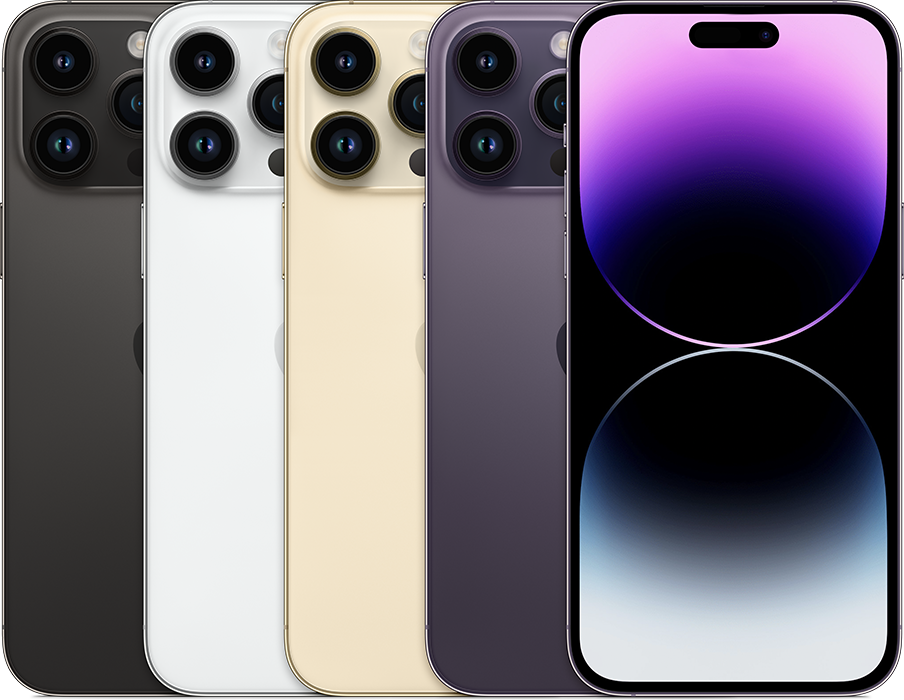
Colours: silver, gold, space black, deep purple

Model numbers: A2651 (United States, Puerto Rico), A2893 (Canada, Guam, Japan, Mexico, Saudi Arabia, US Virgin Islands), A2896 (China mainland, Hong Kong, Macao), A2895 (Armenia, Belarus, Kazakhstan, Kyrgyzstan, Russia), A2894 (other countries and regions)


Details: iPhone 14 Pro Max has a 6.7-inch1 The back is premium matt glass and there's a flat-edge stainless steel band around the frame. The side button is on the right-hand side of the device. There are three cameras on the back: Ultra Wide, Main and Telephoto. There's a LiDAR Scanner on the back. There's an LED True Tone flash on the back. In the United States, there is no SIM tray. In other countries or regions, there's a SIM tray on the left-hand side that holds a "fourth form factor" (4FF) nano-SIM card.


See the tech specs for iPhone 14 Pro Max.

Dec 24, 2024 3:57 AM in response to NATARAJU_MALRAJU

  1. If you desire to buy a brand-new iPhone then
    1. Purchase Apple Products from the Apple Online Store, Apple Retail Stores, and many Apple-authorized resellers and wireless service providers.
    2. If you choose "Connect to a carrier later" (Unlocked iPhone) when you buy your iPhone, you can activate your service when you receive your device.
    3. If you're asked to transfer your SIM, follow the onscreen instructions to transfer service from your previous iPhone. To learn more, visit About eSIM on iPhone - Apple Support.
  2. If you plan to buy a second-hand device
    1. If you are buying Second-hand then please demand an original receipt of purchase issued by the Apple Online Store, Apple Retail Stores, and many Apple-authorized resellers and wireless service providers from the person/agency that is selling you the device.
  3. Check for Activation Lock before you buy a device from someone else
      1. Before you buy an iPhone, iPad, iPod touch, or Apple Watch from someone other than Apple or an authorized Apple reseller, make sure that the device is erased and no longer linked to the previous owner’s account. Ask the seller whether or not they've turned off Activation Lock, then follow these steps:
      2. Turn on the device and slide to unlock.
      3. If the passcode lock screen or the Home screen appears, the device hasn't been erased. Ask the seller to completely erase the device by going to Settings > General > Reset > Erase All Content and Settings. Don't take ownership of any used iPhone, iPad, or iPod touch until it's been erased.
      4. Begin the device setup process.
      5. If you're asked for the previous owner’s Apple ID and password, the device is still linked to their account. Hand the device back to the seller and ask them to enter their password. If the previous owner isn't present, they can remove the device from their account by signing in to icloud.com/find. Don't take ownership of any used iPhone, iPad, or iPod touch until it has been removed from the previous owner’s account.
      6. You will know that a device is ready for you to use when you're asked to "Set up your iPhone," “Set up your iPad," or “Set up your iPod” the first time you turn it on.
  4. If you buy a device that's still linked to a previous owner's account, contact them as soon as possible and ask them to erase the device and remove it from their account. Learn how to remove a device from a previous owner's account.
  5. IMPORTANT RESTRICTION FOR iPHONE, iPAD, APPLE TV, AND HOMEPOD SERVICE.
    1. Apple may restrict warranty service for iPhone, iPad, Apple TV, and HomePod to the country where Apple or its Authorized Distributors originally sold the device.


This thread has been closed by the system or the community team. You may vote for any posts you find helpful, or search the Community for additional answers.

How can I find EID number on my iPhone for eSIM activation?

Welcome to Apple Support Community
A forum where Apple customers help each other with their products. Get started with your Apple Account.
