Lag in Typing in Yosemite's Mail w/ External Apple Keyboard

Since upgrading to Yosemite I have been having a very annoying problem with delayed typing response in Mail when I have my external USB Apple keyboard (current model with numeric pad). It is a sporadic issue. Typing will be responsive, then there are 2-4 second delays in response. I have only witnessed the issue with Mail and when using the external keyboard. Problem does not occur in other programs or when using my MacBook Pro's built in keyboard. Nor did the problem exist prior to upgrading to Yosemite.


My equipment is a late 2013 MacBook Pro Retina. When on my desk, I have it connected to a 23" Apple Display (original LCD), USB Apple Keyboard, Logitech cordless Trackman, and a Drobo firewire external drive.


Has anyone else witnessed this issue? Or have an suggestions on correcting?


Thank you in advance!

MacBook Pro with Retina display, OS X Yosemite (10.10), Mail

Posted on Nov 1, 2014 5:46 PM

Reply
588 replies

Jan 7, 2015 8:50 AM in response to fisherKing

Just noticed an interesting pattern this morning with the text delay bug.


I haven't noticed it too much when replying to emails, but this morning, when I created a brand new email, it was ONEROUS. Like 2-3 second delays. Almost unusable. Went back to replying to emails with minor delays.


I have "load remote images" turned off, if that matters. I've also turned off "check spelling as you type," and now get the dumb box at the end to deal with. Everything else, all the latest hardware/software.


Hmm...

Jan 7, 2015 10:15 AM in response to Mick Guinn

i reinstalled yosemite as suggested and saw no measurable difference.

and i started noticing that the problem of lag in typing was happening in safari & adium as well.

when i tried to shut down last night (my thinking was maybe i should reset nvram or something), the shutdown process literally was in its 2nd hour when i forced power off and then reloaded Yosemite from recovery Disk. yes. again.


while that was happening i used my ipad to research why shutdown was taking so long . I found a discussion group about deleting launch daemons for parallels to fix that problem. (Slow shutdown on Yosemite)


so i did that. and in the process i deleted a bunch of launchdaemons for old software that haev long since been upgraded (there were launch daemons & pref etc for stuff like cs2 & cs3 & cs4 still present so they all got thrown out as well as any software that was deemed incompatible by the yosemite install was deleted using appzapper)


my shutdown is now less than 1 minute. my login in was lickety split - no more lag in typing. dragging windows across the screen doesn't feel like molasses anymore. [ i had been assuming a lot of these issues were rooted in that my machine is an early 2009 mac pro even though i do have 20GB ram ]


so that worked for me. i hope you guys find some relief in your issues as well. (i'll update if i find that the lag issue reappaers but so far so good...)

cheers.

Jan 7, 2015 10:37 AM in response to HighSeaGreen

I think what you're reporting is a separate issue, which might overlap with the text delay in Mail.

I have no issues with shutdown (measured in seconds, not minutes on my retina iMac), and had none of the launch daemons mentioned in the thread you referred to. I've used Adobe CS since before there was a CS, and did not have a bunch of leftover launch daemons from Adobe. (I did have a launch daemon from Prosoft Engineering from trying one of their titles in the past, but that didn't seem to be doing anything. I tossed it.)

I also have no other general symptoms or problems. In fact, the retina iMac with Yosemite is the most stable, trouble-free Mac I've ever owned.


After a shutdown and restart, I got 28 characters typed in a new e-mail before seeing the delay. Ironically the word Mail stalled on was "Mail." I did not see Mail saving a draft during that time.


I have occasionally seen a misplaced cursor in Safari when typing into a phpBB forum input form. It's ½ to 1 character off. But I've never seen a typing or text display delay in Safari or in any other app on my Mac.

I don't use Adium.

Jan 7, 2015 2:26 PM in response to Klahane

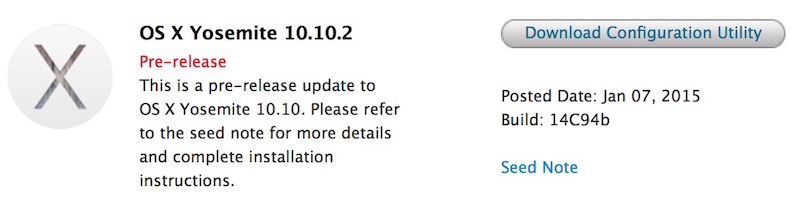
From http://www.macrumors.com/2015/01/07/yosemite-10-10-2-14c94b-seed/

"Apple today seeded a fourth beta of OS X 10.10.2 Yosemite to developers, nearly four weeks after the previous beta release. The interval between seeds was slightly longer than usual for recent updates, presumably due to the holiday pause.


User uploaded file

The new beta, build 14C94b, is available through the Software Update mechanism in the Mac App Store and through the Mac Dev Center.


Apple continues to ask developers to focus their testing on Wi-Fi, Mail, and VoiceOver. Wi-Fi in particular has been an issue for some OS X Yosemite users since the operating system's October launch, and OS X 10.10.1 released in November failed to resolve all of those problems."

Jan 7, 2015 4:31 PM in response to Andrew-StL

As I mentioned in an earlier post, I have had the same Mail text input lag with my 2011 MacBook Pro built-in keyboard since installing Yosemite — with no apparent correlation to any other computer activity/function. I have had no other problems with Yosemite and like many of its new features.


Today I was at a Mac Roundtable meeting with 6 other Mac users, all of whom were still using Mavericks on their MacBooks. All of the Mavericks users easily connected to the room’s password-protected guest network and could browse in Safari as expected.


I too was also able to log into the password-protected network, get a strong signal and open Safari without a problem. However, I, the only one using Yosemite, couldn’t get a single URL to load fully. Although I had read about Wi-Fi issues with Yosemite, this is the first time I’ve experienced the connectivity issue myself.


I had planned to show the attendees how to use the Apple Forums site, using my posts about the Mail lag problem as a real example but never could get the Forums page to load. Instead, I opened Mail to show in real time how the typing lag works for me. However, I was unable to show how text input would hang while initiating or replying to an email because no matter how much I input text, it flowed smoothly from my keyboard to the email on the screen.


Fortunately, when I got home, I was again able to use my home network as usual but again experienced Yosemite’s typing lag when composing new emails as well as replying to emails.


Makes me wonder if there is some correlation between the wi-fi problem and the lag in typing in Mail. Or maybe it’s one of those unfathomable coincidences.

Jan 8, 2015 9:12 AM in response to Andrew-StL

I've witnessed this on my fully updated MacBook Pro (Retina, Mid 2012) as well, but haven't seen it in a while. Perhaps it disappeared when I turned off LCD font smoothing in System Preferences > General. I should also note that I occasionally see a very similar lag in Reunion 10 when typing text into the search box. For Reunion, the only way to eliminate the lag is to quit and restart the program. I have not yet reported this issue to the Reunion publisher, but plan to.

Jan 8, 2015 10:16 AM in response to fisherKing

I'm not sure where to reply here, but now I'm having a delightful NEW problem.


Is anyone else having the delays AND the space bar not work AND the cursor will actually jump BACK a letter? Bloody ****! It gets worse and worse...


Again, this is on a late 2013 MBP but it not happening on the brand new Mac mini I bought that shipped with 10.10.


Is there any hope for 10.10.2?....

This thread has been closed by the system or the community team. You may vote for any posts you find helpful, or search the Community for additional answers.

Lag in Typing in Yosemite's Mail w/ External Apple Keyboard

Welcome to Apple Support Community
A forum where Apple customers help each other with their products. Get started with your Apple Account.