How do you unblock what you thought was a spam text message?

I reported a spam/junk from a phone number I wasn't sure about on my text messages. I think it was now someone I knew and like to unspam it but don't know where to find the number to undo it??????y

Posted on Aug 26, 2015 3:18 PM

Reply
Question marked as Top-ranking reply

Posted on Aug 28, 2015 3:00 PM

Hi countryberry11,
That is a good question on how to unblock numbers that are blocked. Take a look at the quoted section below to give you a list of areas to access the numbers that are blocked on your iPhone.
Block calls and block or filter messages on your iPhone, iPad, or iPod touch
https://support.apple.com/en-us/HT201229

View or edit your blocked list

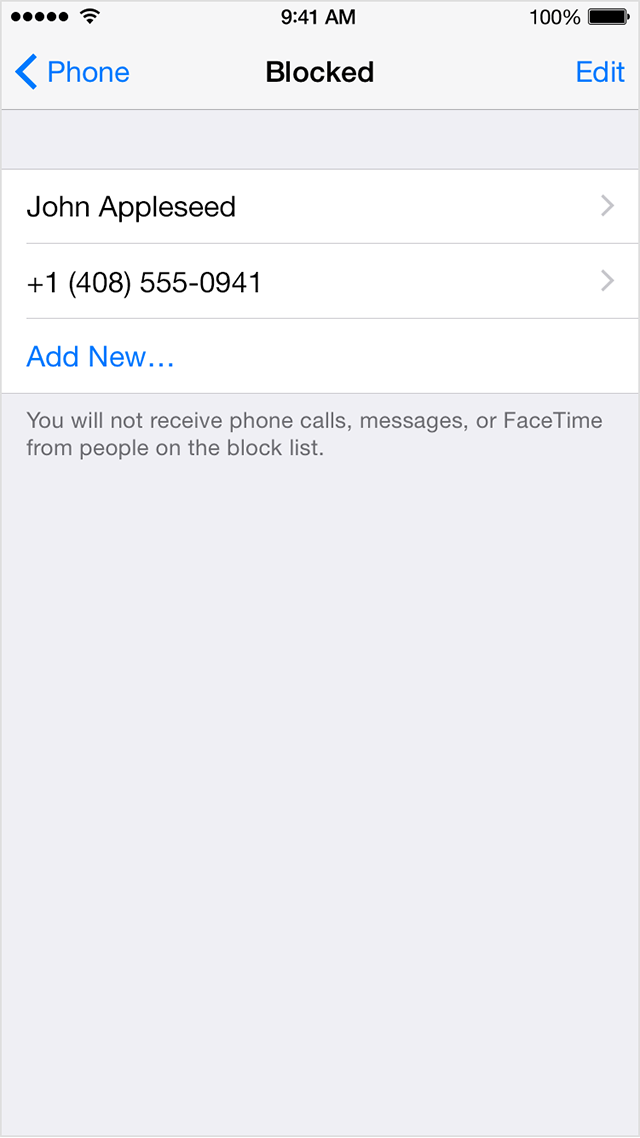
You can see the contacts and phone numbers that you've blocked in Settings under Phone, FaceTime, or Messages:

  • Settings > Phone > Blocked
  • Settings > FaceTime > Blocked
  • Settings > Messages > Blocked

User uploaded file

From this screen, you can add more people to your blocked list, or tap Edit to unblock someone

Have a good day

21 replies

This thread has been closed by the system or the community team. You may vote for any posts you find helpful, or search the Community for additional answers.

How do you unblock what you thought was a spam text message?

Welcome to Apple Support Community
A forum where Apple customers help each other with their products. Get started with your Apple Account.