MIC not working with siri/voice to text after ios9.3.1 update

After I updated to 9.3.1 my hey siri stopped working in that it no longer hears my commands and voice to text will not pick up any sound either. I know there is no problems with my microphone working because I can still be heard on phone calls and when I disable siri am still able to use the basic voice controls that were pre-siri. I have already tried disabling siri and reactivating it (and reactivating the hey siri as well, although I cant set it up since it cant hear me), changing her accent, switching the voice from male to female, restarting the phone, updating restrictions. And frankly I'm at a loss here, I cant think of any other possible fixes. Has anyone else run into this and if so were there any resolutions? Please help!

iPhone 6, iOS 9.3.1

Posted on Apr 23, 2016 8:55 PM

Reply
Question marked as Top-ranking reply

Posted on Apr 23, 2016 9:54 PM

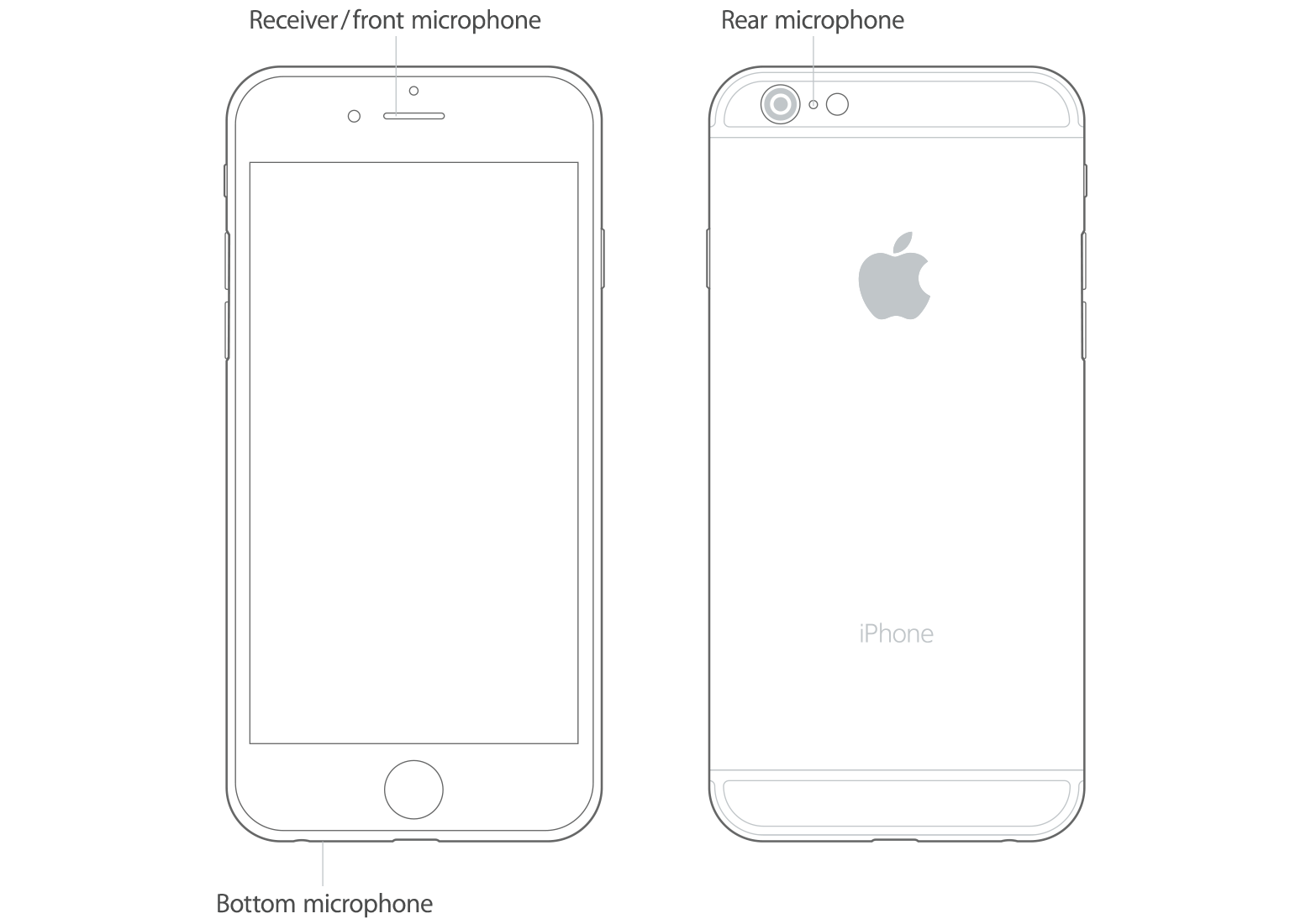
There are 3 mics on the phone.

Test the front mic(The one that siri uses) by taking a front facing video. If there is no audio it is a hardware problem and not an update issue.


Source:

Get help with the microphones on your iPhone, iPad, and iPod touch - Apple Support

Test the microphones on your device

To find out if there’s an issue with the microphone on your device—and not your cellular connection or the app that you're using—test each microphone. Microphone location can vary by device. You can use your product's technical specifications to find the microphones.

iPhone

There is more than one microphone on your iPhone.

User uploaded file

To test the primary microphone on the bottom of your iPhone, open Voice Memos and tap the record icon. Then speak into the microphone and tap the play icon to play back the recording. You should be able to hear your voice clearly.

If your voice sounds faint when you’re using the speakerphone on a phone call, make sure that your iPhone receiver isn’t blocked or covered.

If audio from video recordings sounds faint, or Siri can’t hear you, make sure that the microphone near the iSight camera—on the top, back corner of your iPhone—and the receiver isn’t blocked or covered.

17 replies

This thread has been closed by the system or the community team. You may vote for any posts you find helpful, or search the Community for additional answers.

MIC not working with siri/voice to text after ios9.3.1 update

Welcome to Apple Support Community
A forum where Apple customers help each other with their products. Get started with your Apple Account.