
AirDrop "Allow me to be discovered by" not showing

I can open the airdrop folder but the options "Allow me to be discovered by" and "Don't see who you're looking for" are not showing. I tried scrolling down and resizing the window but the options aren't showing up.
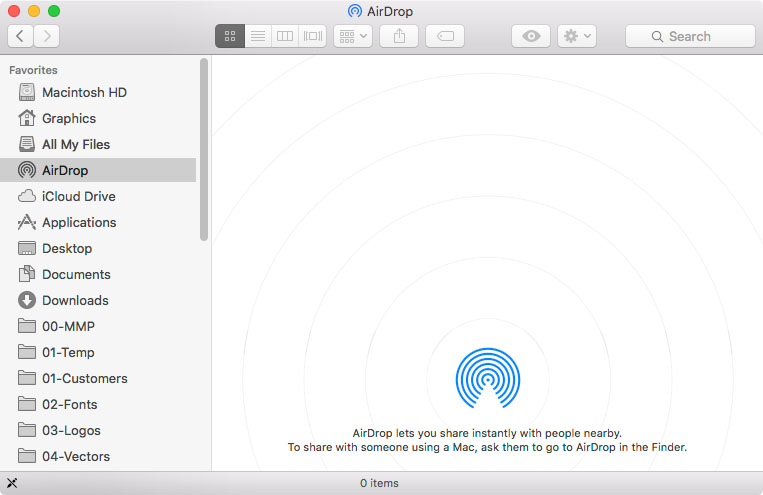
User uploaded file

User uploaded file

I am not able to see or be seen by other devices. I have bluetooth and wifi turned on and the imac is compatible with airdrop (iMac 24-inch, Early 2009).


OS X El Capitan 10.11.5

iMac, OS X El Capitan (10.11.5)

Posted on Jul 20, 2016 3:07 PM

Reply
Question marked as Top-ranking reply

Posted on Apr 26, 2018 1:02 PM

Hi,


I've spent hours on finding a solution to this same problem. Here's how I fixed it after combing through hundreds of webpages of "fixes." Seems a PRAM reset does it:


Shut the laptop down not restart. press power and hold the following 4 keys Cmd+Opt+P+R and keep holding for 3 restarts which will happen as long as you keep the keys depressed. make sure it is 3 "ta-da's" and then let go and check Airdrop again once your laptop has started up.


Good luck!

34 replies

This thread has been closed by the system or the community team. You may vote for any posts you find helpful, or search the Community for additional answers.

AirDrop "Allow me to be discovered by" not showing

Welcome to Apple Support Community
A forum where Apple customers help each other with their products. Get started with your Apple Account.