I'm having the exact same problem since downloading the new iOS update for my iPhone 6+. Shutting the phone down and restarting it is the only way to get to the home page of the message ap. The back arrow just pretty much never works anymore.
Jeff
I am having the exact same issue, with the screenshot you provided, and the back arrow is not responsive. This happened after the 11.2 software update on iphone 6 Plus. I can intentionally make this error occur by enlarging the text under General, Accessibility, Larger Text. Turning on this feature CAUSES this problem, and turning it off allows iMessage back arrow and screens to function normally. I purchased an iPhone 7 Plus and the exact same problem still exists. After many hours on the phone with Apple support, and several senior advisors over the course of 5 frustrating days, they confirmed this must be a software issue, "bug", and was sent to engineering. The only fix is to wait for a software update. I can attempt to enlarge the the text under Display and Brightness, moving the button all the way to the right and the text does not even enlarge. I have poor vision and this software issue has really made if difficult to use my phone, period. This problem is not acceptable, and Apple needs to initiate a software update ASAP to correct these "bugs". I have been told all I can do at this point is wait for the update.

I'm having the exact same problem since downloading the new iOS update for my iPhone 6+. Shutting the phone down and restarting it is the only way to get to the home page of the message ap. The back arrow just pretty much never works anymore.
Jeff
I have the same issue on iPhone SE iOS 10.3.3. Thanks for the comforting thought that this is not a hardware failure from a defective device. I bought the iPhone SE yesterday, and I installed a drawing app to make sure touchscreen worked, and it did perfectly. I also could reproduce the same failure on my work-phone, which is an iPhone 5s iOS 10.3.2.
My guess is the 'mapping problem' (difference between touchscreen and LCD) is a software bug that could come from apps being developed mainly for the larger screens nowadays, and then converted back to 4.7 inch. This was a thought I had when choosing this smaller sized iPhone SE: in future more and more apps will be designed mainly for large screens.
Since I downloaded the latest IOS on most apps have to press the back arrow a few times. Facebook doesn’t let me like anything unless I press it a few times and can’t use the “new”back to another app button until I hit it a few times.
Not a big deal but annoying.
Yes! Very frustrating. The back button does not work. I have to swipe completely out of iMessage and go back in to send an iMessage to another person.
Not just in SE. happens on iphone6s after the latest update.
Same problem here on iPhone SE. I thought it was due to the size of the "<" button not recognizing finger touches, because when there are unread messages (and therefore a larger area button) it does not seem to have this problem. Other apps though use the same "<" button, in the same location, without issue.
Me too on an iPhone 6+
Come’on Apple... this appears to be an issue affecting many users... and a problem that should not be hard for Apple to fix. You had it working before.
Here’s a little more info (as if you really need it before you decide to fix the problem or not)... When tapping the back button in a text message conversation the iPhone behaves somewhat like the “edit” button does on the screen listing text message conversations. On my phone I am even able to catch the phone displaying a pop up window that momentarily displays the word “edit” when I tap the back button when in a text message conversation window, yet leaves me (the window/app) still in the context of the text conversation.
Is this another instance where Apple will neglect their existing products to adversely impact their customers in an effort to drive revenue and new product adoption?
My mother is having this same problem on her iPhone 6 Plus. We tried having her touch a little to the right, or a little below the back button, and this had no effect. She is having to hit the back button like six or seven times before the screen goes from the messages of one individual back to the list of names. Anyone have any ideas?
Things I've tried:
Does anyone else have any ideas? Apple, do you want to chime in on how to fix this?
I've been having this problem in several apps...Messages, KIK, and Instagram are the most problematic. I didn't have this problem before IOS11. Reset All Settings didn't change anything for me.
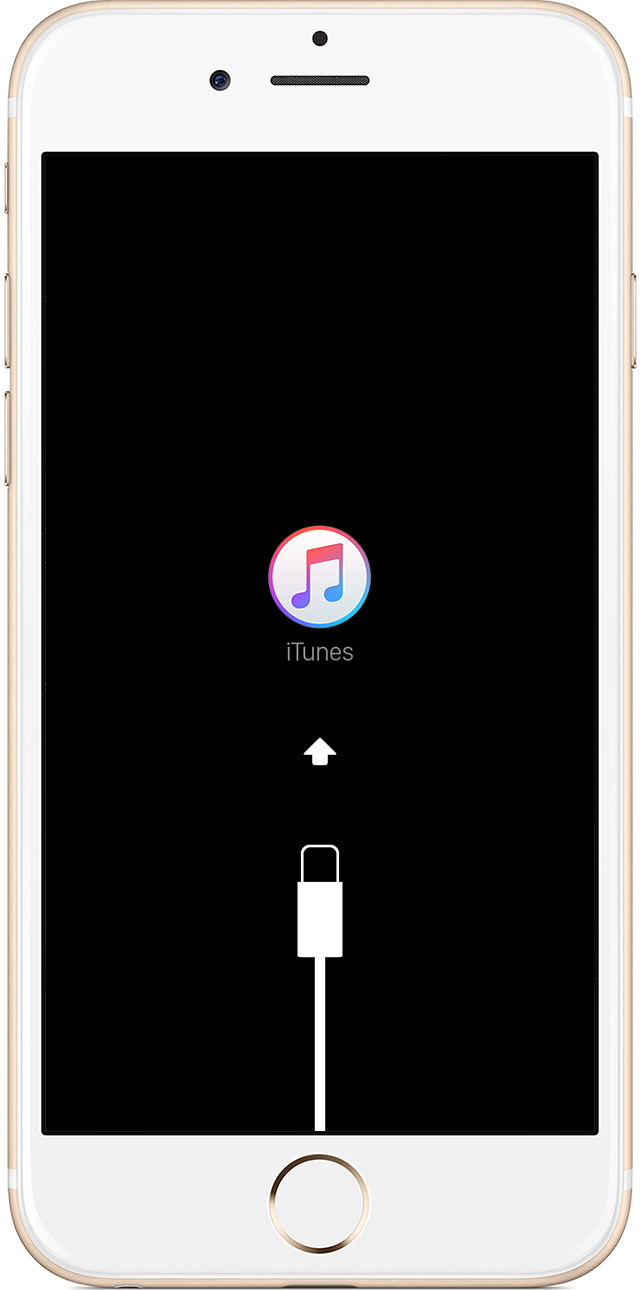
- Connect your device to a computer and open iTunes. If you don't have a computer, you can borrow one, or go to an Apple Retail Store or Apple Authorized Service Provider for help.
- While your device is connected, force it to restart.
- On an iPhone 7 or iPhone 7 Plus: Press and hold the Sleep/Wake and Volume Down buttons at the same time.
- On an iPhone 6s and earlier, iPad, or iPod touch: Press and hold the Sleep/Wake and Home buttons at the same time.
- Don't release when you see the Apple logo. Keep holding until you see the recovery mode screen.
- When you get the option to restore or update, choose Update. iTunes will try to reinstall iOS without erasing your data.
iTunes will download the software for your device. If it takes more than 15 minutes, your device will exit recovery mode and you'll need to repeat steps 2 and 3.
I'm having this issue too but also happening in Safari, and other apps. Last update was a real deal breaker for me. Considering going back to Android. These things are too expensive to have issues like this that are update issues.
Hi I have the same issue when i am texting. I have to hit a few times and maybe it will work. It is very annoying 😟 it is only when I am texting i get this issue.
Kebrady59 wrote:
Is anybody else having a concern with the back button when I am messaging.? I hit the back button, and it does not respond unless I've hit it three or four times. This seems to have occurred on my iPhone ES since I upgraded to the latest version.
Your not alone with this software problem, we have 6 iPhones in my house and all of them are having the same problem?? We have 5s 6plus,6splus 2 7's and an 8
and all my friends bar none are having the same problem! Come on Apple get your act together and sort this out!
Same problem on my iPhone 6s. I have read and executed several suggestions to solve the problem but nothing works. Sometimes the back button works but most of the time the back button does not work. VERY aggravating.
iMessage Back Button