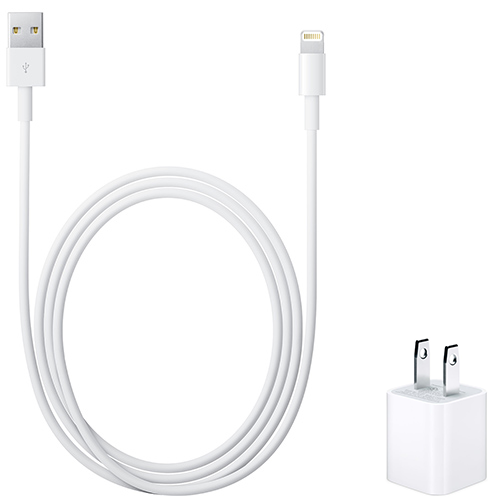
My iphone 6 only charges with only one fake cable.

Hello, my iphone 6 only charges with only one fake cable. other fake/original cables dont work, it even wont charge with my original cable and wall addapter. I have buyed a new iphone battery and a dock connector, i thought that was the problem, but still no effect. I wasted around 100 euro to replace the battery and dock connector, and it even didn't work! So i buyed a new Iphone lightning cable, and an wall adapter in the apple store, and that didn't work either.

I tried original cables from friends, but that didnt work to. So i plugged my iphone into the computer, and opened itunes and i downloaded the latest updates, I have my iphone restored / updated several times, but that didn't solve the problem. and the wierdest thing is, it only work with that one fake cable.. My iphone battery goes to 100 to 0% within 8 hours when i dont even use it. And when i use it, the battery will go empty in 5 hours...

I wasted alot of money on things that didnt work, so im not really happy about it..

so I really hope that you will come with an answer to fix this problem. The warranty is just three months past.

Thanks!


iPhone 6, iOS 10.2.1, 16GB

Posted on Feb 15, 2017 3:40 AM

Reply
Question marked as Top-ranking reply

Posted on Feb 4, 2018 1:06 PM

I got this issue fixed over the weekend. After going to 2 repairers who tried multiple replacement charger ports and batteries both said i needed a new motherboard.

By chance i tried a third repairer who said that the charging ic was the issues. This is located on the logic board. So this was replaced at $150NZD and now my phone is back to working mint again.


The Logicboard detects how much amperage is being put into the phone for charging and also how much battery charge is remaining. This is why half my chargers didnt work and my battery would drain so fast.


Hopefully others can get this part replaced and fix their issues too.


If you need to check your battery life/wear there is an app called Battery Life on the App Store that i found very useful.

26 replies
Question marked as Top-ranking reply

Feb 4, 2018 1:06 PM in response to Noizee187

I got this issue fixed over the weekend. After going to 2 repairers who tried multiple replacement charger ports and batteries both said i needed a new motherboard.

By chance i tried a third repairer who said that the charging ic was the issues. This is located on the logic board. So this was replaced at $150NZD and now my phone is back to working mint again.


The Logicboard detects how much amperage is being put into the phone for charging and also how much battery charge is remaining. This is why half my chargers didnt work and my battery would drain so fast.


Hopefully others can get this part replaced and fix their issues too.


If you need to check your battery life/wear there is an app called Battery Life on the App Store that i found very useful.

Feb 23, 2017 6:06 AM in response to JerryRussell

Apple changed the thickness and length of lightning bolt connection. I had the same problem and had to go buy an off brand cable to make it work. That being said, I do have one apple cable that does work which was purchased as an extra when I bought the phone. You have to have a caliper or micrometer to get the actual dimension difference but the dimensions have changed on their new chargers. I'm in quality control (not for apple) and have the tools to check these things out. It's hard for me to understand how apple missed this, or......... maybe they didn't, just sayin.

Sep 3, 2017 7:08 AM in response to JerryRussell

Hey all! Glad to hear I'm not the only one suffering.


I have taken excellent care of my iPhone 6 Plus since I got it, yet this happened to me about three weeks ago out of the blue.


Sadly, I've found no fix for it, but I have found OMAR cables (based out of Nevada) consistently work.


Originally, I tried cleaning the port, blowing it out - but no luck. I tried soft restart, hard restart, factory reset, replaced the charge port (and front speaker is on same component) and no luck. I had apple support run diagnostics on my battery twice and it came back clean. I Have noticed some challenges in syncing with iTunes - wired and wirelessly, which makes me think it. Could be indicative of hardware failure. Jury is still out on that, though, as if I try a few times it eventually works...


Anyone else having sync issues?


Such a strange issue...

Feb 15, 2017 5:46 PM in response to JerryRussell

Hi JerryRussell,

Thanks for posting your question in the Apple Support Community. I understand that your iPhone is not charging properly when plugged in. I rely on my iPhone, so I know it's important to make sure you're able to fully charge your iPhone. I'm happy to help.

You've already gone through some great steps to try and get this working. I recommend to take a look at the information below, up to and including contacting Apple Support if needed.

If your device won’t charge or charges slowly

If you have very low battery and plug into power, a black screen or a black screen with a red battery might appear for a few minutes. Follow these steps and try again after each:

  1. Check your charging cable and USB adapter for signs of damage,* like breakage or bent prongs. Don't use damaged accessories.
    User uploaded file
  2. Use a wall power outlet and check for firm connections between your charging cable, USB wall adapter, and wall outlet, or try a different outlet.
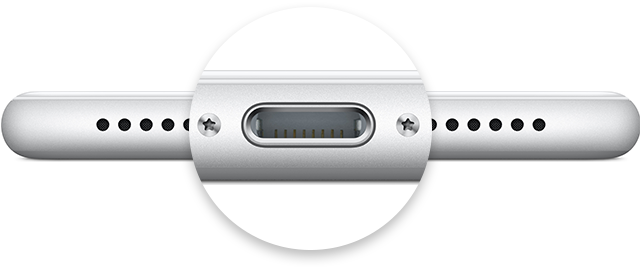
  3. Remove any debris from the charging port on the bottom of your device, then firmly plug your charging cable into your device. If the charging port is damaged, your device probably needs service.
    User uploaded file
  4. Let your device charge for a half hour (If your device is unresponsive afterward, learn what to do).
  5. Force restart your device: Press and hold the Sleep/Wake and Home buttons at the same time for at least 10 seconds, until you see the Apple logo. Then let your device charge for another half hour.
  6. If your device still won’t power on or charge, take your device, charging cable, and charging adapter to an Apple Retail Store or Apple Authorized Service Provider for evaluation. You can also contact Apple Support.

If your iPhone, iPad, or iPod touch won't charge


Cheers!

Jul 28, 2017 8:25 AM in response to JerryRussell

I have the same issue with my wife's Iphone 6s. It used to work with it's original cable before this cable got broken and currently works with fake cables only, but doesn't recognize any official ones. Also it doesn't work with lightning headphones from Iphone 7, but my Ipad mini see the headphones without any issues the same like iphone 7 does.

Jan 15, 2018 12:49 PM in response to JerryRussell

I have just encountered this issue yesterday for the first time. For weeks i have been getting the device not supported error but thought nothing of it.

But yesterday i plugged in an accessory fan and after that all my expensive made for iphone cables stopped working. The fan also doesn't work.

The only cables that work are my one genuine charger and my cheap 3 for $5 Aliexpress cables. Also my iphone gets really hot when charging now too.

Of course apple being apple they wont give me any phone support to discuss this issue as i have an iphone 6 and its way out of warranty so my only option is to express my frustration here. Good to know I'm not the only one.

Jan 28, 2018 6:14 PM in response to JerryRussell

I am having the exact same problem with my iPhone 7 plus. I have never encountered this issue with all the iPhones i have ever owned. My phone drains like crazy and only works with aftermarket chargers. I got a diagnostic done through apple, and they said that the battery is fine. I was told it might be because my phone needs to be updated, but even after I did that, my battery still drains. My battery used to last a day and a half on a full charge, now I can't even last 8 hours with normal use.


I hope someone knows how to resolve this issue. 😠😢

Feb 4, 2018 9:08 AM in response to aajvp

Also just started having the same issue with my 5s. Started about a week ago while i was in Taiwan- I think the voltage is the same there, although could that have potentially done something? Phone only charges with one cable and only on one side. Other cables don’t work although there’s nothin for wrong with them. They charge other devices just fine.

Battery drains more quickly than it used to. Have had problems syncing to iTunes for at least a year or more tho.

Maybe I’m being too much of a conspiracy theorist, but i wonder if it’s planned obsolescence...something built into these new os updates...

Feb 8, 2018 1:57 PM in response to kirstenlepore

I also have this problem with my iphone 5s. My phone only charges with one aftermarket cable. It doesn't charge with any original iphone chargers and now it only takes less than 8 hours before the battery drains. I tried cleaning the charging port and using different chargers and cables with no luck. I was thinking of replacing the battery but after reading all of your stories I can't help but think that this started after I update my iphone's ios.

This thread has been closed by the system or the community team. You may vote for any posts you find helpful, or search the Community for additional answers.

My iphone 6 only charges with only one fake cable.

Welcome to Apple Support Community
A forum where Apple customers help each other with their products. Get started with your Apple Account.