go to >System Preferences/Security & Privacy
click the general tab
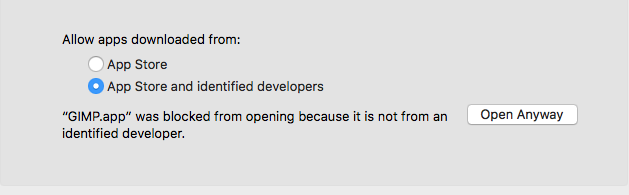
click the radio button for Allow apps download from and click "Open Anyway"
this will remove the warning then install the software after hassling you about the fact it was dowloaded from the internet
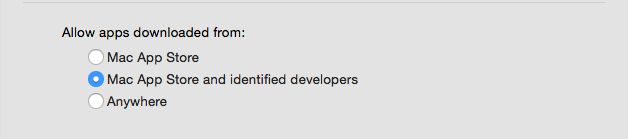
if you have OS 10.11 or earlier there will be an option to install software from anywhere
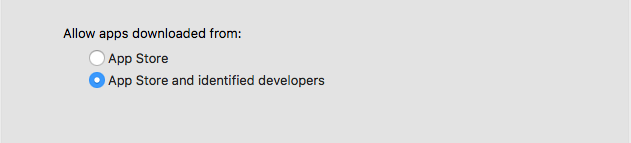
this was removed in OS 10.12 but Apple could only explain the exact reason
if you need to remove this warning outside of this method you have one of three options:
1) ask Apple to make it go away (apple.com/feedback)
2) ask, demand or threaten the developers of GIMP to give up developing software on their terms and conform to whatever Apples dictates is required to allow them the grace of Gatekeeper not to go ballistic when you try to install software that millions of people have already used for years but that they can't bilk you for $$$ on the App Store for.
3) reverse engineer OS 10.12 or later, which is a violation of the OS X EULA and the terms of this forum.
Thanks for using the Apple Support Forums, this is a volunteer effort. Have a dabba-do day.





