Can’t Erase Hard Drive

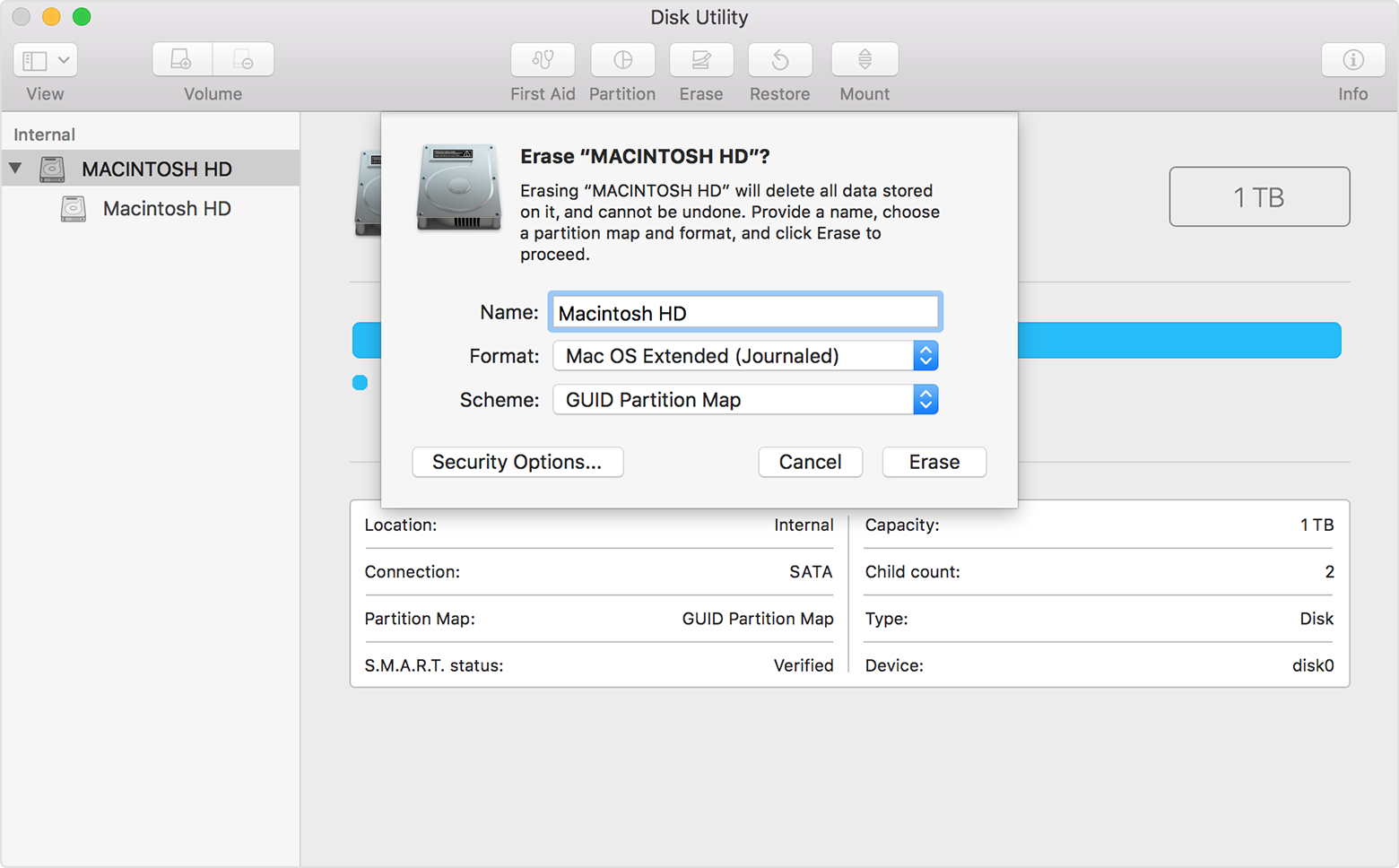
Due to a phishing scam (Premier Tech Support), I’m trying to erase my hard drive on a 2011 Mac Book Pro. After I boot into Recovery mode and select Mac Utilities, I select Erase, but it fails stating that the disk can’t be unmounted. What am I doing wrong?

MacBook Pro, macOS High Sierra (10.13), null

Posted on Feb 7, 2018 10:28 AM

Reply
Question marked as Top-ranking reply

Posted on Feb 10, 2018 9:17 AM

High Sierra has a new presentation in Disk Utility, called Volume-View. In my opinion, it is brain-damaged.


Select Device View, and erase the DEVICE by Hardware-name, and all will work as expected.

Similar questions

3 replies

Feb 8, 2018 8:45 AM in response to Peetahsee

Hello Peetahsee,


Thanks for that info and choosing the Apple Support Communities. If I understand correctly, you are unable to erase your hard drive on your MacBook Pro as expected. To help with this, try running First Aid on your hard drive with the built in Disk Utility tool, then try erasing and reformatting your hard drive again.


Disk Utility for Mac: Repair a disk using Disk Utility
How to reinstall macOS


Cheers!

Feb 10, 2018 8:52 AM in response to MoonJ.

The FORMAT type is key to the process:


If you need to erase your startup disk, follow these steps:

  1. Select Disk Utility from the utilities window of macOS Recovery, then click Continue.
  2. Select your device or volume in the sidebar of Disk Utility.
  3. Click the Erase button or tab.
  4. Complete these fields:
  5. Click Erase to begin erasing your disk.
  6. When done, quit Disk Utility to return to the utilities window. You're now ready to install macOS.

User uploaded file

This thread has been closed by the system or the community team. You may vote for any posts you find helpful, or search the Community for additional answers.

Can’t Erase Hard Drive

Welcome to Apple Support Community
A forum where Apple customers help each other with their products. Get started with your Apple Account.