My music won’t go to the next song on its own..

So i’ve had the iPhone SE for three years now, and it’s worked great. I’ve dropped it probably a hundred times and it’s only got one little scratch!


But for the past.. I dunno? Four, maybe five months, my music has not been automatically playing the next song once the one I just finished listening to has finished. I have to manually change songs. I’ve checked all my settings, even looked for a repeat button, but I can’t find one and this is getting old..


I currently have iOS 11.2.6, but I dont think that’s the issue

Posted on Mar 21, 2018 2:23 PM

Reply
Question marked as Top-ranking reply

Posted on Mar 22, 2018 11:01 AM

Hello Nightsent,

Thank you for using Apple Support Communities! I understand you are experiencing an issue with your iPhone SE not automatically playing the next song in your playlist. I would be happy to provide some solutions to help get your Music app working as expected again. Let's start by taking a look at your Now Playing settings following the steps in this resource:

Play, repeat, and shuffle music - Apple Support

Use the steps in this section to open your Now Playing screen:

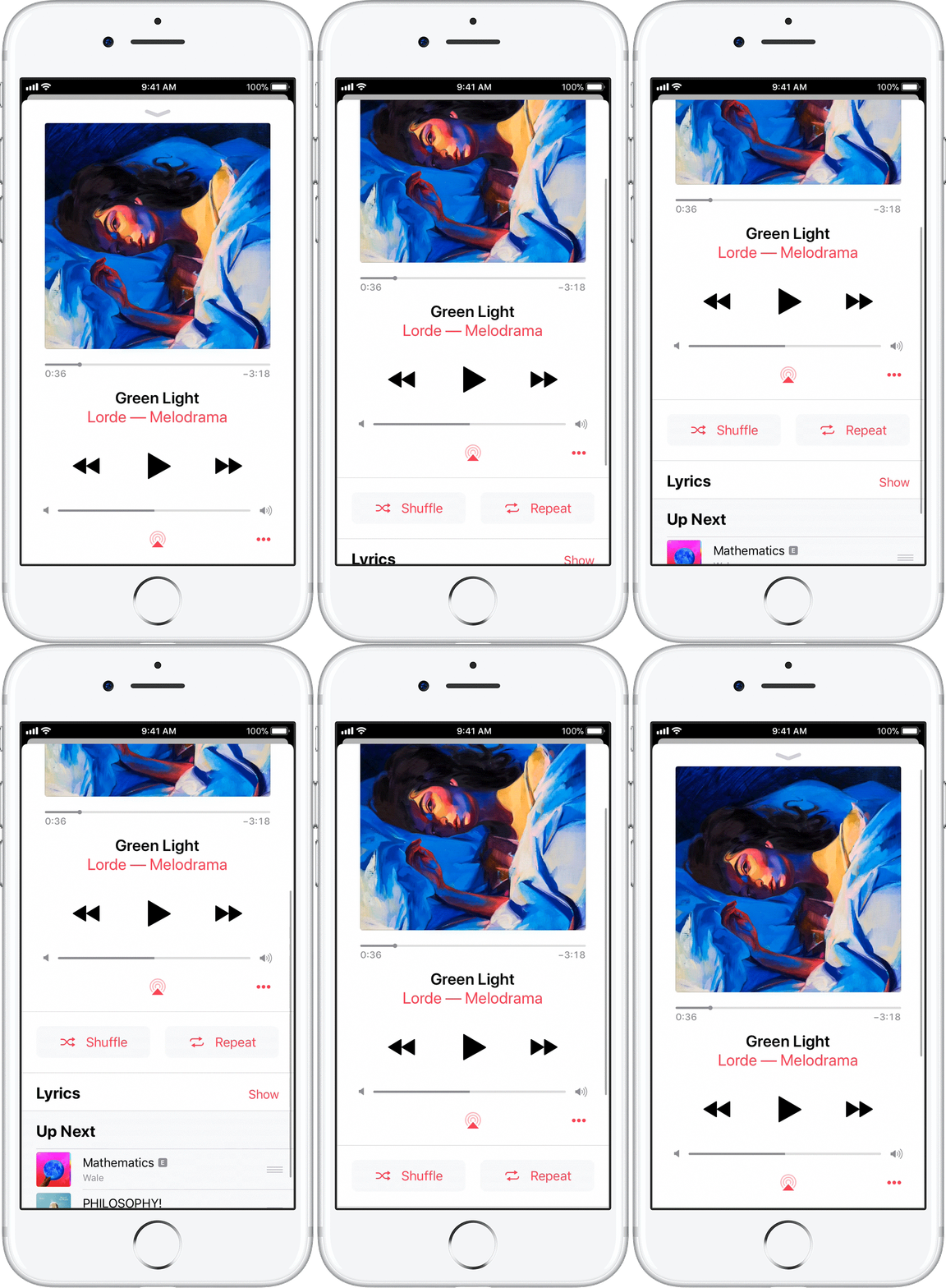
When playing music on your iOS device or Android phone, a player appears at the bottom or lower-right corner of the screen. Tap the player to open Now Playing. From the Now Playing screen, you can control playback or volume, turn on shuffle or repeat, download the song, and more.


With the Now Playing screen open, scroll down until you see the the Shuffle and Repeat options. Tap until you see both buttons turn gray as seen here:

User uploaded file


Let us know if the issue persists after turning Repeat and Shuffle off from that screen.

Cheers!
1 reply
Question marked as Top-ranking reply

Mar 22, 2018 11:01 AM in response to Nightsent

Hello Nightsent,

Thank you for using Apple Support Communities! I understand you are experiencing an issue with your iPhone SE not automatically playing the next song in your playlist. I would be happy to provide some solutions to help get your Music app working as expected again. Let's start by taking a look at your Now Playing settings following the steps in this resource:

Play, repeat, and shuffle music - Apple Support

Use the steps in this section to open your Now Playing screen:

When playing music on your iOS device or Android phone, a player appears at the bottom or lower-right corner of the screen. Tap the player to open Now Playing. From the Now Playing screen, you can control playback or volume, turn on shuffle or repeat, download the song, and more.


With the Now Playing screen open, scroll down until you see the the Shuffle and Repeat options. Tap until you see both buttons turn gray as seen here:

User uploaded file


Let us know if the issue persists after turning Repeat and Shuffle off from that screen.

Cheers!

This thread has been closed by the system or the community team. You may vote for any posts you find helpful, or search the Community for additional answers.

My music won’t go to the next song on its own..

Welcome to Apple Support Community
A forum where Apple customers help each other with their products. Get started with your Apple Account.