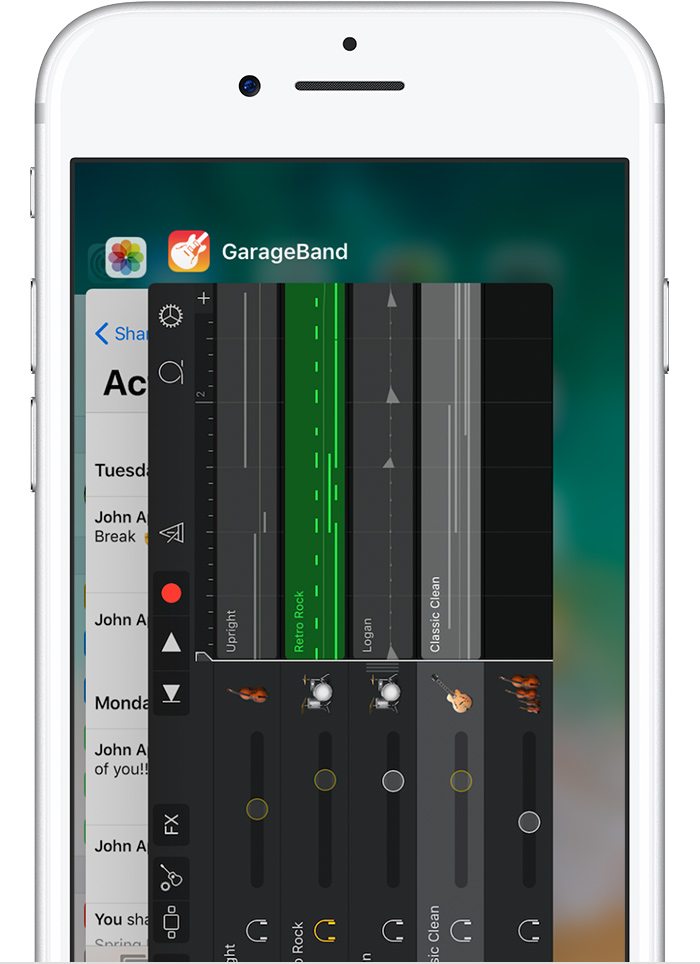
Welcome to Apple Support Communities. I understand that you're having trouble with the Calendar app on your iPhone not adding events to the date you have selected. I know how important it is to be sure your events are being entered on the correct date; I'd like to help. Your Calendar app should default to the date you have selected when adding an event; I'd like you to try the steps below and test adding an event after each step.
If an app unexpectedly quits, stops responding, or won’t openForce quit the app
- iPhone, iPad, iPod touch: Close the app and open it again.
- Apple Watch: With the app open, press and hold the side button to show the power options. Then press and hold the Digital Crown to quit the app.
- Apple TV: Double press the
button and swipe left or right to find the app with the issue. Then swipe up to close the app.
Restart your device
Restart your iOS device, Apple Watch, or Apple TV. Then open the app to see if it works as expected.
If the behavior continues, check that the data from your Calendar app is synced to iCloud by signing in to iCloud.com , or that you have a recent backup if you're not using iCloud: How to back up your iPhone, iPad, and iPod touch
Next, use the steps below to remove and reinstall the Calendar app to your iPhone:
Delete built-in Apple apps on your iOS 11 device or Apple WatchDelete a built-in app from your device
- On your iOS device, touch and hold the app lightly until it jiggles. If the app doesn't jiggle, make sure that you're not pressing too hard.
- Tap on the app, then tap Delete.
- Press the Home button to finish.
If you have an Apple Watch, deleting an app from your iPhone also deletes that app from your Apple Watch.
Restore a built-in app that you deleted
- On your iOS device, go to the App Store.
- Search for the app. Make sure that you use the exact name of the app. Find the correct name of built-in apps.
- Tap
to restore the app.
- Wait for the app to restore, then open it from your Home screen.
If you have an Apple Watch, restoring an app to your iPhone also restores that app to your Apple Watch.
Test the Calendar app again to see if you're able to add an event on the date you've selected; let me know what you find.
Best Regards.