Unable to sync Live Photos from iPhone to Mac

Hi. My iPhone has not been able to sync live photos in the last few months to my Mac. I think it coincided with my iCloud account becoming full.


Is it possible that my MacBook Pro doesn't pick up any Live Photos because the iCloud account is full in storage?


Should I disable my iCloud account to enable syncing my iPhone live photos again? I don't think I want to pay more and more for a storage plan that deletes photos whenever I delete them off my iphone etc.


thanks

Posted on Apr 12, 2018 4:25 AM

Reply
5 replies

Apr 12, 2018 6:34 PM in response to syncphotos

Hi syncphotos!

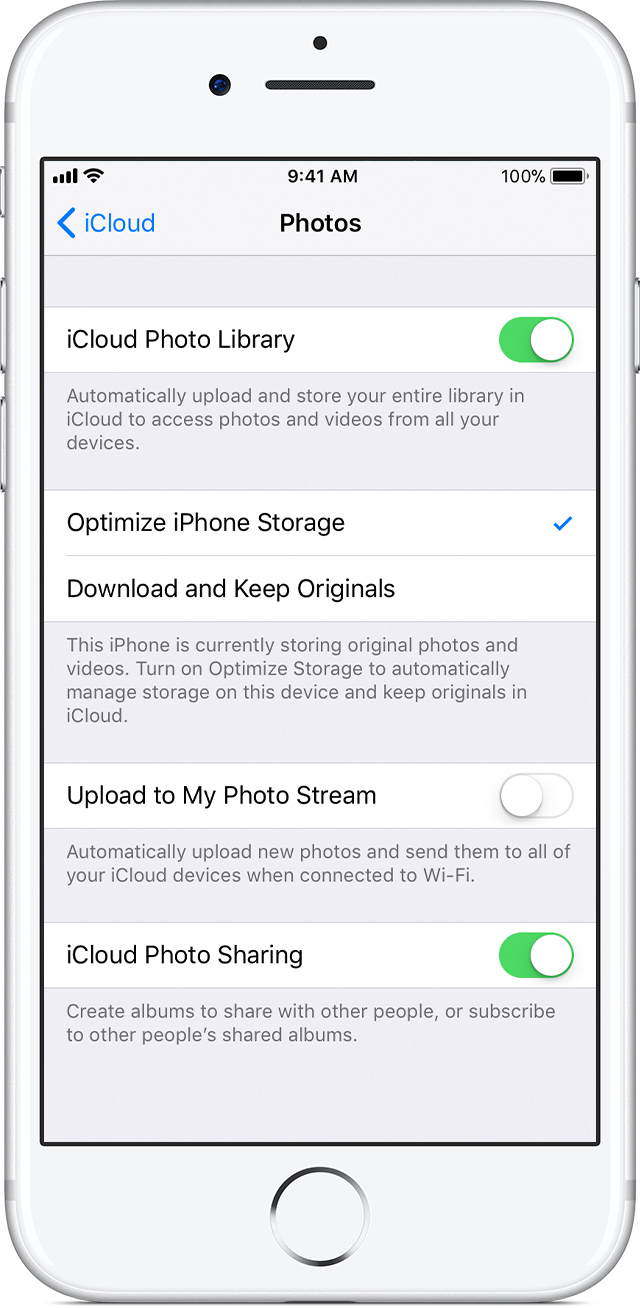
I understand that your Live Photos are not syncing to your Mac, and I'm happy to help. If this issue is being caused by lack of storage, you can try optimizing storage on your device to see if that helps:

User uploaded file

Save space on your device

iCloud Photo Library keeps all of your photos and videos in their original, high-resolution version. You can save space on your device when you turn on Optimize Storage.

On your iPhone, iPad, or iPod touch:

  1. Tap Settings > [your name] > iCloud. If you’re using iOS 10.2 or earlier, tap Settings > iCloud.
  2. Tap Photos.
  3. Choose Optimize [device] Storage.

On your Mac:

  1. Open the Photos app and click Photos in the menu bar.
  2. Click Preferences.
  3. Go to the iCloud tab and choose a storage setting.

iCloud Photo Library

Cheers!

Apr 13, 2018 12:19 PM in response to syncphotos

Try going to iCloud.com using a computer to see if the items are there and whether they are from the device or the computer. That should show whether the device or the computer isn't syncing. If the computer, try going to System Preferences/iCloud and stop syncing. Wait a couple of minutes, then recheck syncing. If the device, go to Settings/Your Name/iCloud and do the above. As a last resort, you can also try signing out of iCloud and then sign in again.

Apr 14, 2018 8:11 PM in response to syncphotos

How is it possible that I can't sync just because my iCloud account is full?

If there is no available space on iCloud, the syncing will stop. Simple physics.


If you add iCloud storage, your syncing will resume.


However, iCloud Photo Library will always sync your photos between devices, meaning deletions will be synced across devices. This is the design of the iCloud Photo Library.


If you want off device storage, you should look for other options. Dropbox or Google Photos are possible options.

This thread has been closed by the system or the community team. You may vote for any posts you find helpful, or search the Community for additional answers.

Unable to sync Live Photos from iPhone to Mac

Welcome to Apple Support Community
A forum where Apple customers help each other with their products. Get started with your Apple Account.