Hi Grumpy,
As far as I know, each template has preset colours (colors) in its default palette.
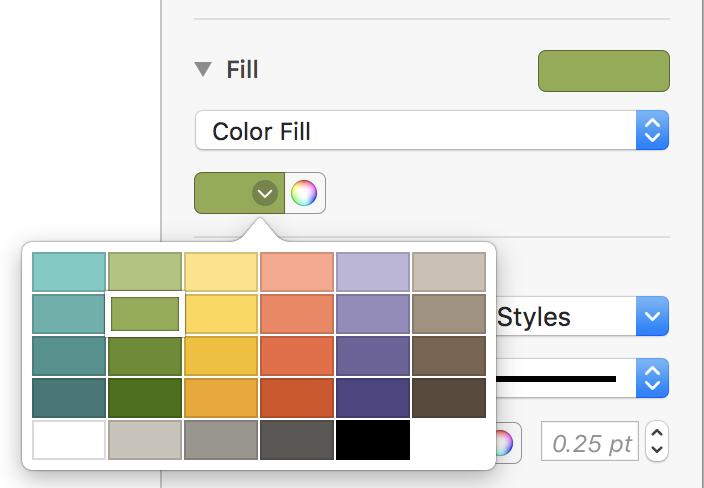
I assume those colours were chosen by graphic designers working with the Numbers engineers to add appropriate "easy to match" colours to each template.
You can create your own palette in the color picker (the rainbow wheel).
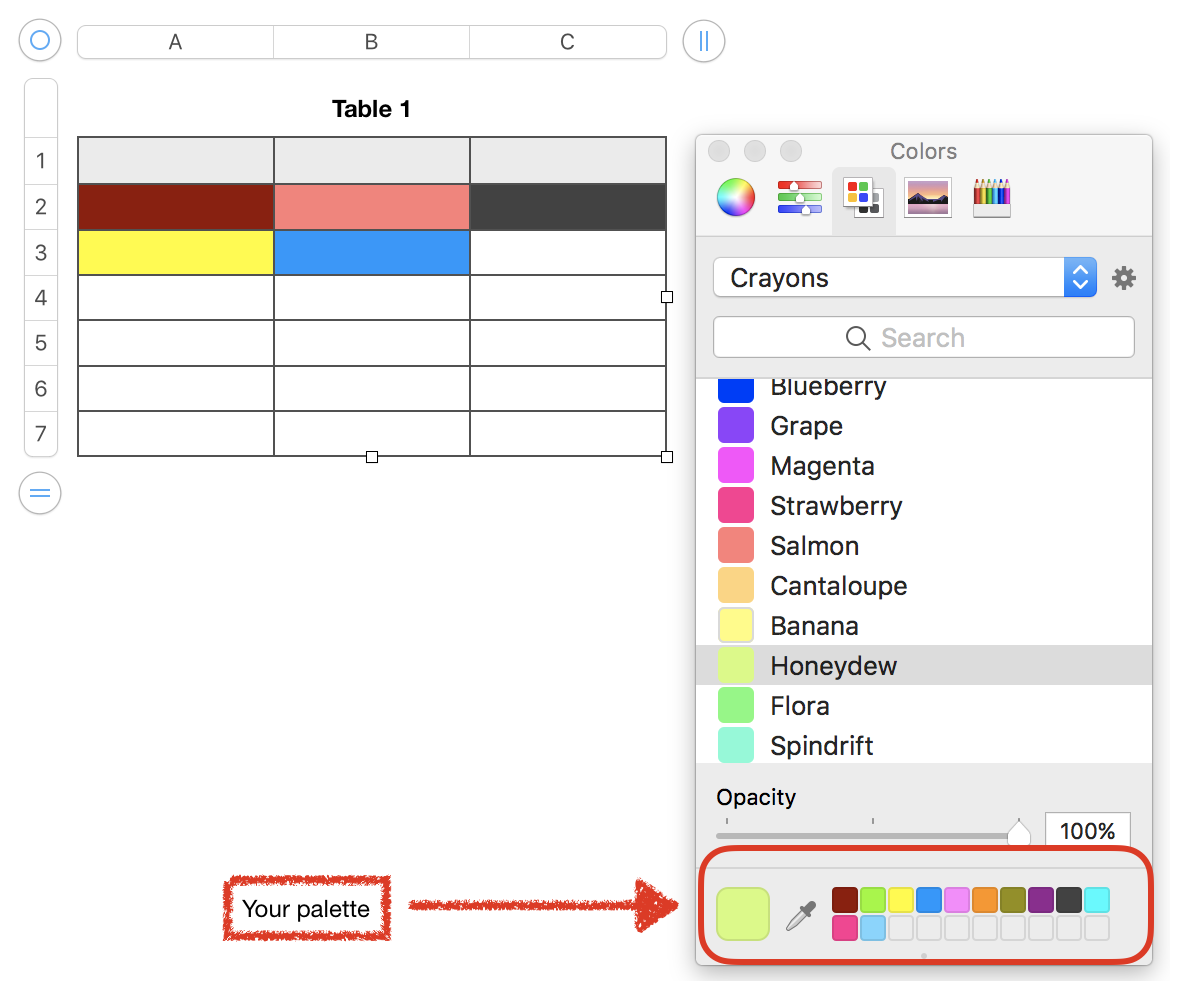
Drag a colour from the color picker to your palette.
Drag from your palette to a table cell.
Your palette will survive through new documents, restarts and shut downs.
The color picker has been in Numbers since Numbers '09 with the same keyboard shortcut: command shift c to toggle on and off.
Happy Numbering!
Ian.

