
Unidentified App
An unidentified app consumed 4 GB from my cellular data package in 6 minuets. i need to know which app
iPhone 7, iOS 11.4.1
An unidentified app consumed 4 GB from my cellular data package in 6 minuets. i need to know which app
iPhone 7, iOS 11.4.1
Check the cellular data usage on your iPhone and iPad - Apple Support
View how much data you're using
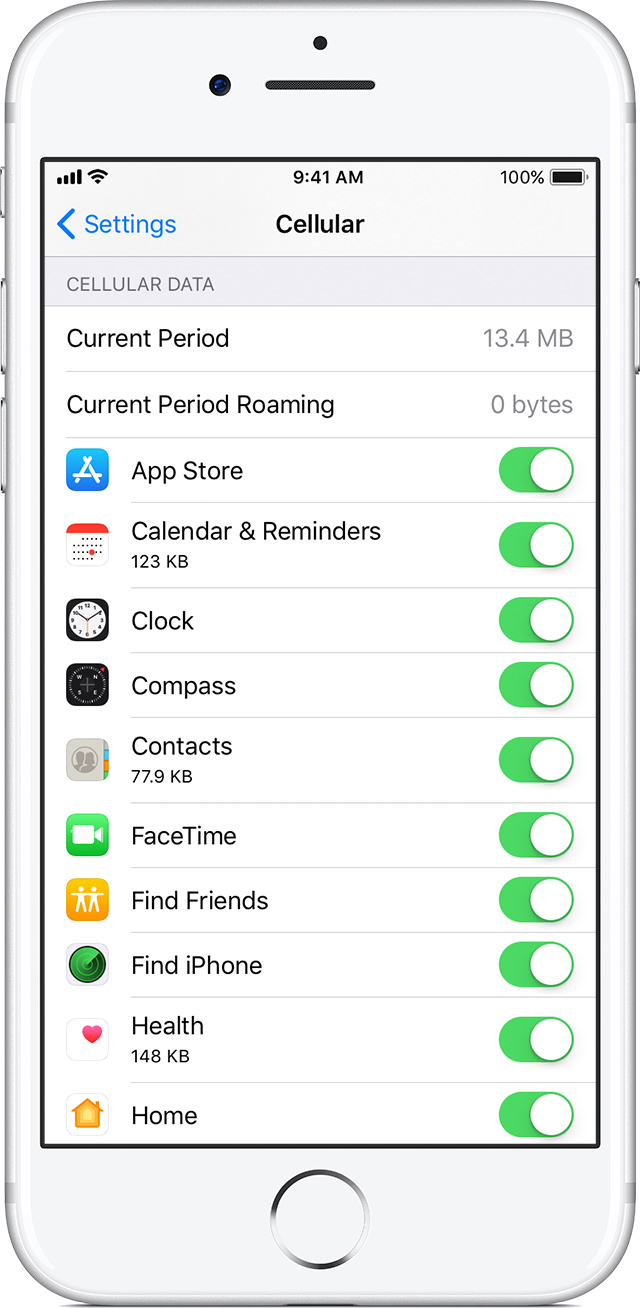
To see how much cellular data that you've used, go to Settings, then tap Cellular or Mobile Data. If you're using an iPad, you might see Settings > Cellular Data instead.
To see how much cellular data an app is using, scroll down to find the app. If you don't want an app to use cellular data, you can turn it off for that app. When cellular data is off, apps use Wi-Fi for data.
To see the cellular data usage for individual System Services, go to Settings, then tap Cellular or Mobile Data. Then scroll to the bottom of the screen and tap System Services. Cellular data can't be turned on or off for individual System Services.
Depending on your carrier, you may see overall cellular data usage displayed on this screen. If you don’t have this option, or have questions about your data usage, contact your carrier.
Check the cellular data usage on your iPhone and iPad - Apple Support
View how much data you're using
To see how much cellular data that you've used, go to Settings, then tap Cellular or Mobile Data. If you're using an iPad, you might see Settings > Cellular Data instead.
To see how much cellular data an app is using, scroll down to find the app. If you don't want an app to use cellular data, you can turn it off for that app. When cellular data is off, apps use Wi-Fi for data.
To see the cellular data usage for individual System Services, go to Settings, then tap Cellular or Mobile Data. Then scroll to the bottom of the screen and tap System Services. Cellular data can't be turned on or off for individual System Services.
Depending on your carrier, you may see overall cellular data usage displayed on this screen. If you don’t have this option, or have questions about your data usage, contact your carrier.
Many thanks Alex
But it the case is not simple.
I have an unknown app that consumed 4 GB in 6 min.
It is even unknown by the service provider.
Ok, it’s unidentified. Not on the list to disable.
Unidentified App



