iCloud Drive document issue

Hello all,


I’m contacting you guys in reference to my “Files” saved on my iPhone 6. and I can bo longer see them. As a matter of fact I no longer even have any “Locations” option at all... I can see some videos trying to upload but they look stuck. they have been in the “waiting to upload “ state for days. So I bought more cloud storage, 200GB, and I still can not access any file.


I started to notice this after I entered my “Restrictions Password” wrong 8 times. Lol. Just throwing that out there. Thinking maybe could be tied to the root of my issue. Not able to view any file and not having any location available. Also not about to view them on my iPad, which shares the same appleid. Please help me reset my “ restrictions password“.


i can send screen recordings and screenshots if needed

iPhone 6, iOS 11.4.1

Posted on Sep 13, 2018 10:56 PM

Reply

Similar questions

3 replies

Sep 14, 2018 2:05 AM in response to Losdog101

As I mentioned, erase all content and settings will not work. You need to restore the iPhone using a computer with iTunes. This article will help If you forgot the passcode for your iPhone, iPad, or iPod touch, or your device is disabled - Apple Support.


If needed, place the phone in recovery mode before hand:


If you've never synced with iTunes, you'll need to use recovery mode to restore your device. This will erase the device and its passcode.

  1. Connect your iOS device to your computer and open iTunes. If you don't have a computer, borrow one from a friend, or go to an Apple Retail Store or Apple Authorized Service Provider.
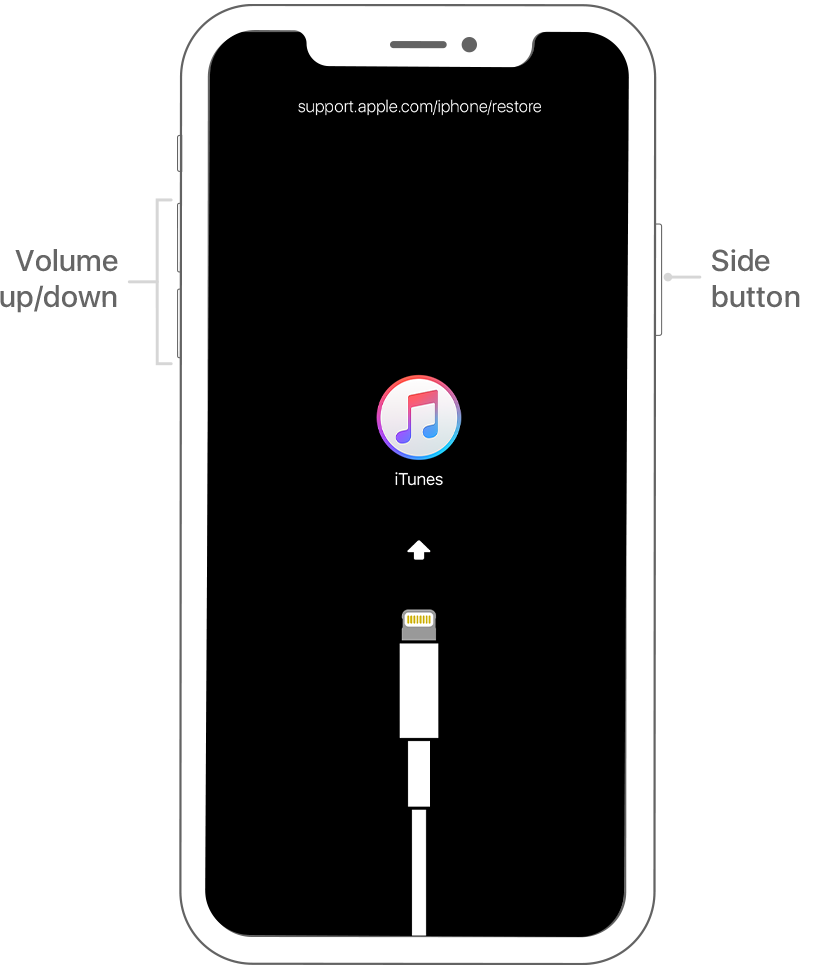
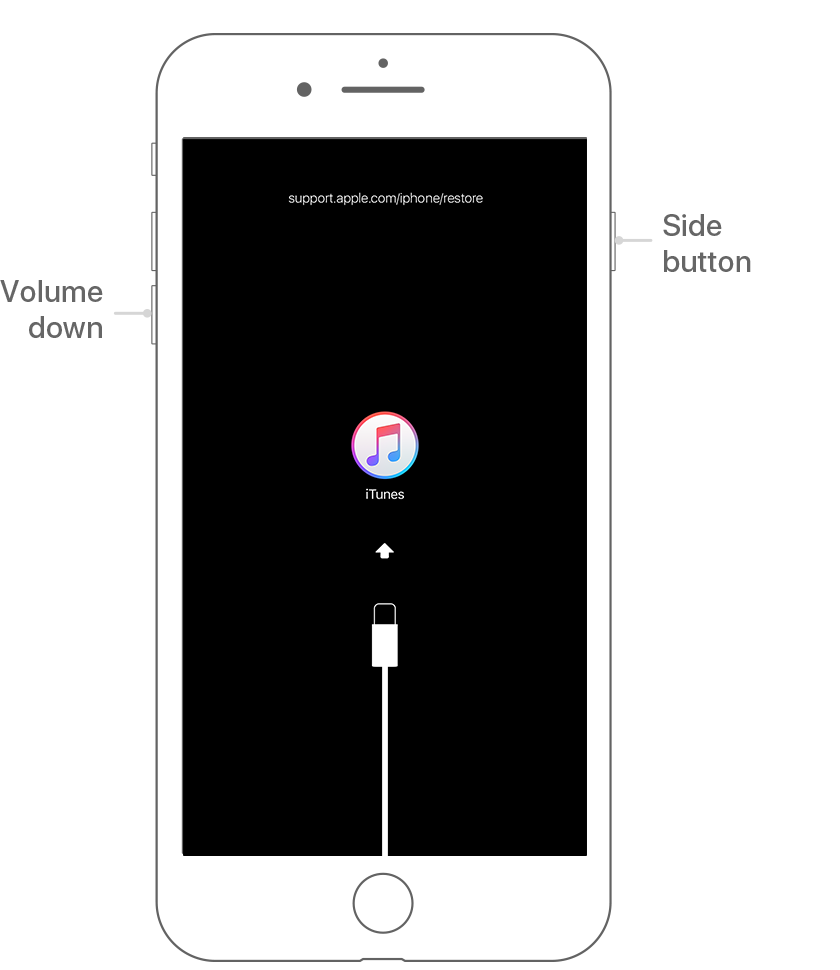
  2. While your device is connected, force restart it:
    • On an iPhone X, iPhone 8, or iPhone 8 Plus: Press and quickly release the Volume Up button. Press and quickly release the Volume Down button. Then, press and hold the Side button until you see the recovery-mode screen.
      User uploaded file
    • On an iPhone 7 or iPhone 7 Plus: Press and hold both the Side and Volume Down buttons at the same time. Keep holding them until you see the recovery-mode screen.
      User uploaded file

This thread has been closed by the system or the community team. You may vote for any posts you find helpful, or search the Community for additional answers.

iCloud Drive document issue

Welcome to Apple Support Community
A forum where Apple customers help each other with their products. Get started with your Apple Account.