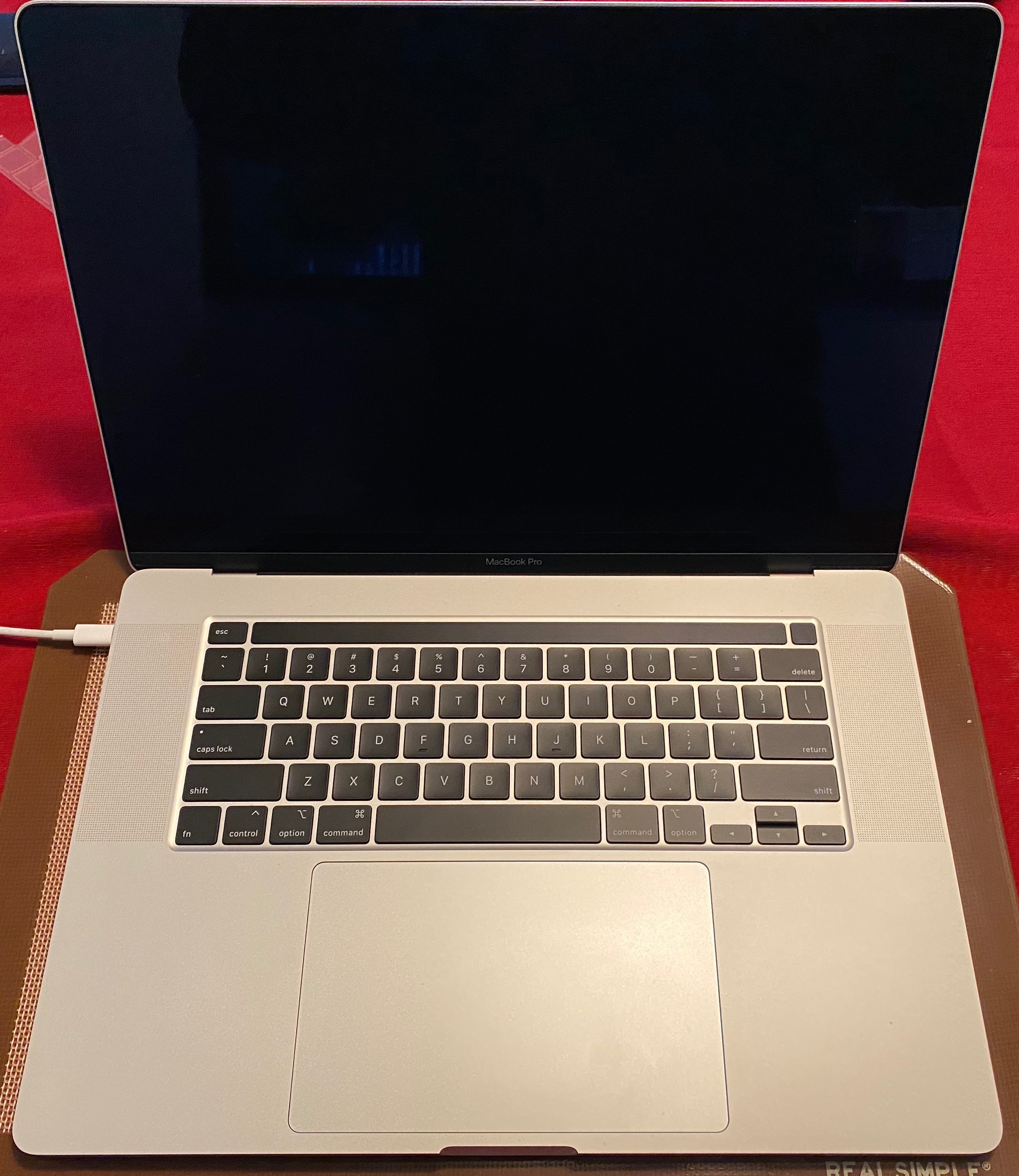
MacBook Pro 15" (2018) Keyboard "t" key repeating issue?

I bought a new MacBook Pro 15" (2018) last week and have been absolutely loving the computer. As an academic, I do a ton of typing and have actually found the keyboard quite enjoyable to the touch.


Recently however I noticed a strange issue popping up infrequently where it feels like the "t" key on my keyboard will repeat when pressed. That means certain words "tthat normally dontt have multtiple" t's appear like so while typing. At first I thought maybe I was pressing the keys incorrectly, or subtly too quickly since I do type quite fast, which led me to testing out different key press pressures and angles. I find that if I slightly press the 't' key on its left side edges, or if I roll my finger over it, it will duplicate the tt issue.


I know this was one of the many keyboard issues that plague the 2017 MacBook Pro + TouchBar models but I thought surely this could not be the case with the newly updated 2018 models...I reached out to Apple Support which suggested I reset the SMC & NVRAM, but the problems persisted after this. Today, I used compressed air and noticed that while the t issue seemed to be resolved, it immediately resumed a short while after.


Do I have a faulty device? Will this need to be repaired or returned? Pretty unsure what to do since the issue becomes quickly annoying and adds considerable time to my writing and editing.

MacBook Pro TouchBar and Touch ID, macOS High Sierra (10.13.6), null

Posted on Sep 14, 2018 5:08 PM

Reply
Question marked as Top-ranking reply

Posted on Dec 26, 2018 9:22 PM

I'm on my 2nd 2018 13" MBP with TouchBar. Mine does double spaces and extra 't's and 'o's. Soooo frusttttrattting ! The 1st one (purchased in August) I brought to Apple store in October to address the issue, and they gave me a brand new laptop. The keyboard was okay up until a week ago. I took this 2nd laptop to another Apple store and they said it is indeed an issue that Apple has admitted to be ongoing and that it is an internal issue under the keyboard, so they will replace the keyboard and top case.

195 replies

Feb 28, 2019 12:58 PM in response to glebovgin

How does any of what you wrote address my question? Because that certainly sounds like Apple is trying to help by offering solutions. Even if the solutions don't necessarily help, that still invalidates you stating that "Apple Doesn't Want to Help us".


"nobody eats burgers over $3K laptop"


Don't kid yourself. People foolishly sit a cup of coffee full of creamer and sticky sugar right next to their MacBook Pro. How many spill threads have you read? There are literally thousands for many different company's laptops.

Mar 1, 2019 7:28 AM in response to Jura Peter

That video doesn't tell the story for everyone. My keyboard 100% perfect on my 2018 MBP 15". I'm not discounting people with problems, I'm just saying you putting up a video with a YouTube channel that has 13M subs doesn't make that video the holy grail and it doesn't speak up for all of us. I hope your issue gets resolved.

Mar 6, 2019 10:20 AM in response to tommy tucker

Well good luck with that if you think Dell is without problems. Visit a Dell forum and your eyebrows will raise high. Lenovo has a boat load of problems. People always think the grass is greener. Dell customers think the grass is greener with Apple. It goes back and forth. Do what you need to do but don't pretend the world is more rose colored with Dell or any other PC laptop.

Also I've been an Apple customer for the past 20 years. There's never been a time where the Genius Bar quoted a 30 day repair. It's usually 5-7 business days. I've had my Macs repaired during their busiest times and still got the repair done by the 7th business day.

So either you went to an authorized Apple repair shop or your exaggerating?

Mar 6, 2019 10:59 AM in response to DPJ

I’m sure there are forums full of people complaining about many things. This forum is full of people complaining about the MacBook Pro because the MacBook Pro keyboard has the key repeat problem.


Just trying to describe my experience so Apple can see how damaging it is for them. I have been using Macs almost exclusively for around 30 years and because of this I have just bought a Dell XPS. I am sorry if that triggers you.


Maybe you can find a Dell XPS forum where people are complaining about keyboard issues and comment there?


The Apple store that told me they would take 30 days was Apple Kurfürstendamm in Berlin. It’s a genuine apple store. The apple store in my mums home town in the uk often does fixes within a few hours of dropping off the machine. Different Apple stores, different turnarounds.

Mar 6, 2019 11:03 AM in response to tommy tucker

I couldn't care less what you buy. You seemed triggered by my response. I was merely pointing out that Dell isn't better in terms of problems. It's the way you posted. It's as if you were trying to annoy the forum by saying you're switching to Dell. Please enjoy your Dell. I'm happy with what I use. I think some people here simply don't like the fact that not everyone is here siding with them against Apple.

Mar 6, 2019 9:20 PM in response to AnthoU

I also bought a new MacBook Pro 15" , it is really amazing computer and its keyboard is quite enjoyable to touch. suddenly one day when i connect my printer to my computer it shows epson error code 0xe5 error. It is really strange for me i have not seen this type of error before and i have no idea about this error. After a lot of search i got a solution of this error from https://www.epsonsupport247.com/epson-printer-error-code-0xe5-solved/ websites. this website is really helpful to remove this error.

Mar 13, 2019 7:26 AM in response to AnthoU

I am experiencing a similar issue with my 13 inch 2018 MacBook Pro Touch Bar . The "o", "u", "e", "y", and backspace button will register that they are being pressed twice or not at all. It is really frustrating-- I am a student and rely heavily on my computer. I have contacted Apple Support and after troubleshooting recommended setting up an appointment with a local Apple Store. My main concern is the problem will happen again after it is "fixed." I am currently waiting for the next break in classes to take my computer in. I'm having to resort to using an external monitor, keyboard and mouse for my assignments and when in lab.

Mar 13, 2019 10:03 AM in response to ggorzynski72

It's a "poor design" in your eyes. As I mentioned, my MacBook Pro is 100%, but it's obvious you're ignoring that. If you feel something is a "poor design" then please move on to a Windows machine. You sound like you have an attitude towards Apple. You're not the only one who is tied to their computer and can't simply leave. If you need to code then sell your MacBook and either get an old one or a Mac mini. The reason I'm a little frustrated at your post because you're not even asking for help. You're just ranting. It doesn't help anyone here. For example, you're already deciding something is a poor design and you're not even willing to believe that a replacement keyboard will take care of your problem, despite what I said to you about my MacBook Pro.

Mar 13, 2019 10:26 AM in response to DPJ

I don’t have an agenda against Apple. I own every apple product apart from the watch, HomePod and AirPods. I’ve had to have my MacBook Pro 2016 15” replaced for a new one to stop the problems I was having and I’m still having them. Clearly, just because you don’t have this issue, it doesn’t mean that it doesn’t exist. Why else would this thread exist? Furthermore, my original post was informing others that I have a similar issue to the original question and that I’ll go to apple and see if it fixes the issue I’m having. I hope you can see that my frustration comes out of a previous product that apple admitted was faulty in the keyboard department and that I see it still in the modern apple laptops today. I’m not speaking on behalf of this discussion but I’m definitely not the only one frustrated with extra characters in their search bars.

Mar 13, 2019 2:21 PM in response to DPJ

I get your point. I understand that when there’s a bunch of people saying something is bad, it’s good to note that this doesn’t happen to everyone. So please know I am not responding to that part of your posts. I also fully understand the idea that we should get it fixed under warranty. I hope everyone is able to get their issues resolved that way! With that being said, I have gotten mine fixed under warranty 3 times and every keyboard they replace has the same issue. That can’t be an outlier. In regards to “just go get it fixed,” as one other post mentions, repairs make it so we are without a computer with our files on it for 1-3 weeks. As a student who cannot afford to have 2 computers, I simply cannot miss 1-3 weeks of my online classes, schoolwork, and work for my job every time this issue happens. It should not be an expected behavior to send your computer to Apple to repair for 1-3 weeks every 1-2 months (the space in between when these issues have arisen for me). I would also like to mention that most people who have this issue will not post on a forum about it, and the people who do check the forum will not post. Over 55,000 people have clicked the “Me Too” button, and that is only a fraction of people who could be experiencing this issue. Poor design does not mean it happens on ALL of the products shipped. It means it happens on ENOUGH of them to know that something is wrong. Please note that I respect everything you have said and understand where you’re coming from. But I also hope that you can see why people might be in the circumstances they are in that causes them to post on this forum. Take care!

This thread has been closed by the system or the community team. You may vote for any posts you find helpful, or search the Community for additional answers.

MacBook Pro 15" (2018) Keyboard "t" key repeating issue?

Welcome to Apple Support Community
A forum where Apple customers help each other with their products. Get started with your Apple Account.