Good afternoon bryontreece,
Welcome to the Apple Support Communities!
I understand you are having issues with your iPhone SE charging properly after updating to iOS 12. Based on the troubleshooting steps you have already tried, I would follow the steps below to determine your battery health.
iPhone Battery and Performance
For iPhone 6 and later, iOS 11.3 and later add new features to show battery health and recommend if a battery needs to be replaced. These can be found in Settings > Battery > Battery Health.
Additionally, users can see if the performance management feature that dynamically manages maximum performance to prevent unexpected shutdowns is on and can choose to turn it off. This feature is enabled only after an unexpected shutdown first occurs on a device with a battery that has diminished ability to deliver maximum instantaneous power. This feature applies to iPhone 6, iPhone 6 Plus, iPhone 6s, iPhone 6s Plus, iPhone SE, iPhone 7, and iPhone 7 Plus.
(Note: Devices updating from iOS 11.2.6 or earlier will initially have performance management disabled; it will be reenabled if the device subsequently experiences an unexpected shutdown.)
All iPhone models include fundamental performance management to ensure that the battery and overall system operates as designed and internal components are protected. This includes behavior in hot or cold temperatures, as well as internal voltage management. This type of performance management is required for safety and expected function, and cannot be turned off.

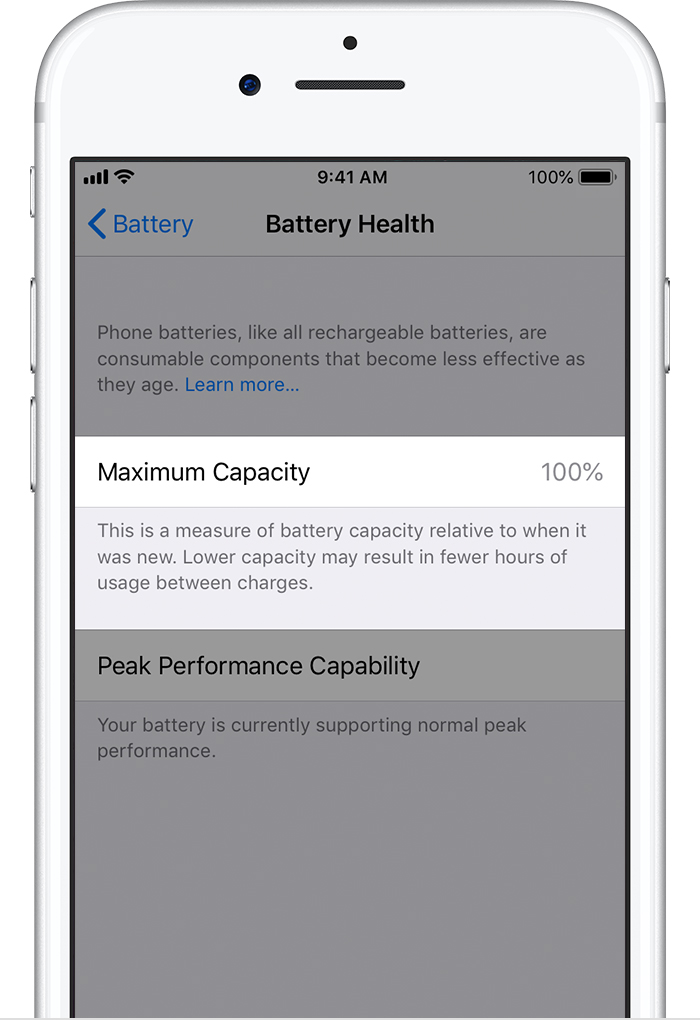
The Battery Health screen includes information on maximum battery capacity and peak performance capability.
Maximum battery capacity measures the device battery capacity relative to when it was new. A battery will have lower capacity as the battery chemically ages which may result in fewer hours of usage between charges. Depending upon the length of time between when the iPhone was made and when it is activated, your battery capacity may show as slightly less than 100%.
A normal battery is designed to retain up to 80% of its original capacity at 500 complete charge cycles when operating under normal conditions. The one-year warranty includes service coverage for a defective battery. If it is out of warranty, Apple offers battery service for a charge. Learn more about charge cycles.
If the issue persists, you may need to have an Apple Genius or an Apple Authorized Service Provider inspect your iPhone. Click on the "Service and Support" section of the resource below to find one near you.
Find Locations - Service - Apple Stores and Apple Authorized Service Providers
iPhone Battery & Power Repair
Take care.