iMessage goes to wrong recipient

Hi, I updated to ios12 and now the messages that I’m addressing to my daughter go to my husband instead. Nothing has changed other than the update. It doesn’t matter how I input her name or number, the instant I hit send it shows my husband’s name & sends to him. I’ve restarted it several times and am starching my head on this one. Thanks for your help.

Katie

Posted on Sep 21, 2018 7:57 PM

Reply
Question marked as Top-ranking reply

Posted on Nov 20, 2018 3:32 AM

Apple did take notice. This was fixed in iOS 12.1.

About iOS 12 Updates - Apple Support

Resolves an issue that caused messages to be merged into one thread when two users were signed in with the same Apple ID on multiple iPhones

Did you make sure that everyone is udpated to iOS 12.1 and if necessary delete the infected threads? Restart your phones as well. If that doesn’t help, recreate the contacts for those involved.

72 replies

Sep 22, 2018 2:24 PM in response to mckane63

Hello mckane63,

Thank you for using Apple Support Communities!

I understand from your post that when you send an iMessage to your daughter it changes to your husband and sends it to him. If your daughter is using the same Apple ID in iMessage as your husband, it could cause those messages to be sent to your husband. Sign out of your husband's Apple ID on your daughter's iPhone under Settings > Messages and then sign in with her own Apple ID. If she is 13 and younger and she does not have one already, you can create one for her using the steps from the article below:

Family Sharing and Apple ID for your child - Apple Support

Create an Apple ID for your child

Use the steps below to create an Apple ID for your child, then add them to your family group. After you add your child to your family group, they will have their own Apple ID that they can use on any Apple device. Your email address is the rescue email address for your child’s account, and you can use it with the security questions you provided to reset a forgotten password.

If the child already has a Game Center account, but not an Apple ID, you don't need to create a new account for them. Just search for their nickname instead.

iPhone, iPad, or iPod touch

  1. Go to Settings > [your name] > Family Sharing > Add Family Member > Create a Child Account > Next. If you're using iOS 10.2 or earlier, go to Settings > iCloud > Family.
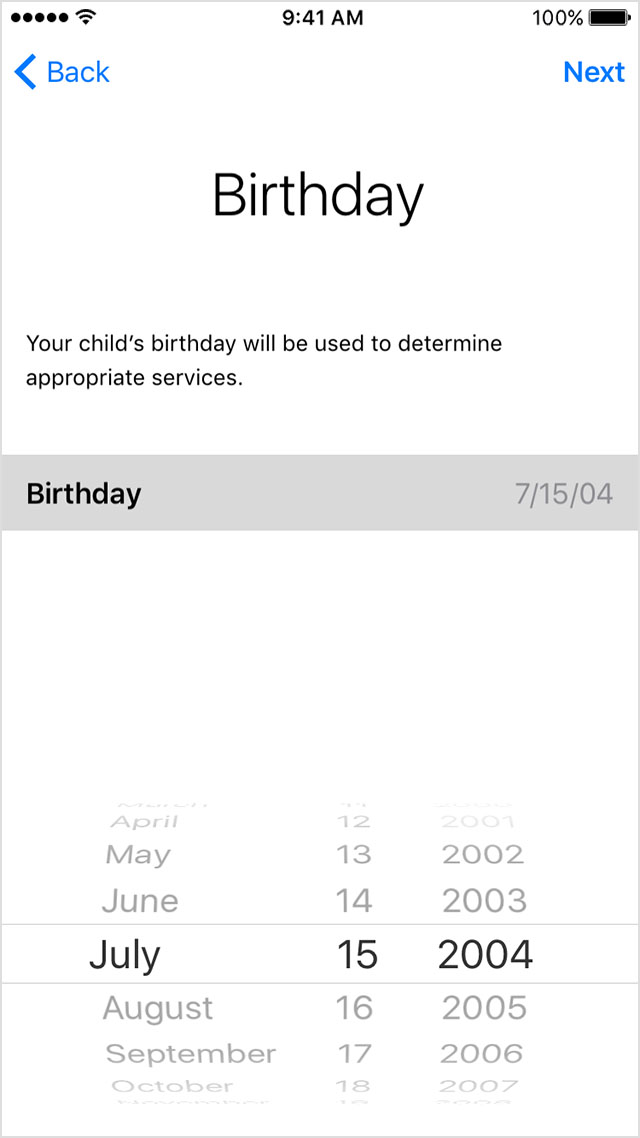
  2. Enter your child's birthday and tap Next. Be sure to enter the correct date.
    User uploaded file
  3. Review the Parent Privacy Disclosure and tap Agree.
  4. Enter the requested information for your payment method and tap Next. If you don't have a payment method on file, you need to add one.
  5. Enter your child's name, tap Next, then create their Apple ID (username@icloud.com) and tap Next. Tap Create.
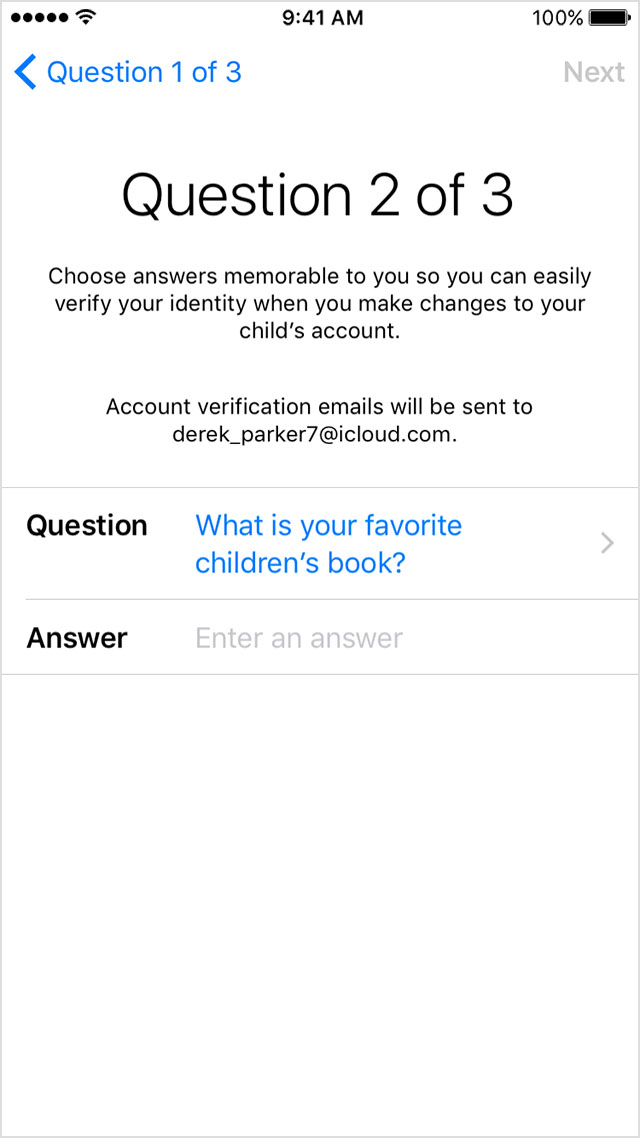
  6. Follow the onscreen instructions to set a password, choose security questions, and set up your child's account. Choose passwords and security questions that you can both remember.
    User uploaded file
  7. Turn on Ask to Buy to approve all iTunes, Apple Books, and App Store purchases initiated by your child. You will be responsible for all charges to your account. Tap Next.
  8. Review the Terms and Conditions. Tap Agree.
Best Regards.

Oct 4, 2018 7:11 PM in response to JasonFranks

This did not work...after restart, I went in to turn iMessage back on and it was already on even though I turned it off prior to restart.


Since I have owned smartphones, I have always purchased the apple product. This will be the last iPhone I ever purchase...was debating to go with Pixel when I bought X...big mistake. It seems like their iOS updates are more and more buggy...probably offshored development.

Oct 30, 2018 3:46 PM in response to ijkkll

I based my remarks on this from the Apple website that talked about all of the iOS 12 features.

Resolves an issue that caused messages to be merged into one thread when two users were signed in with the same Apple ID on multiple iPhones

It also stated the same thing in the Software Update setting.


User uploaded file


So you are saying that it did not work for you then?

This thread has been closed by the system or the community team. You may vote for any posts you find helpful, or search the Community for additional answers.

iMessage goes to wrong recipient

Welcome to Apple Support Community
A forum where Apple customers help each other with their products. Get started with your Apple Account.