My Late 2013 Macbook Pro is not unlocking with my Apple Watch Series 4

I am running WatchOS 5, and I'm running macOS Mojave. This is my first apple watch, so I cannot speak to whether this is a mojave issue, WatchOS 5 issue, or a series 4 issue. All I know is I have it set up, i'm updated, my mac is supported, I'm using the same icloud, im inches away, and I've done everything everything ive found in the internet has said to do and still nothing.


When I restart the computer, it prompts me for the password as it would ordinarily, but when I go to unlock the mac any time after, there is a delay before the password entry box appears, but it never unlocks with the watch and I never receive the unlocked notification on the watch, naturally.


Not sure what to do at this point. I welcome any and all tips toward resolving this issue.


Thanks!

MacBook Pro with Retina display, macOS Mojave (10.14), Using Apple Watch Series 4 44mm

Posted on Sep 26, 2018 10:31 AM

Reply

Similar questions

5 replies

Sep 27, 2018 11:22 AM in response to clay.t91

Hello clay.t91,
Thanks for visiting Apple Support Communities!
I understand that you're unable to automatically unlock your Mac at this time with your Apple Watch. The following steps to verify your settings may be of use to you:

How to set up Auto Unlock

  1. Make sure that your Mac and Apple Watch meet the system requirements for this feature:
  2. Make sure that your Apple ID is using two-factor authentication instead of two-step verification.
    Learn how to switch from two-step verification to two-factor authentication.
  3. Make sure that your devices are set up as follows:
    • Your Mac has Bluetooth turned on.
    • Your Mac has Wi-Fi turned on.
    • Your Mac and Apple Watch are signed in to iCloud with the same Apple ID.
      On your Mac, choose Apple () menu > System Preferences, then click iCloud.
      On your iPhone, open the Apple Watch app, then go to General > Apple ID.
    • Your Apple Watch is using a passcode.
      On your iPhone, open the Apple Watch app, then tap Passcode.
    • Your Mac isn't using Internet sharing or screen sharing.
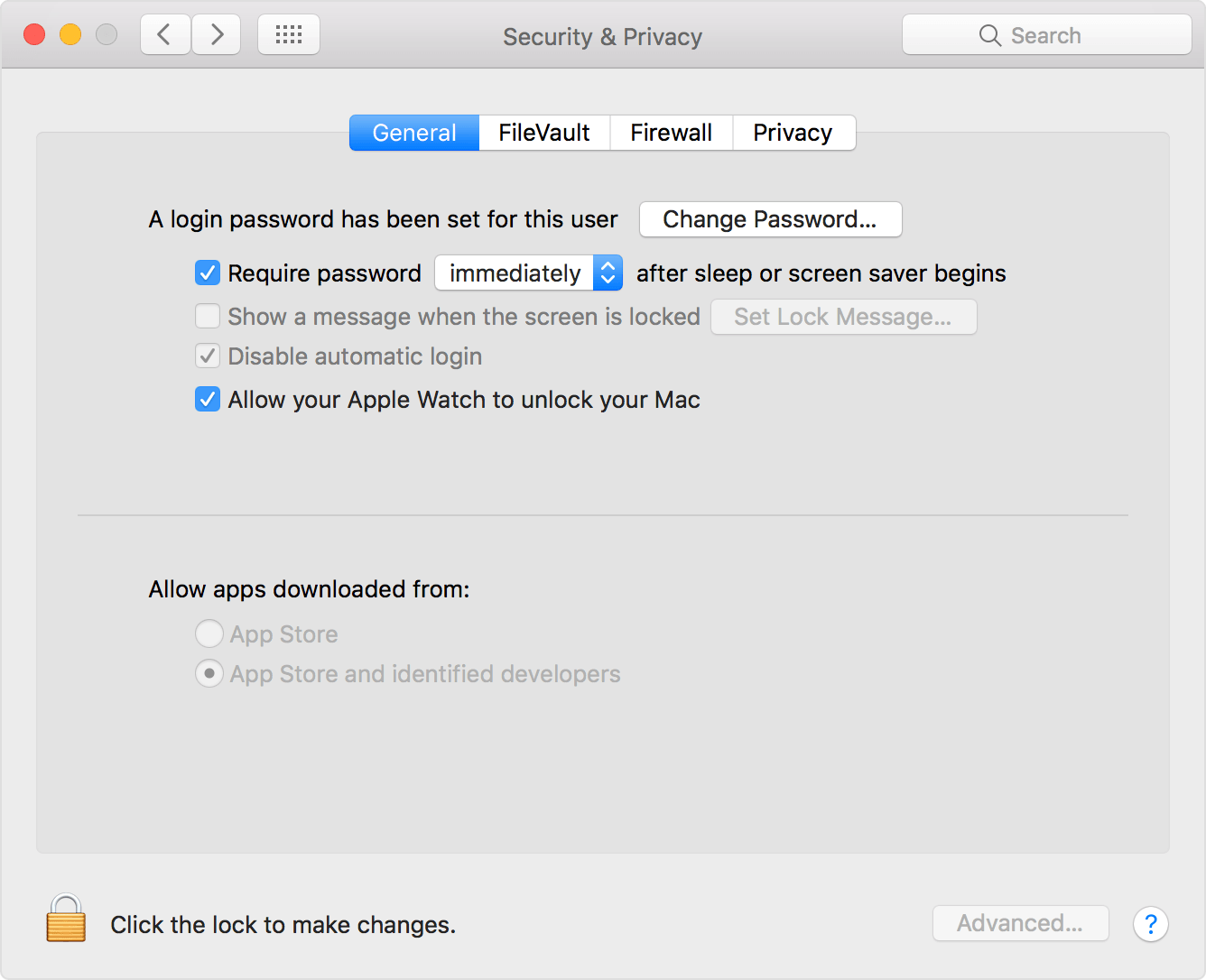
    • Your Mac has ”Allow your Apple Watch to unlock your Mac” selected in Security & Privacy preferences.
      Choose Apple menu > System Preferences, click Security & Privacy, then select the General tab.

User uploaded file

How to unlock your Mac with your Apple Watch - Apple Support


Best regards.

This thread has been closed by the system or the community team. You may vote for any posts you find helpful, or search the Community for additional answers.

My Late 2013 Macbook Pro is not unlocking with my Apple Watch Series 4

Welcome to Apple Support Community
A forum where Apple customers help each other with their products. Get started with your Apple Account.