I have lost numerous audiobooks after the newest update? How can I get them back?

I have an IPad Air which I have recently updated to IOS 12.0. At that time, I noticed that numerous audiobooks were no long visual in my library. How can I get them back? I have my recipes for the purchases.

iPad 2, iOS 7.0.4

Posted on Sep 29, 2018 4:43 AM

Reply
Question marked as Top-ranking reply

Posted on Sep 30, 2018 11:24 AM

Hello Alloyd1,

Thank you for using Apple Support Communities! I understand that certain audiobooks are no longer showing in the Apple Books Library on your iPad. You've come to the right place for help.

Let's start by confirming if you can see and redownload the missing audiobooks from My Purchases:

Redownload apps, music, movies, TV shows, and books from the App Store, iTunes Store, and Apple Books - Apple Support

Specifically, follow the steps in this section:

Redownload books or audiobooks

You can redownload books in Apple Books on an iPhone, iPad, iPod touch, or Mac. You can redownload audiobooks in Apple Books on an iPhone, iPad, or iPod touch; or in iTunes on a Mac or PC.

On an iPhone, iPad, or iPod touch

  1. Open the Apple Books app.
  2. Tap User uploaded file or your photo in the upper-right corner of the screen.
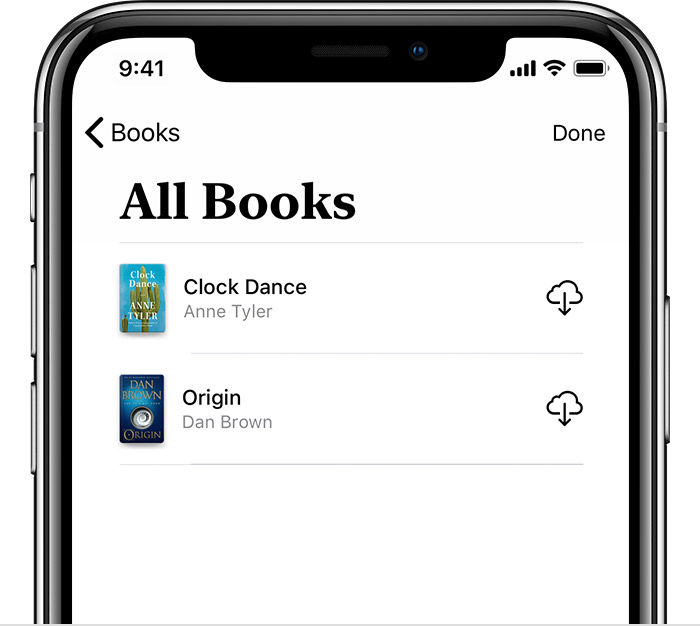
  3. Depending on what you want to redownload, tap Books or Audiobooks under My Purchases.
  4. Tap "Not on this [device]," then tap All Books or All Audiobooks.
  5. Find the book or audiobook that you want to download, then tap User uploaded file . The item downloads to your device. Don't see the item that you purchased?
    User uploaded file

If the audiobooks do not appear under My Purchases, and they are not hidden, can you confirm if these were purchased from Apple Books or another source?

Cheers!
32 replies

Jan 2, 2019 11:02 PM in response to alain2019

Same problem here. First the audiobook titles (all from Audible) showed up, but would not play (I was in airplane mode at the time). Then when getting out of airplane mode, my iPhone 6 (IOS 12.1.2) shows no audiobooks, despite iTunes showing them all and claiming it synced them to my phone. Unbelievably annoying. I got past it my using the Audible app instead of Apple's book App, though it had to redownload everything. so now they are likely there twice with one copy hidden in some way just taking up space.


Tim Cook lowers forecasts of iPhone sales and says it's due to fewer upgrades from battery replacements, China's slowdown and trade tensions with China. Of course it could not possibly be that folks are becoming fed up with the ever growing list of sw problems.


It used to be that this sort of thing didn't happen (at least often) as Apple controlled all the software. Now it happens because Apple wants to control if not provide all the content too. What a surprise that this issue doesn't happen for books purchased from Apple.

Jan 7, 2019 2:16 PM in response to Alloyd1

I have the same issue. I get audio books from the library, RIP them to my Mac and upload to my iPhone XR. After finishing a book, I deleted it from my device and the other 20 audio books on my device were deleted as well. I went back and re-synced the books from my Mac and all was well. Listen to the next book, deleted it and the rest of my audio book library was deleted again. However, when I connected the XR to the iMac to re-sync the audio books the iMac said the XR iPhone couldn't read. Now I'm trying to figure out how to get my audio books back onto my device.

This thread has been closed by the system or the community team. You may vote for any posts you find helpful, or search the Community for additional answers.

I have lost numerous audiobooks after the newest update? How can I get them back?

Welcome to Apple Support Community
A forum where Apple customers help each other with their products. Get started with your Apple Account.